

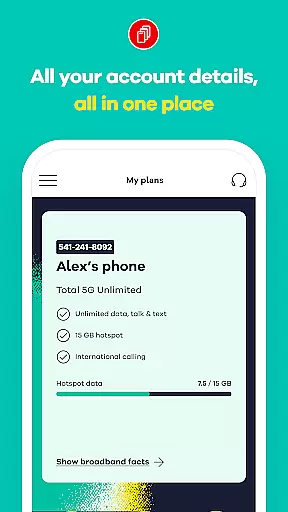
My Total Wireless: Account App is a comprehensive communication tool designed to simplify mobile account management. This app allows users to effortlessly track past and future payments, monitor current plans, manage rewards, and oversee data usage. With its intuitive interface, the application provides quick access to essential account details, enabling users to manage their devices and monitor unlimited data usage with ease.
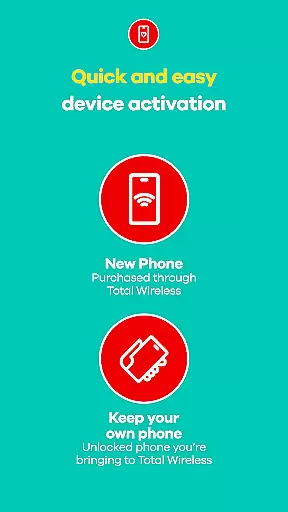
The app features an enhanced activation experience that ensures swift setup while leveraging the power of Verizon's 5G network for optimal connectivity. Whether making payments or tracking rewards, My Total Wireless offers full control over phone services, ensuring users stay connected without hassle. Its robust feature set makes it an indispensable tool for anyone seeking seamless mobile service management.
One of the standout features of My Total Wireless is its ability to streamline cell phone plan management. Users can easily organize and manage multiple devices and optimize data usage, even with unlimited plans. The app simplifies staying on top of your current plan, ensuring uninterrupted connectivity.
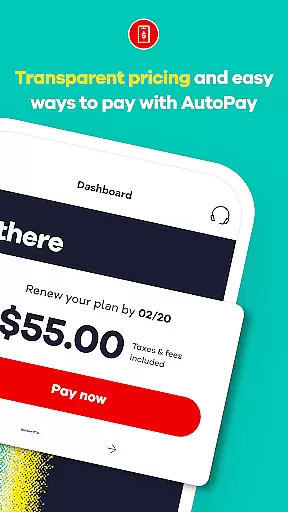
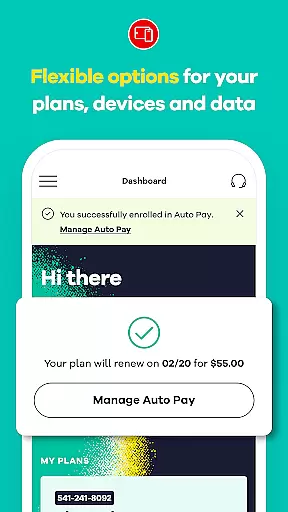
Another key feature is the support for 5G network plans, offering reliable mobile network options. Subscribers can switch to Total 5G or Total 5G+ Unlimited plans, often accompanied by promotional offers like free phones. The app also facilitates Auto Pay, which renews mobile network plans automatically, adding convenience.
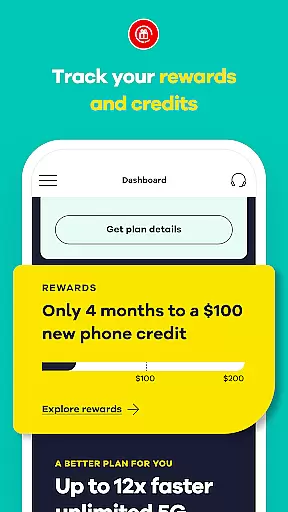
Additionally, My Total Wireless incentivizes user engagement through reward programs. Users can earn credits by maintaining consistent plan payments and track these rewards within the app. The integrated Total Wireless Wallet allows adding funds for purchasing service plans, devices, and accessories, further enhancing the user experience.
Real-time messaging speed and reliability are crucial for any communication app, ensuring that messages are delivered instantly and without fail. My Total Wireless: Account App excels in this area by providing users with seamless access to all account details at a glance, allowing them to manage devices, and monitor unlimited data usage without delay.
The app's infrastructure is designed to handle high volumes of data transactions efficiently, which translates into fast response times when users interact with their account information or perform actions such as making payments or tracking rewards. This ensures that customers can stay on top of their current plans for seamless connectivity.
For users, this means they can trust the app to provide up-to-date and accurate information about their services, helping them make informed decisions quickly. Whether checking data usage or updating mobile network plans, the real-time capabilities of My Total Wireless ensure that users have the most recent data at their fingertips.
Ultimately, the reliable messaging framework within the My Total Wireless app contributes to a stress-free user experience, empowering customers with full control over their phone service while maintaining an uninterrupted connection to their account management tools.
Media sharing support is an essential feature for modern communication apps, enabling users to share various types of media effortlessly. The My Total Wireless: Account App facilitates media sharing through its comprehensive platform where users can manage not only their payment and plan details but also engage with promotional content and updates regarding new offers like 5G network plans.
With the ability to switch to enhanced 5G network plans directly from the app, users can enjoy improved media sharing capabilities thanks to faster internet speeds provided by Verizonu2019s 5G network. This allows subscribers to send larger files, higher-quality images, and stream content more smoothly than ever before.
Additionally, the app provides easy access to exclusive promotions and bonuses, which might include multimedia advertisements or instructional videos aimed at educating customers about available services and benefits. By integrating these rich media elements, the app enhances user engagement and understanding of complex offerings.
In summary, robust media sharing support within the My Total Wireless app enriches the customer experience by facilitating smoother interactions with digital content related to both service management and promotional opportunities, thereby enhancing overall satisfaction and retention rates among tech-savvy consumers.
User-friendly interface
Comprehensive account management
Supports 5G network plans
Reward program integration
Auto Pay functionality
Limited to Total Wireless customers
Promotional terms may apply
Requires continuous service
Device compatibility issues
Geographical limitations

Pure modern IRC experience for Android
 3.70
3.70
Enables Plus features of Quick Search.
4.5
The ultimate productivity solution for all your email communication needs.
4.40
Messenger for SMS - texting message app, faster, simpler & safer, for you.
4.70
Our Black Friday sale is here. Unlock special discounts on Proton Mail now.
4.30
Call Blocker app: Identify unknown callers, block spam calls, fraud & robocalls
4.30
Fun, free app that lets kids video call and message family and close friends.
3.80
Threema is the messenger with the most consistent focus on security and privacy.
4.00
BE PRIVATE
Anonymous. No Trace. Fast.
4.20
We’re taking the yada yada out of wireless—now we’ve taken it out of your app.
4.70
Faster version of Messages. Messenger for your contacts.
4.50
Phone Dialer with Caller ID, Address Book & Contacts Manager.
4.30
HD Video Meeting app is a fast & unlimited video conferencing app across world.
4.30
SMS Messenger is a lightning-fast messaging app.
4.20
Message and video call your family and friends in HD!
3.80
Caller ID, Spam Call & SMS Blocker
3.80
Quickly and easily identify and block unknown callers
3.70
Manage and Fund Calling Accounts and Schedule and Join Video Sessions
3.60
A softphone app with seamless SIP calling and an intuitive VoIP dialer
3.50


User Reviews