
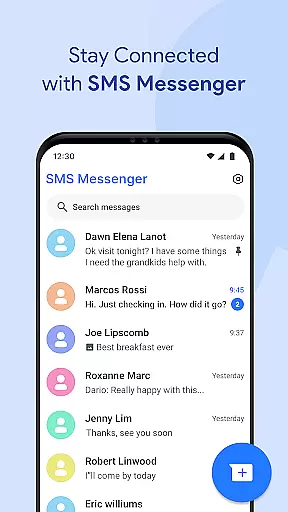
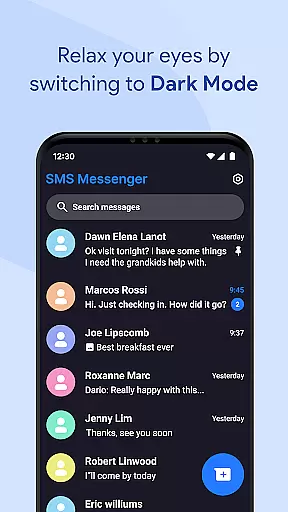
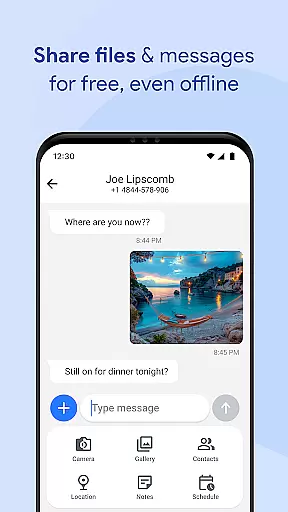
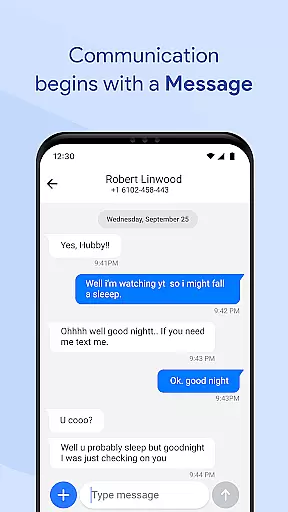
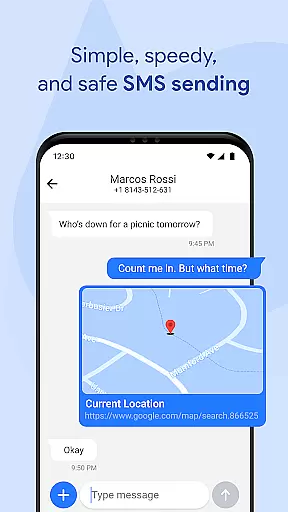

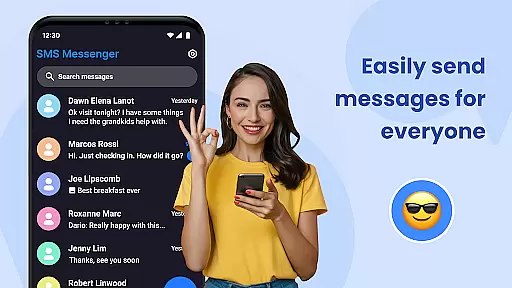
Messages for Android is a comprehensive messaging app designed to simplify communication while offering advanced features. This application supports both SMS and MMS, allowing users to send texts, images, videos, and more with ease. Its group messaging functionality helps users stay connected with multiple contacts simultaneously, making it ideal for both personal and professional use.
The app stands out with its after-call features, enabling users to send follow-up messages or set reminders right after ending a call. With smart search, spam protection, and message organization tools, Messages for Android ensures a clutter-free and efficient texting experience. The clean, modern UI and customizable options enhance user engagement, while privacy features like secure messaging and backup solutions provide peace of mind.
This app is particularly useful for Android users seeking a reliable default SMS/MMS app that combines speed, security, and style. Whether managing daily conversations or handling important communications, Messages for Android delivers a seamless experience across various devices.
Messages for Android offers an array of powerful features tailored for modern communication needs. One of its core strengths is the robust support for SMS and MMS, which allows users to exchange various media formats effortlessly. The group messaging feature facilitates dynamic conversations among multiple participants, ensuring no one is left out of important discussions.
Advanced functionalities such as smart search, quick replies, and spam filtering significantly improve usability. Users can quickly locate specific messages or contacts, respond instantly using preset replies, and enjoy a cleaner inbox by blocking unwanted texts. Additionally, the app provides organizational tools like pinning key conversations and archiving messages, helping users maintain an orderly chat history.
Privacy and security are prioritized through secure messaging protocols, backup and restore capabilities, and chat synchronization across devices. These features ensure that personal data remains protected while enabling seamless transitions between phones. Overall, Messages for Android combines essential texting tools with innovative enhancements to deliver a superior messaging experience.
Real-time messaging speed and reliability are crucial for maintaining seamless communication in any messaging app. Messages for Android ensures that your texts, images, videos, and other media are delivered instantly, even under varying network conditions.
The app is optimized to work efficiently on all Android devices, from lightweight models to premium smartphones. This optimization guarantees fast message delivery without draining the device's battery, making it a reliable choice for users who need consistent performance.
With instant notifications, you will never miss an important message, even when your phone is locked. The app's efficient memory usage and smooth performance ensure that messages are delivered promptly without any delays, providing a superior user experience.
Media sharing support is an essential feature of modern messaging apps, allowing users to send and receive various types of content seamlessly. Messages for Android supports SMS and MMS, enabling users to share images, videos, audio, documents, and location data effortlessly.
In addition to basic media sharing, the app offers advanced features like group messaging, which allows users to stay connected with family, friends, or colleagues through powerful group chats. These features make it easy to manage multiple conversations and keep everyone in the loop.
The app also includes spam filters and message organization tools, ensuring that your inbox remains clean and structured. With smart folders and message archive tools, you can easily find and manage your shared media, making your communication more effective and enjoyable.
User-friendly interface
Secure messaging
Spam protection
Customizable options
Cross-device sync
Limited iOS compatibility
High battery usage
Occasional bugs
Ads in free version
Complex settings

 3.90
3.90
Identify unknown numbers, block spam calls, customize calls with cool themes.
4.60
SMS & MMS Messaging App to easily send messages or schedule SMS on Chat
4.10
A Browser with powerful ad blocker to help focus on what really matters.
3.00
Official NDI app: turn your phone into a professional live-streaming IP camera.
3.20
Messenger, an MMS & SMS messages app with Blockers, Driving mode & Private box
4.60
Manage Phone Calls, call history, and contacts easily with Phone Pro.
4.1
FolderSync enables easy sync of files between cloud storage and Android devices.
4.60
Fast internet with AI, Adblock & VPN. Browse on a safe, incognito web browser.
4.70
Faster version of Messages. Messenger for your contacts.
4.50
An agentic AI browser for Android, built by Perplexity
4.50
Get through your inbox faster with the mail app designed to simplify your life.
4.40
SMS Messenger is a lightning-fast messaging app.
4.20
Google's fast and secure browser
4.10
Threema is the messenger with the most consistent focus on security and privacy.
4.00
Measure BHP, Torque & 0-60 Clear car OBD faults View engine data in Google Earth
4.00
Call Forwarding is easy and simple application to use.
3.80
Secure Messaging App to Enhance Messenger Texting Experience and Organize SMS.
3.50
At select facilities, you now have an easy way to video visit your loved ones!
3.30


User Reviews