
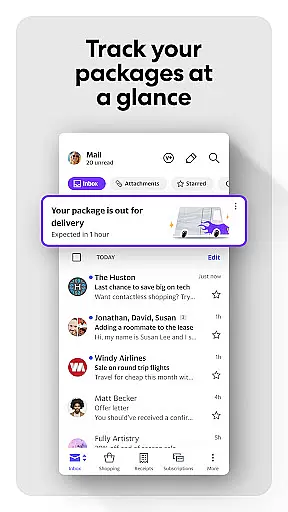
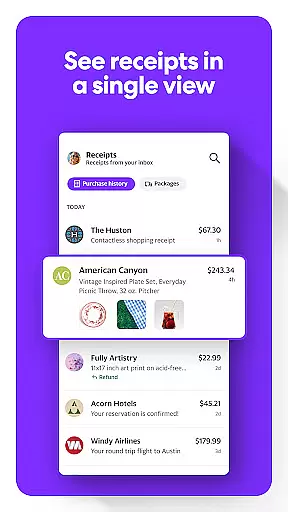
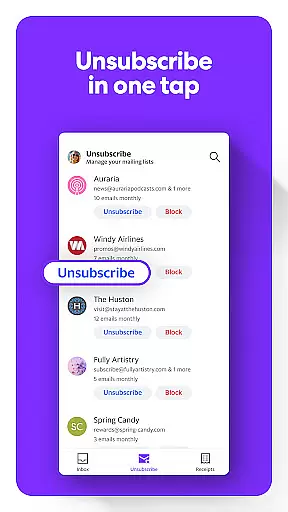
Yahoo Mail is a comprehensive communication app designed to streamline email management. It simplifies daily email tasks through innovative features like gamified inbox cleanup and one-tap unsubscribe options.
The app stands out with its ability to integrate multiple email accounts into a single interface, making it easier to manage personal and work communications. Its advanced security measures provide protection against phishing and other email threats.
Whether you're a casual user or need advanced business tools, Yahoo Mail offers solutions that save time and enhance productivity. The optional Yahoo Mail+ subscription adds valuable features for power users seeking an optimized email experience.
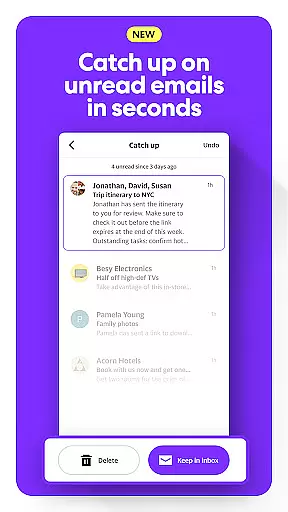
Yahoo Mail offers robust communication tools tailored for both personal and professional use. The app provides advanced sorting capabilities, allowing users to quickly manage unread emails through an intuitive interface.
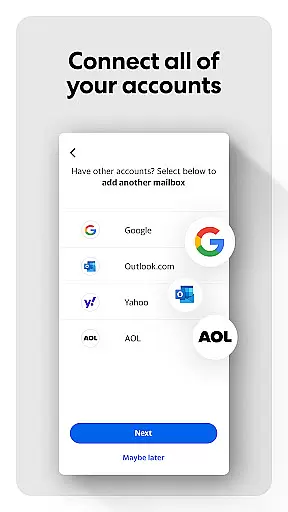
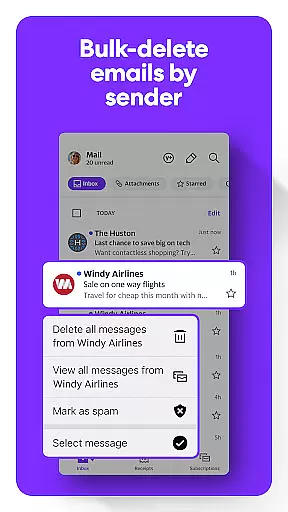
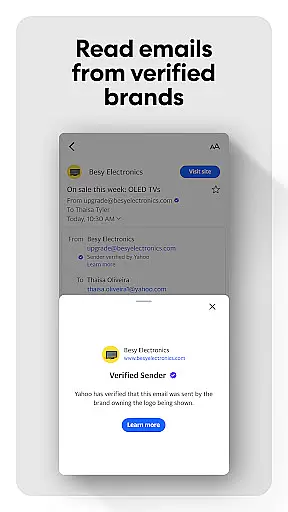
Security is a top priority, with features like suspicious email warnings and sender-based deletion. Users can also connect multiple email accounts, including Gmail and Outlook, creating a unified inbox experience.
The app includes accessibility options such as high contrast themes and VoiceOver compatibility, ensuring inclusivity for all users. With Yahoo Mail+, subscribers enjoy an ad-free experience, enhanced organization tools, and dedicated tech support.
Real-time messaging speed and reliability are crucial for maintaining seamless communication in today's fast-paced world. Yahoo Mail ensures that your messages are delivered instantly, without delays or interruptions.
The app is engineered to handle high volumes of email traffic with minimal latency. This means you can send and receive emails quickly, even during peak usage times, ensuring that important communications are not delayed.
Yahoo Mail employs advanced server infrastructure and optimized data transmission protocols to maintain consistent performance. These technical enhancements ensure that users experience reliable message delivery regardless of their location or network conditions.
For users, this reliability translates into peace of mind knowing that their communications will reach recipients promptly. Whether it's urgent business emails or casual correspondence with friends, Yahoo Mail's robust system guarantees timely delivery every time.
Media sharing support has become an essential feature in modern email applications, allowing users to easily exchange photos, videos, and documents. Yahoo Mail offers comprehensive media sharing capabilities that enhance user interaction and productivity.
The app supports a wide range of file formats, from common image and video types to various document extensions. This versatility enables users to share different kinds of media without worrying about compatibility issues, making collaboration more efficient.
Additionally, Yahoo Mail provides generous attachment limits, empowering users to send large files directly through the app. This eliminates the need for third-party file-sharing services in many cases, streamlining the sharing process while keeping all communication within a single platform.
With its robust media sharing features, Yahoo Mail ensures that users can effortlessly exchange rich content, enhancing both personal and professional communications. The app's intuitive interface makes attaching and viewing media simple, contributing to a more engaging email experience overall.
Advanced sorting
Multi-account support
Robust security
Accessibility options
Unified inbox
Occasional bugs
Limited customization
Subscription cost
Ad-heavy free version
Complex menus

Browse fast on Opera Mini, with Data Saving, News, Football Scores, and Download
 4.60
4.60
The ultimate productivity solution for all your email communication needs.
4.40
At select facilities, you now have an easy way to video visit your loved ones!
3.30
Quickly and easily identify and block unknown callers
3.70
This app enables the phone to receive and send FT8 traffic!
3.80
Call Blocker app: Identify unknown callers, block spam calls, fraud & robocalls
4.30
Experience real private browsing without tracking, surveillance, or censorship.
4.50
FolderSync enables easy sync of files between cloud storage and Android devices.
4.60
Share the moment!
4.10
We’re taking the yada yada out of wireless—now we’ve taken it out of your app.
4.70
Useful. Social. Expressive.
4.70
Identify unknown numbers, block spam calls, customize calls with cool themes.
4.60
Simplify texting with Messages SMS, offline messaging, themes & smart tools!
4.30
Use this SMS app standalone or as a TREK: Total Interface companion.
4.30
Chill zone on your phone: relax with fun reels & hype shorts!
4.20
BE PRIVATE
Anonymous. No Trace. Fast.
4.20
A softphone with crystal clear SIP Calling & Reliable VoIP dialer
4.00
SMS Messenger ensures that communication become effortless and accessible.
3.80
A Browser with powerful ad blocker to help focus on what really matters.
3.00


User Reviews