






Messenger is a versatile communication app that allows users to connect with friends and family effortlessly. The core functionality revolves around instant messaging and voice/video calling, enabling seamless interactions across distances. What sets Messenger apart is its integration with Facebook, allowing contact discovery without needing phone numbers.
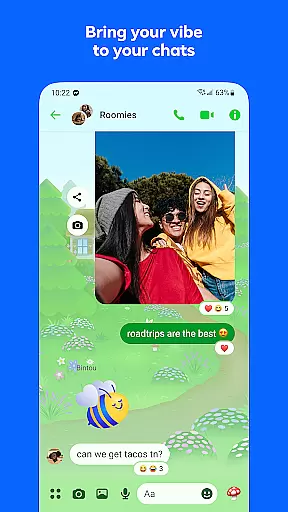
Beyond basic communication, the app offers innovative features like Meta AI assistant for instant support, high-definition photo sharing, and collaborative tools such as shared albums. Users can customize their experience through chat themes and expressive stickers while enjoying practical utilities like file sharing up to 100MB and message editing options. These features make Messenger particularly valuable for maintaining both personal relationships and community connections.
The app's true value shines in professional and educational settings where secure file sharing and disappearing messages enhance privacy. Whether you're coordinating with colleagues or staying in touch with loved ones abroad, Messenger provides a comprehensive platform that goes beyond traditional messaging apps.
Messenger distinguishes itself through its comprehensive feature set designed for modern communication needs. The integration with Meta AI assistant revolutionizes user interaction by providing instant answers and assistance directly within conversations. This AI capability extends to creative functions, allowing users to generate and edit images, making it a powerful tool for content creators.
The app excels in media sharing with its high-definition photo transmission and shared album creation features. These capabilities enable users to preserve memories in exceptional quality while collaborating on group projects or family events. The implementation of QR codes for connection simplifies networking at professional events or casual meetings, streamlining the process of adding new contacts.
Professional users benefit from advanced functionalities like large file sharing (up to 100MB), message editing and unsending options, plus disappearing messages for sensitive communications. The ability to customize chat themes and utilize various expression tools creates a personalized experience that adapts to both casual and formal communication requirements.
Real-time messaging speed and reliability are crucial for maintaining seamless communication in today's fast-paced digital world. Messenger excels in this area by providing instant message delivery across devices, ensuring you never miss an important conversation.
The app employs advanced synchronization technologies that keep your chat history consistent and up-to-date, regardless of whether you're switching between your phone, tablet, or desktop. This means you can start a conversation on one device and continue it on another without any interruptions.
Messenger also prioritizes message reliability, implementing robust server infrastructure to handle high volumes of messages with minimal delay. The result is a smooth chatting experience where messages appear instantly, even during peak usage times.
Moreover, the app offers read receipts and typing indicators, giving users real-time feedback on their conversations. These features not only enhance the feeling of immediacy but also help manage expectations about response times, making communications more efficient and reliable.
Media sharing support is an essential feature for modern messaging apps, allowing users to express themselves beyond text. Messenger takes this to the next level by enabling users to send high-definition photos and videos, ensuring every shared moment looks its best.
In addition to images, Messenger allows for the sharing of large files directly within chats. Whether it's a detailed PDF report, an Excel spreadsheet, or a Word document, users can exchange files up to 100MB without needing external cloud services, streamlining collaboration and information exchange.
The platform also supports creating shared albums, letting groups compile and organize collections of photos and videos from events like vacations or family gatherings. This collaborative approach enhances group interactions and preserves collective memories in a structured format.
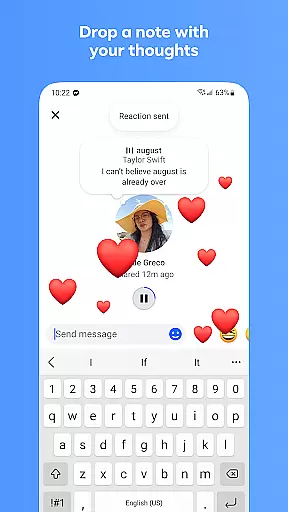
Furthermore, Messenger integrates creative tools such as animated stickers, GIFs, and reactions, empowering users to add personality and emotion to their conversations. By combining practical file-sharing capabilities with expressive media options, Messenger ensures comprehensive support for diverse communication needs.
Seamless Facebook integration
High-quality media sharing
Advanced AI assistance
Comprehensive customization options
Robust file sharing capabilities
Privacy concerns with Meta
Feature limitations in some regions
Occasional performance issues
Complex interface for beginners
Large storage requirements

Radio communication simulator for gaming communities
 4.2
4.2
Google's fast and secure browser
4.10
Block spam calls & scam - no more annoying calls with the call blocker function
4.30
Message and video call your family and friends in HD!
3.80
Call Blocker app: Identify unknown callers, block spam calls, fraud & robocalls
4.30
Call & Text Anywhere With A Canadian Number.
3.60
Bringing the functionality of Winlink to your Android device
4.4
Measure BHP, Torque & 0-60 Clear car OBD faults View engine data in Google Earth
4.00
Manage your mobile phone plan, check unlimited 5g data usage and track rewards
4.50
Build your web browser around you with private search, and more.
4.60
Experience real private browsing without tracking, surveillance, or censorship.
4.50
2nd Phone Number Line for Anonymous Texting, Calling, and Picture Messages
4.30
Fast and simple walkie talkie app
4.20
Chill zone on your phone: relax with fun reels & hype shorts!
4.20
Messages is Private SMS Messenger 2023 with text message, instant messaging.
4.00
Caller ID, Spam Call & SMS Blocker
3.80
Manage and Fund Calling Accounts and Schedule and Join Video Sessions
3.60
A Browser with powerful ad blocker to help focus on what really matters.
3.00
Chat on the Jabber network (XMPP protocol); support for SMS and other gateways
2.10


User Reviews