
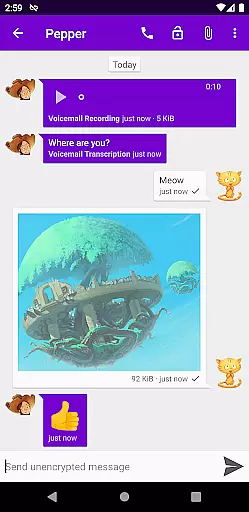
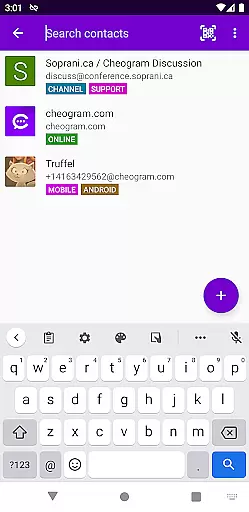
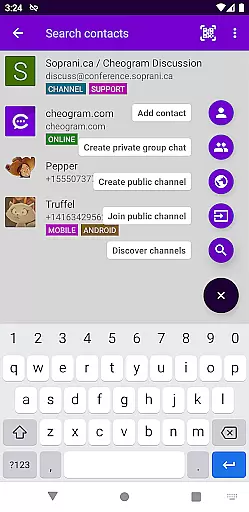
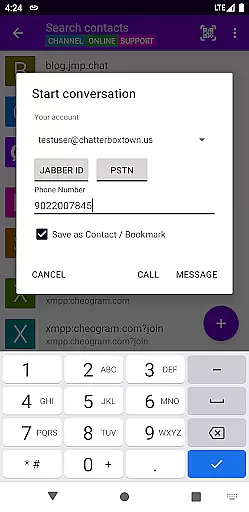
Cheogram is a feature-rich communication app that connects users to a global messaging network, emphasizing cross-platform interaction. Designed for Android, it supports seamless integration with SMS-enabled phone numbers and various messaging gateways.
With capabilities like media sharing, address book syncing, and threaded conversations, Cheogram enhances user connectivity. Its unique features, such as tag-based contact organization and native phone app integration, make it ideal for users seeking versatile communication tools.
Cheogram stands out with its robust feature set tailored for modern communication needs. The app supports multimedia messaging, including animated media, while maintaining an intuitive interface with unobtrusive subject lines.
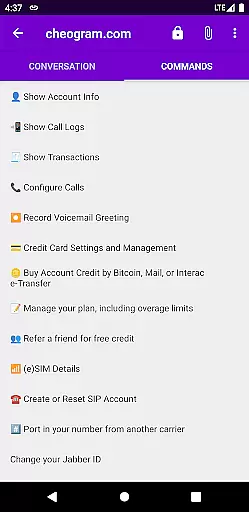
Advanced functionalities include contact tagging, sticker packs, and command-based UI navigation. By integrating with external services like the native Android Phone app and Jabber-based networks, Cheogram ensures a comprehensive and adaptable communication experience.
Real-time messaging speed and reliability are crucial for any communication app, ensuring that messages are delivered instantly and without fail. Cheogram Android excels in this area by providing a seamless experience where text, media, and even animated content are transmitted efficiently across its network.
The app's architecture is designed to maintain high performance standards, allowing users to send and receive messages with minimal delay. This ensures that conversations flow naturally, mimicking the pace of face-to-face interactions. The unobtrusive display of subject lines and integration with gateways' add contact flows further enhance the fluidity of communication.
Moreover, Cheogramu2019s integration with the native Android Phone app when using a gateway to the phone network adds another layer of reliability. Users can trust that their messages will reach the intended recipients, whether they are on the Jabber service or other networks like SMS-enabled phone numbers.
Media sharing support is an essential feature for modern communication apps, enabling users to share various types of content effortlessly. Cheogram Android offers robust media sharing capabilities, allowing users to exchange both media and text messages seamlessly.
The app supports a wide range of media formats, including images, videos, and animated media, enhancing the richness of conversations. Links to known contacts are displayed with their names, making it easier to identify shared content from different sources. Additionally, sticker packs provide a fun way to express emotions and reactions, adding a playful element to interactions.
Cheogram also integrates with address books, tagging features, and lightweight threaded conversations, which collectively improve the organization and retrieval of shared media. These features ensure that users can easily browse and manage their media exchanges, creating a more engaging and efficient communication experience.
User-friendly interface
Robust multimedia support
Seamless cross-platform integration
Comprehensive contact management
Innovative tagging system
Requires external Jabber service
Limited standalone functionality
No built-in encryption
Dependent on third-party gateways
Complex setup for beginners

Radio communication simulator for gaming communities
 4.2
4.2
Google's fast and secure browser
4.10
Manage and Fund Calling Accounts and Schedule and Join Video Sessions
3.60
Send SMS and chat messages easily with a fast text messaging app for Android.
4.10
Faster version of Messages. Messenger for your contacts.
4.50
Use this SMS app standalone or as a TREK: Total Interface companion.
4.30
Call & Text Anywhere With A Canadian Number.
3.60
Threema is the messenger with the most consistent focus on security and privacy.
4.00
Measure BHP, Torque & 0-60 Clear car OBD faults View engine data in Google Earth
4.00
فیلتر شکن قوی پرسرعت کلید جدید برای اندرویدسریع ترین وی پی ان برای همه اپراتورها
4.70
Manage BoostMobile Account
4.60
Messages: Fast, simple SMS app with scheduling and smart features.
4.00
A softphone with crystal clear SIP Calling & Reliable VoIP dialer
4.00
SMS Messenger ensures that communication become effortless and accessible.
3.80
Caller ID, Spam Call & SMS Blocker
3.80
Quickly and easily identify and block unknown callers
3.70
Comprehensive and powerful scan tool app with enhanced functions
3.00
Watchgram for Telegram: Experience seamless Telegram messaging on your watch
1.80
Enables Plus features of Quick Search.
4.2


User Reviews