
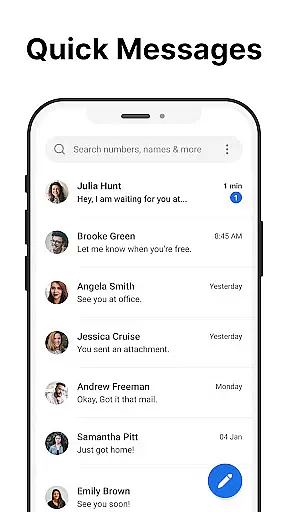
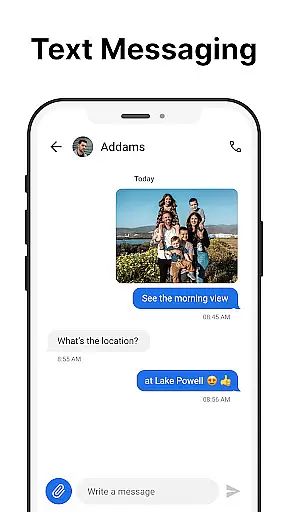
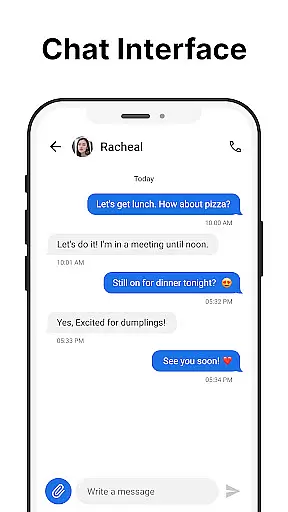
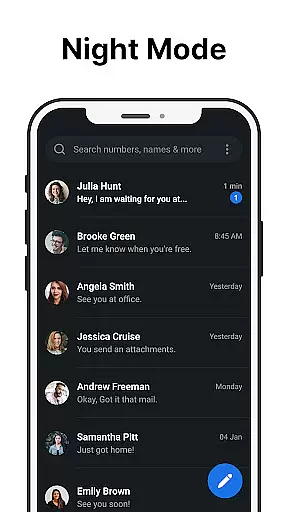
Messages is a robust SMS messaging app designed specifically for Android users who value simplicity and reliability. The app allows you to send and receive text messages without requiring an internet connection, making it ideal for areas with poor connectivity. Its clean and intuitive interface ensures that managing your communications is effortless.
One standout feature of Messages is the After Call screen, which provides instant access to your SMS inbox right after each phone call. This makes follow-up communication quick and efficient. Whether you're scheduling future texts, blocking spam, or backing up important conversations, this app has you covered.
The true value of Messages lies in its comprehensive functionality. From group messaging to custom notifications, dark mode, and message backup options, the app offers everything you need for effective communication. It's particularly useful for users who want a reliable texting solution that works seamlessly without needing Wi-Fi or mobile data.
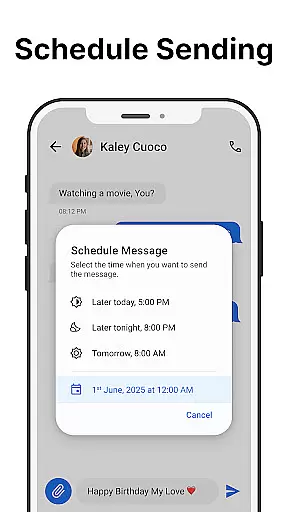
Messages stands out with its rich set of features tailored for both casual and power users. The app supports core functionalities like sending and receiving SMS messages quickly and reliably. Additionally, it offers advanced capabilities such as scheduling messages, which allows you to compose texts now and have them sent automatically at a later time.
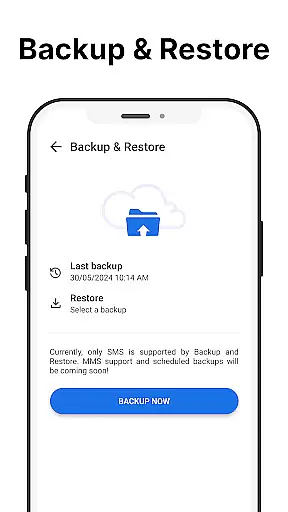
Group messaging is another key feature, enabling you to stay connected with multiple contacts simultaneously. The app also includes essential tools like message backup and restore, ensuring your important conversations are never lost. With spam blocking and search functionality, staying organized is easier than ever.
Customization is where Messages truly shines. You can personalize your experience with custom notifications, ringtones, and even a battery-saving dark mode. The ability to pin important chats to the top and use the After-Call Menu for quick responses adds convenience to your daily messaging routine. These thoughtful features make Messages a versatile communication tool.
Real-time messaging speed and reliability are crucial for effective communication. The Messages app excels in this area by providing a platform where text messages are sent and received instantly without the need for an internet connection. This ensures that your communications are both fast and dependable, making it ideal for urgent messages or time-sensitive information.
The app's infrastructure is designed to maintain high performance even during peak usage times. By optimizing data transmission protocols, Messages minimizes latency, ensuring that your texts reach their destination without delay. This reliability fosters trust among users who depend on timely exchanges for personal or professional purposes.
Moreover, the app includes features like scheduled messaging and group messaging, which enhance the real-time experience. Scheduled messages allow you to compose texts at your convenience while ensuring they are delivered at the appropriate time. Group messaging keeps everyone connected, enabling multiple recipients to receive updates simultaneously, thus streamlining communication processes.
In summary, Messages offers a robust solution for real-time messaging needs. Its focus on speed and reliability ensures that users can communicate effectively, knowing their messages will be delivered promptly and securely every time.
Media sharing support is an essential feature for modern messaging apps, allowing users to exchange photos, videos, and other files seamlessly. The Messages app provides comprehensive media sharing capabilities, ensuring that you can easily send and receive various types of content without compatibility issues. Whether you're sharing memories with family or collaborating with colleagues, this functionality enhances your communication experience.
The app supports a wide range of file formats, accommodating different user needs and preferences. From common image and video formats to documents and audio files, Messages ensures that all your shared content is accessible and viewable on any device. This versatility eliminates barriers to effective communication, enabling richer interactions through multimedia exchanges.
Additionally, the app incorporates intuitive design elements that simplify the media sharing process. With just a few taps, you can attach files to your messages and send them to one or multiple recipients. The inclusion of features such as spam blocking and custom notifications further enhances the overall usability, ensuring that your media sharing remains organized and efficient.
In conclusion, Messages stands out for its robust media sharing support. By offering extensive format compatibility and user-friendly interfaces, it empowers users to share diverse content effortlessly, enriching their messaging interactions and fostering more dynamic conversations.
User-friendly interface
Offline functionality
Message scheduling
Spam protection
Backup and restore
Limited multimedia support
No end-to-end encryption
Occasional ads
Basic UI design
Android only

Tether to Windows, OS X, Linux PCs or Android tablets. No root. No tether fees.
 3.90
3.90
Enables Plus features of Quick Search.
4.3
Enjoy secure messaging & calling. Safe Messenger: group chats, calls, messages.
4.20
Our Black Friday sale is here. Unlock special discounts on Proton Mail now.
4.30
Create a secure hotspot on-the-go with Portable WiFi - Mobile hotspot.
4.40
2nd Phone Number Line for Anonymous Texting, Calling, and Picture Messages
4.30
Comprehensive and powerful scan tool app with enhanced functions
3.00
Federated instant messaging for your mobile device (Jabber, XMPP, Snikket)
4.10
A customizable phone number in the cloud
4.20
Identify unknown numbers, block spam calls, customize calls with cool themes.
4.60
Browse fast on Opera Mini, with Data Saving, News, Football Scores, and Download
4.60
Welcome to the future of phone service.
4.60
Messenger, an MMS & SMS messages app with Blockers, Driving mode & Private box
4.60
Get through your inbox faster with the mail app designed to simplify your life.
4.40
Share the moment!
4.10
Messages is Private SMS Messenger 2023 with text message, instant messaging.
4.00
Message and video call your family and friends in HD!
3.80
Pure modern IRC experience for Android
3.70
Fast, Simple And Secure Application That Provides SMBv3 Server On Your Device
3.30


User Reviews