
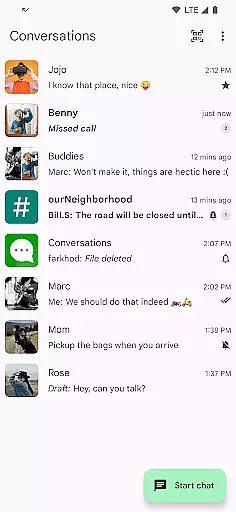
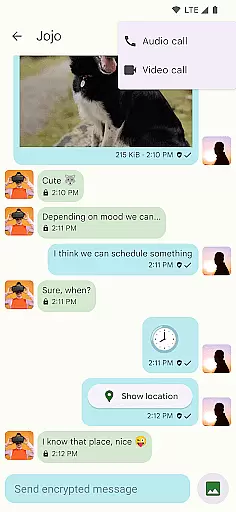
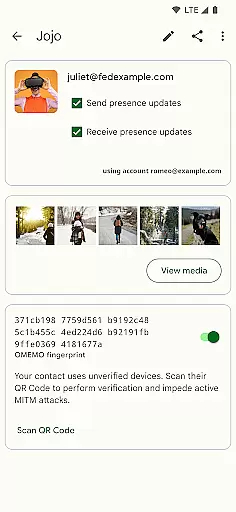

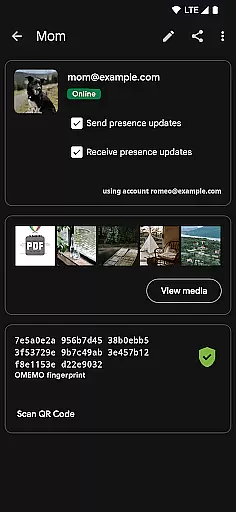
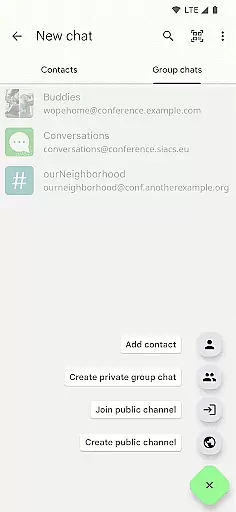
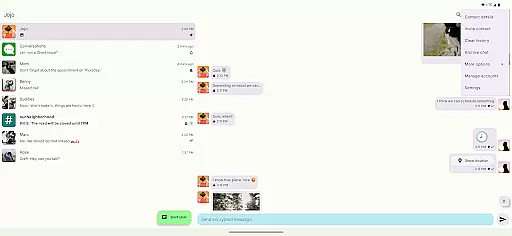
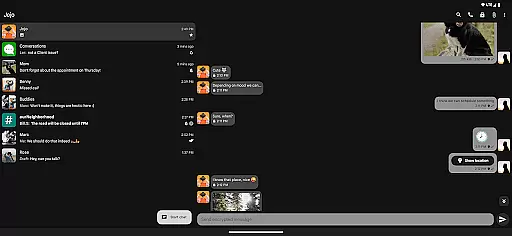
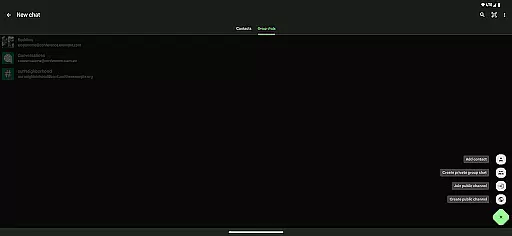
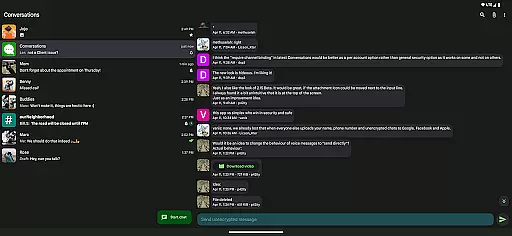
Conversations is a free and open-source Jabber/XMPP client for Android, designed to provide secure and reliable messaging. With end-to-end encryption enabled by default, it ensures your communications remain private. The app supports modern features like image sharing, group chats, and location sharing while maintaining excellent battery efficiency.
The user-friendly interface follows Material Design 3 guidelines, offering an intuitive experience with high-resolution avatars and emoji reactions. It connects seamlessly with various Jabber, XMPP, and Snikket servers, synchronizing effortlessly with desktop clients such as Gajim and Dino. Whether for personal or professional use, Conversations delivers a secure messaging platform that respects user privacy.
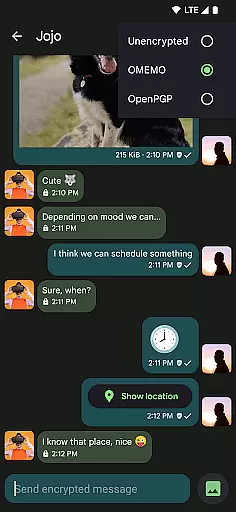
Conversations stands out with its robust feature set tailored for secure communication. The app provides end-to-end encryption through OMEMO or OpenPGP, ensuring messages, files, and calls remain confidential. Advanced security measures include machine-in-the-middle detection via channel binding, enhancing protection during encrypted audio and video calls (DTLS-SRTP).
Additional functionalities encompass sending voice messages, sharing locations, and viewing read receipts. The app integrates smoothly with address books and supports multiple accounts under a unified inbox. Designed for optimal performance, Conversations minimizes battery consumption while delivering a rich user experience with features like private group chats, public conferences, and message moderation for admins.
Real-time messaging speed and reliability are crucial for any communication app, ensuring messages are delivered instantly and consistently. Conversations (Jabber / XMPP) excels in this area by leveraging the robust Jabber/XMPP protocol, which is renowned for its stability and speed.
The app supports advanced features like end-to-end encryption with OMEMO or OpenPGP, ensuring that your communications remain private and secure without compromising on speed. This means you can send and receive messages, images, files, and even voice messages with confidence, knowing they are protected.
Additionally, Conversations integrates seamlessly with desktop clients such as Gajim and Dino, providing a unified experience across devices. This synchronization ensures that your conversations are always up-to-date, regardless of the device you're using, thus enhancing the overall reliability of message delivery.
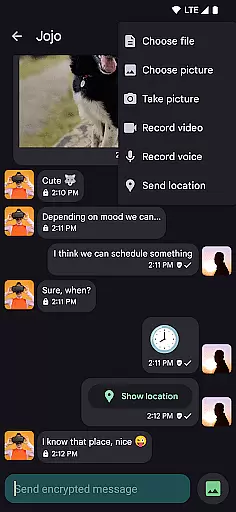
Media sharing support is an essential feature for modern messaging apps, allowing users to share various types of media effortlessly. Conversations (Jabber / XMPP) offers comprehensive media sharing capabilities, including images, files, and location data, making it versatile and user-friendly.
One standout feature is the ability to make encrypted audio and video calls using DTLS-SRTP, ensuring that your communications remain secure while maintaining high-quality transmission. This is particularly beneficial for users who prioritize privacy but do not want to compromise on functionality.
Moreover, the app provides intuitive UI elements that follow Android design guidelines, such as Material Design 3 with Dynamic Colors. These design choices enhance the user experience when sharing media, offering visually appealing and easy-to-navigate interfaces. With high-resolution contact photos and emoji reactions, Conversations makes media sharing not only functional but also enjoyable.
End-to-end encryption
Battery friendly
Easy UI navigation
Multi-account support
Desktop synchronization
Requires server support
No iOS version
Limited FCM integration
Advanced settings complex
Some features server-dependent

Fast and simple walkie talkie app
 4.20
4.20
Official NDI app: turn your phone into a professional live-streaming IP camera.
3.20
A softphone with crystal clear SIP Calling & Reliable VoIP dialer
4.00
An app dedicated solely to marriage, not dating, and supported by a rigorous verification mechanism to ensure seriousness.
4.3
BE PRIVATE
Anonymous. No Trace. Fast.
4.20
Simple tool for businesses to talk to their customers.
4.40
Talk & text free with a second phone number plus unlimited 5G data, no fees.
4.50
Group Chat That’s Fun & Games
4.30
Share the moment!
4.10
Read OBD2 data and DTCs Create custom dashboards Enhanced diagnostics available
4.70
Adblock & VPN Browser: Blocks banners, pop-ups and video ads, fast downloader!
4.60
Messenger, an MMS & SMS messages app with Blockers, Driving mode & Private box
4.60
Faster version of Messages. Messenger for your contacts.
4.50
Fast and mini browser with Ad Blocker,Video Downloader and Video Player
4.40
Manage your data, talk & text - affordable phone plans & data usage made simple
4.30
Phone Dialer with Caller ID, Address Book & Contacts Manager.
4.30
Fast, Simple And Secure Application That Provides SMBv3 Server On Your Device
3.30
Auto Reply SMS, Text Messaging, Away SMS Response, Busy SMS messages, Block Text
3.10
Radio communication simulator for gaming communities
4.0


User Reviews