
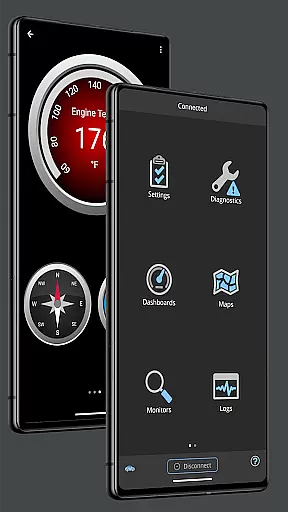
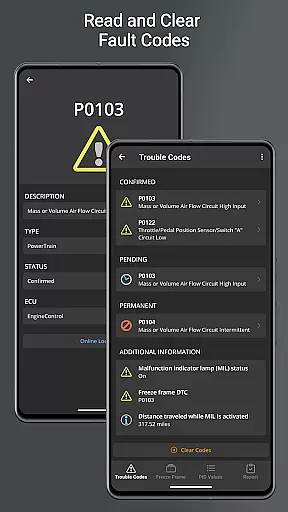
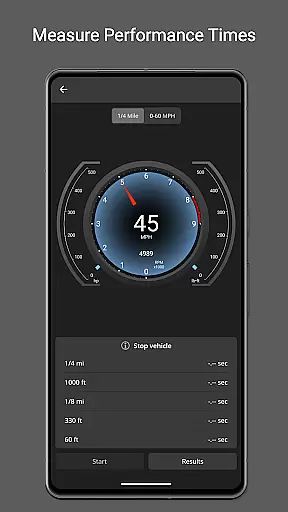
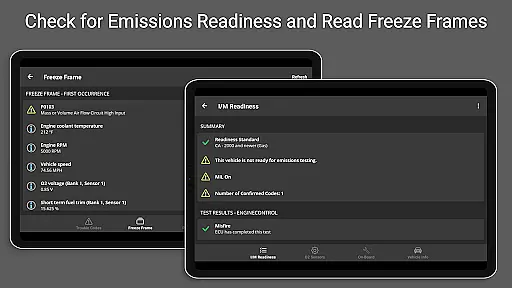
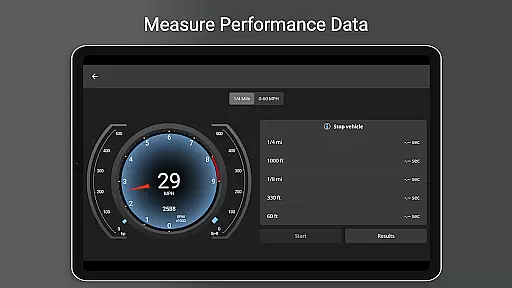
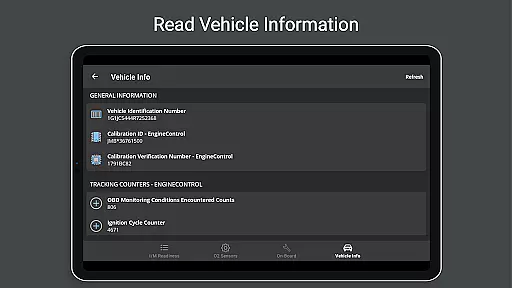
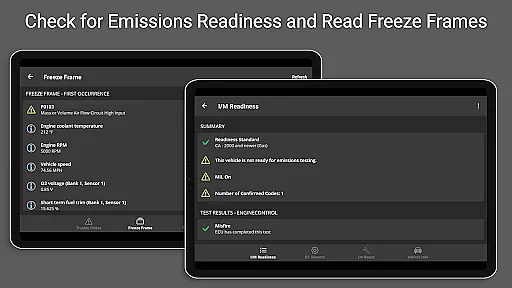
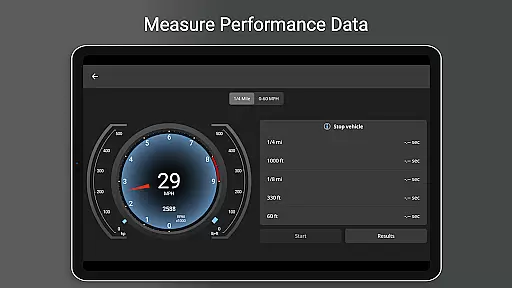
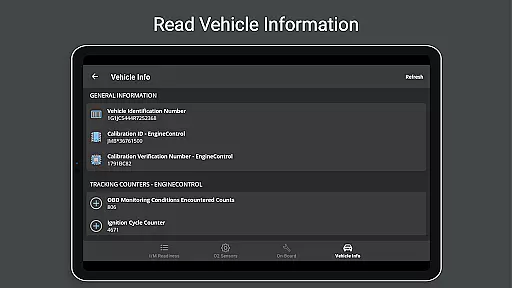
OBD Fusion is a comprehensive vehicle diagnostics application designed for Android users, enabling direct access to OBD2 vehicle data through compatible scan tools. The app serves as a powerful tool for professional mechanics, DIY enthusiasts, and everyday drivers who wish to monitor their car's performance in real time. With its ability to read diagnostic trouble codes, clear check engine lights, estimate fuel economy, and provide detailed diagnostic reports, OBD Fusion offers an all-in-one solution for vehicle maintenance and monitoring.
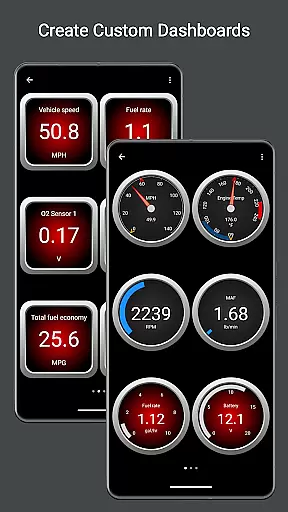
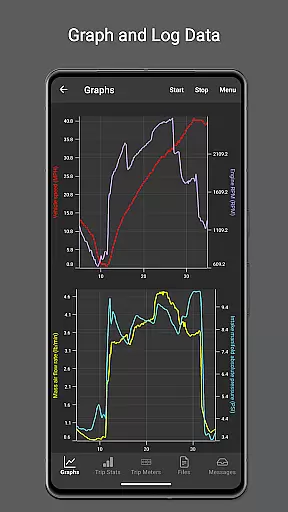
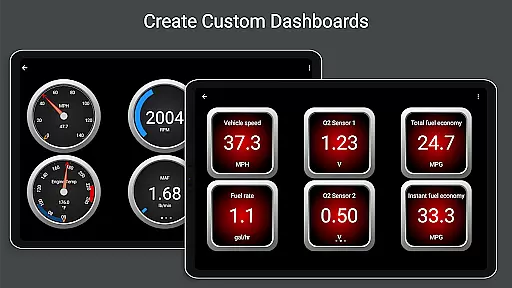
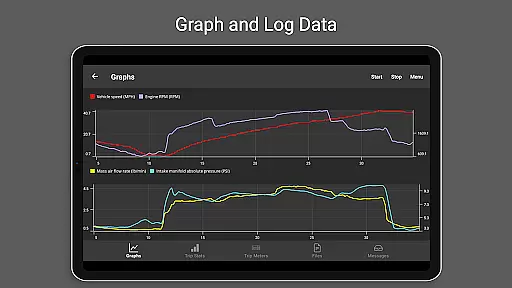
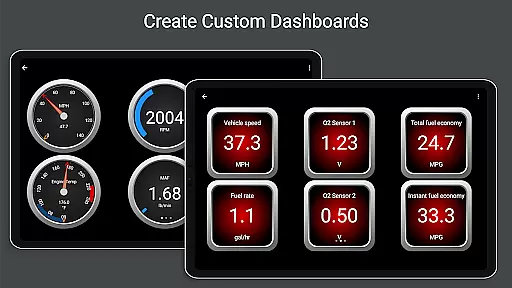
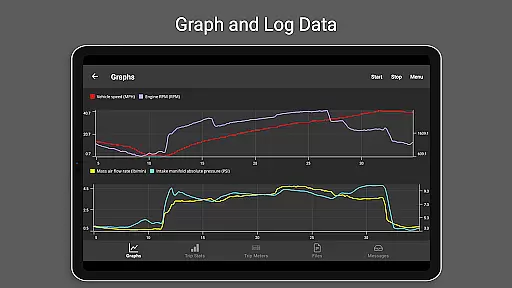
One of the standout features of OBD Fusion is its customizable dashboard, which allows users to create personalized displays of vehicle sensors and data points. This includes real-time graphing capabilities, fuel economy calculations in various units, and advanced functionalities like oxygen sensor tests and turbo boost pressure readings. Whether you're looking to troubleshoot issues with your vehicle or simply want to keep an eye on its day-to-day performance, OBD Fusion provides the tools necessary to stay informed and in control.
The app also supports multiple connection methods including Bluetooth, USB, and Wi-Fi, ensuring compatibility with a wide range of devices and vehicles. By offering support for over 150 standard and enhanced PIDs, along with multilingual options, OBD Fusion caters to a global audience seeking reliable and versatile vehicle diagnostics. Its integration with Android Auto further enhances usability, making it easier than ever to access critical vehicle information while driving.
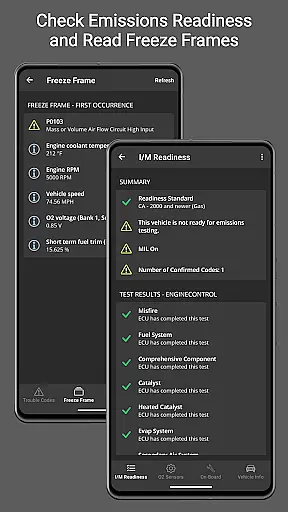
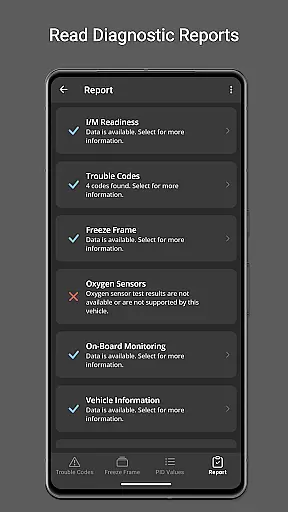
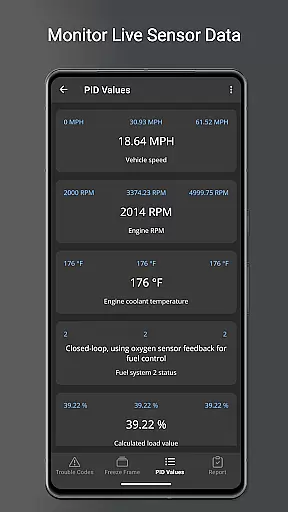
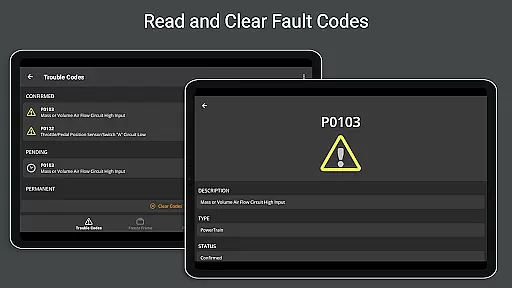
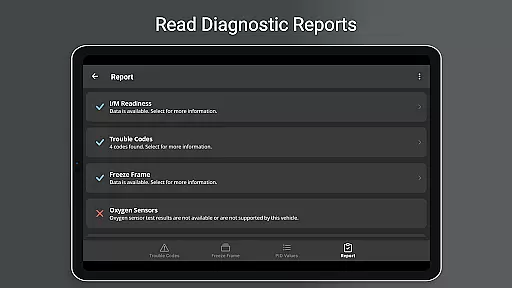
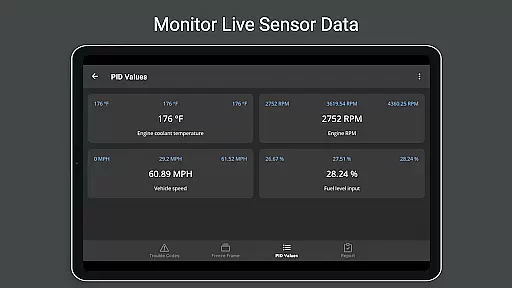
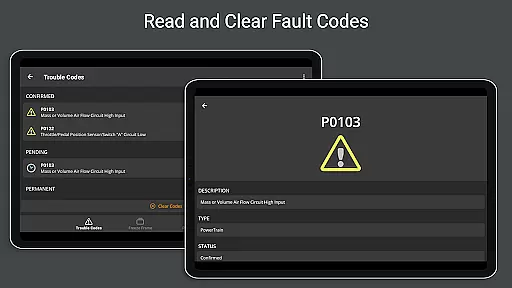
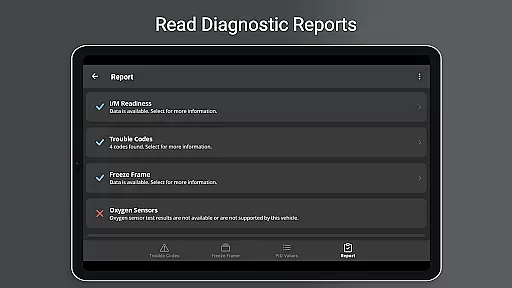
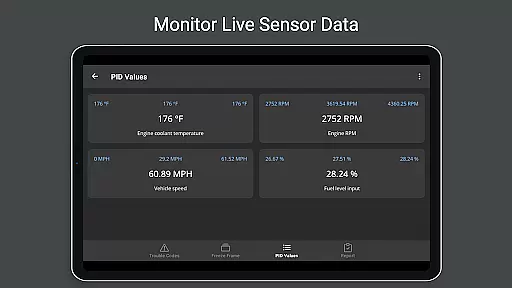
OBD Fusion stands out in the realm of vehicle diagnostics apps due to its extensive feature set tailored for both professionals and casual users. At its core, the app provides the ability to read and clear diagnostic trouble codes, effectively turning any compatible Android device into a sophisticated diagnostic tool. Users can monitor live data streams from their vehicle's sensors, view freeze frame data captured during fault conditions, and generate full diagnostic reports that can be stored or emailed for future reference.
A key aspect of OBD Fusion is its customizable dashboards and real-time graphing capabilities. These features allow users to tailor their monitoring experience by selecting specific parameters to track, such as engine torque, air-to-fuel ratio, and turbo boost pressure. Additionally, the app supports the creation of custom enhanced PIDs, giving advanced users the flexibility to define new data points based on their unique requirements. For those focused on fuel efficiency, OBD Fusion offers precise calculations in multiple units, helping drivers optimize their vehicle's performance and reduce costs.
Beyond its primary diagnostic functions, OBD Fusion incorporates several convenience features that enhance overall usability. The app supports multiple trip meters for tracking fuel economy and usage over different journeys, while its logging capabilities enable users to export data in CSV format for analysis in spreadsheet applications. Furthermore, OBD Fusion's compatibility with various connection types—including Bluetooth, Bluetooth LE, USB, and Wi-Fi—ensures seamless integration with a broad spectrum of devices and vehicles, solidifying its position as a versatile and indispensable tool for modern vehicle owners.
Real-time messaging speed and reliability are crucial for effective communication within OBD Fusion. This app ensures that data is transmitted instantly between your Android device and the vehicle's onboard diagnostics system.
OBD Fusion achieves this by maintaining a stable connection with compatible scan tools, allowing users to receive diagnostic trouble codes, check engine light statuses, and other vital information without delay. The promptness of these communications means mechanics can diagnose issues faster.
For DIY enthusiasts or everyday drivers monitoring their car's health, real-time updates mean they can respond quickly to potential problems. Whether you're tracking fuel economy or reading sensor data, having up-to-the-second information allows for more informed decisions on vehicle maintenance.
The reliability of message delivery in OBD Fusion also ensures that no critical alerts are missed. Users can trust the app to deliver consistent and accurate data, which is essential when dealing with vehicle diagnostics where timely intervention can prevent costly repairs.
Media sharing support in OBD Fusion refers to the app's capability to export and share diagnostic data and reports. This feature is essential for users who need to send detailed vehicle information to mechanics or keep records for future reference.
With OBD Fusion, you can log data into CSV format, making it easy to view in any spreadsheet application. This functionality allows users not only to track their vehicleu2019s performance over time but also share these logs with professionals during service visits.
In addition to numerical data, OBD Fusion enables the creation of full diagnostic reports. These reports compile all relevant vehicle diagnostics into one document that can be stored or emailed directly from the app, streamlining communication between car owners and service providers.
Whether it's for personal record-keeping or professional consultation, media sharing support enhances user engagement by providing an accessible way to manage and disseminate important automotive data captured through OBD Fusion.
User-friendly interface
Comprehensive diagnostic tools
Customizable dashboard options
Supports multiple connection types
Real-time data monitoring
Requires compatible scan tool
Limited functionality without premium features
Some features may not work with all vehicles
Advanced settings can be complex
Occasional connectivity issues reported

Fast and simple walkie talkie app
 4.20
4.20
Secure Messaging App to Enhance Messenger Texting Experience and Organize SMS.
3.50
Messages: Fast, simple SMS app with scheduling and smart features.
4.00
Messenger for SMS - texting message app, faster, simpler & safer, for you.
4.70
Block spam calls & scam - no more annoying calls with the call blocker function
4.30
Welcome to the future of phone service.
4.60
RemoteHams.com Android RCForb Client Pre-Release
4.30
Threema is the messenger with the most consistent focus on security and privacy.
4.00
Share the moment!
4.10
Say “hello” to privacy.
4.60
Experience real private browsing without tracking, surveillance, or censorship.
4.50
Faster version of Messages. Messenger for your contacts.
4.50
Use this SMS app standalone or as a TREK: Total Interface companion.
4.30
Chill zone on your phone: relax with fun reels & hype shorts!
4.20
SMS Messenger is a lightning-fast messaging app.
4.20
Federated instant messaging for your mobile device (Jabber, XMPP, Snikket)
4.10
Telegram is a messaging app with a focus on speed and security.
4.00
A softphone app with seamless SIP calling and an intuitive VoIP dialer
3.50
Bringing the functionality of Winlink to your Android device
4.5


User Reviews