
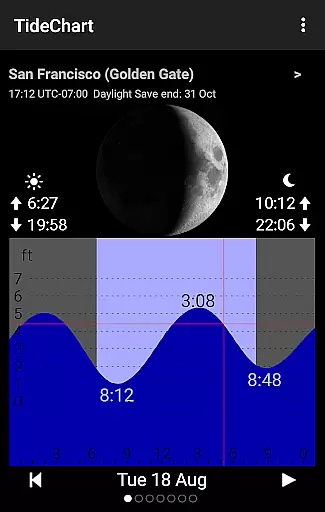
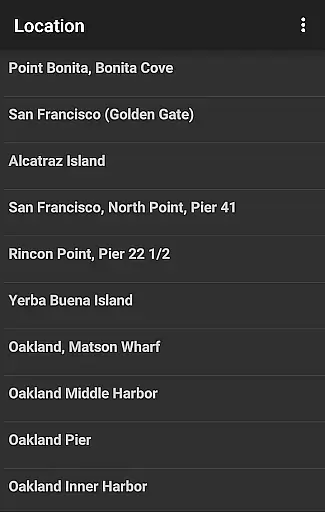
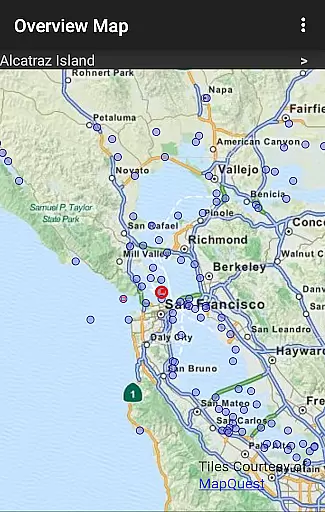
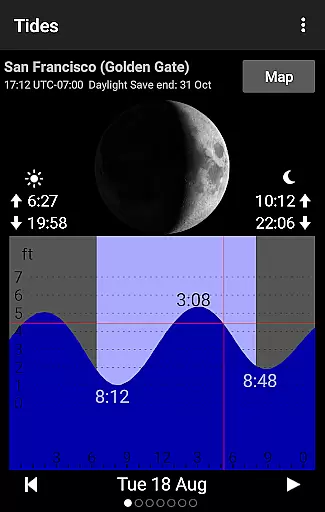
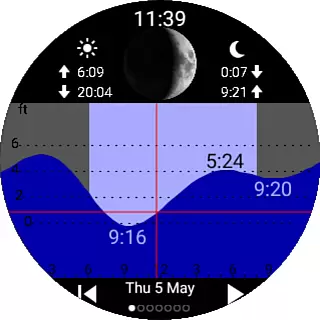
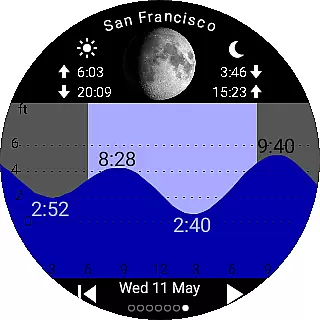
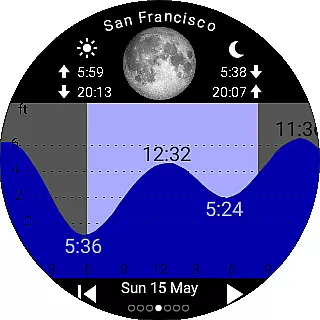
Tide Table Chart is a comprehensive tide forecasting application designed for ocean enthusiasts and outdoor adventurers. The app provides detailed high and low tide predictions, moon phase depictions, and essential astronomical data such as sunrise, sunset, moonrise, and moonset times. With coverage spanning thousands of tide stations worldwide, including popular locations in the USA, Canada, UK, Germany, Australia, and New Zealand, users can access crucial information whether they're surfing, diving, fishing, or simply enjoying a coastal walk.
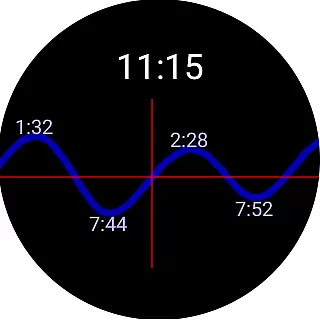
One standout feature is its offline functionality, allowing users to view tide predictions without an internet connection. Additionally, Tide Table Chart extends its utility to wearable devices, supporting Samsung Gear S2/S3, Wear OS, Garmin, and Amazfit smartwatches. This ensures that users can conveniently access tide information on their wrist, even without their phone nearby. Whether you're planning your day at the beach or need quick access to tide charts on-the-go, this app delivers reliable and accessible data tailored to your location.
Tide Table Chart stands out with its rich feature set tailored for both casual beachgoers and serious water sports enthusiasts. The app displays high tide and low tide forecasts alongside visually appealing moon phase depictions, giving users a complete picture of daily tidal and lunar activity. Its intuitive swipe functionality allows users to effortlessly navigate through tide charts for upcoming days, while an animation feature provides a quick overview of moon phases and tide changes over time.
The app's global coverage includes thousands of tide stations, ensuring accurate predictions across major countries. Its support for various smartwatches, including Samsung Gear, Wear OS, Garmin, and Amazfit, enhances accessibility by delivering tide data directly to users' wrists. Furthermore, the inclusion of Wear OS watch faces offers seamless integration, enabling users to tap and instantly open the app from their watch face. With offline viewing capabilities and automatic adjustments for daylight savings time and different timezones, Tide Table Chart combines convenience with reliability.
When it comes to planning your seaside activities, having reliable tide information is crucial. Tide Table Chart ensures the authenticity of its tide predictions by sourcing data from thousands of official tide stations worldwide.
The app provides accurate high and low tide forecasts for numerous locations, including popular coastal areas in the USA, Canada, UK, Germany, Australia, and New Zealand. This extensive coverage allows users to trust the booking-like experience when planning beach outings or water sports.
By downloading the app, users can access pre-downloaded tide predictions, which means they can use the service without an internet connection. This offline capability guarantees that once you have your tide data, your plans are set and reliable regardless of connectivity issues.
Remember, while the app offers a robust planning tool, it relies on astronomical predictions and should not be used for navigation or in situations where inaccuracies could lead to personal injury or property damage.
Tide Table Chart offers its comprehensive tide forecasting services free of charge, providing transparent access to vital information without any hidden costs. Users can enjoy the convenience of detailed tide charts and moon phase animations without worrying about subscription fees or in-app purchases.
In addition to the cost-free experience, the app supports a wide range of smartwatches, including Samsung Gear S2, S3, Wear OS devices, Garmin, and Amazfit models. This compatibility extends the app's price transparency to wearable technology, ensuring you get tide data on your terms without extra charges for device integration.
Moreover, the Wear OS Tile and dedicated watch faces enhance accessibility to the tide data right from your wrist, all included within the app's initial download cost u2013 which, as mentioned, is free. This seamless smartwatch support underlines the app's commitment to keeping users informed without additional expenses.
While there is no financial investment required, users should run the phone app once per week to update their watch data. This small effort maintains the flow of accurate tide predictions directly to your smartwatch at no extra cost.
User-friendly interface
Offline functionality
Global tide station coverage
Smartwatch compatibility
Accurate tide predictions
No real-time weather adjustments
Limited advanced features
Basic free version
Occasional data delays
Regional limitations

Maps Speedometer shows your current speed in any app
 3.60
3.60
View current Montana road conditions, cameras, plows, and timelapse videos.
4.70
Real-time flight tracking with live maps and flight status updates.
3.70
Easily rent a car at over 9,500 locations with the Enterprise car rental app.
4.60
Get real-time traffic, directions, search and find places
4.10
Rent the perfect car for wherever you’re going
4.90
Frontier’s Android app makes travelling easier than ever before!
4.70
The United app puts valuable travel information in the palm of your hand.
4.70
Now you can book homes, experiences, and services—all in our redesigned app.
4.40
It drives. You ride.
4.90
Replace your car trips with the world’s largest shared electric vehicle company.
4.90
Find the perfect vacation rental. Search from over 2 million properties.
4.80
Get all MTA services, Subway, Bus, LIRR, Metro-North and More all in one place.
4.60
Take JetBlue everywhere you go! Book, manage and check in for your trips & more.
4.60
Get exclusive travel deals and enjoy the award-winning customer service!
4.60
Download now and start earning rewards on hotels, tours, and everything travel.
4.50
Get the app that knows where you’re going - view your flight, check in & more
4.50
Locate and navigate to local holiday displays
4.4
The #1 Parent App in Brevard County
4.4


User Reviews