
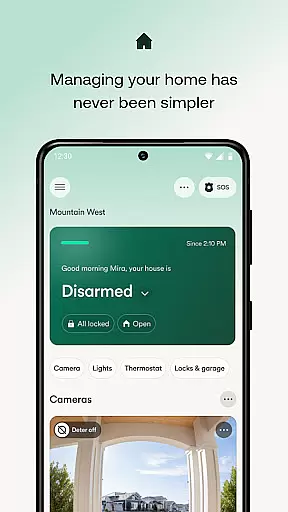
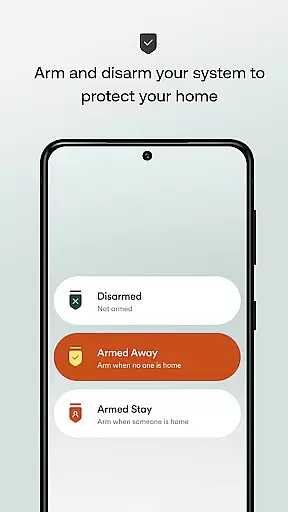
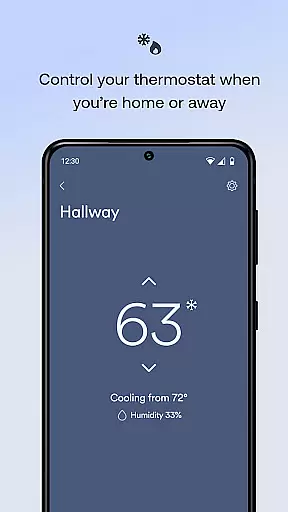
The Vivint app is a comprehensive smart home solution that integrates home security, energy management, and smart home features into one platform. It allows users to control their entire home system remotely, including arming or disarming the security system, managing smart locks, viewing live camera feeds, and adjusting thermostats. Whether you're at home or away, this app provides complete control over your home environment.
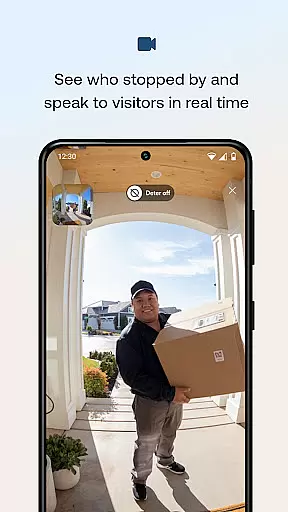
One of the standout features of the Vivint app is its ability to automate various aspects of your smart home. Users can set up custom actions to automate routines, such as turning lights on or off and adjusting the thermostat based on schedules or triggers. This not only enhances convenience but also helps save energy and reduce costs. The app also supports two-way communication through the doorbell camera, allowing users to see and speak with visitors even when they're not home.
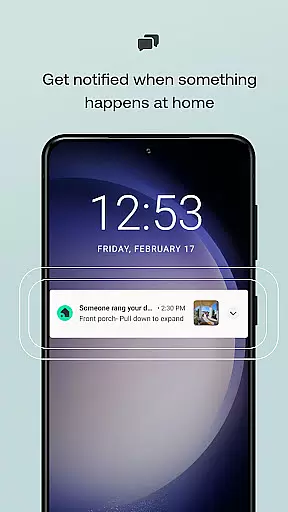
This app is ideal for homeowners who want to enhance their home security while also managing energy usage efficiently. With real-time alerts and notifications, users can stay informed about important events around their home, such as package deliveries or security breaches. Overall, the Vivint app offers a seamless and integrated smart home experience that brings peace of mind and convenience to users.
The Vivint app boasts a wide array of features designed to provide users with ultimate control over their smart homes. One of the key functionalities is the ability to arm or disarm the security system remotely. This feature ensures that users can secure their homes with just a touch of a button, providing peace of mind whether they are at home or away. Additionally, users can set up custom actions to automate their smart home devices, creating personalized routines that suit their lifestyle.
Another significant feature is the high-definition video doorbell, which allows users to see and communicate with visitors through 2-way talk and clear 180x180 HD video. This functionality is particularly useful for remote interactions, enabling users to unlock doors for guests or delivery personnel even when they are not physically present. Furthermore, the app provides access to live camera feeds and recordings, enhancing home security by allowing users to monitor their property day and night.
The energy management capabilities of the Vivint app are also noteworthy. Users can create custom schedules for their lights and adjust the thermostat from their smartphones, leading to potential cost savings. The app's alert system notifies users of important events, such as open garage doors or detected movements, ensuring that they are always aware of their home's status. These features collectively contribute to a smarter, safer, and more efficient home environment.
When managing a smart home, the authenticity and accuracy of property information is crucial. The Vivint app ensures that all connected devices and systems are represented truthfully within the app interface.
This means users can trust the status updates they receive regarding their security system, thermostat, lights, locks, and cameras. Each feature's availability and current state is updated in real time, providing assurance that what homeowners see in the app accurately reflects the status of their home.
The app also supports verification mechanisms such as two-way talk and HD video for doorbells, allowing users to confirm visitors' identities remotely. This level of verification enhances the reliability of the property listings within the app.
Regular updates and maintenance of the app ensure that any changes in the home system are promptly reflected, maintaining the authenticity of the property information accessible through Vivint.
Vivint offers an extensive suite of home management features that allow users to control various aspects of their household from a single platform. With functionalities ranging from arming security systems to adjusting thermostats, it simplifies daily routines significantly.
One key advantage is the ability to automate tasks through custom actions. Homeowners can set up routines that automatically adjust settings based on time of day or specific triggers, enhancing convenience while optimizing energy usage.
In addition to automation, remote access is another standout feature. Whether it's unlocking doors for guests or checking live camera feeds while away, users maintain full control over their environment no matter where they are located.
Alerts and notifications further augment these capabilities by keeping homeowners informed about important events around their property. From detecting lurkers with smart deterrence technology to alerting them about left-open garage doors, Vivint ensures peace of mind through proactive communication.
User-friendly interface
Comprehensive security features
Energy-saving capabilities
Remote home management
Custom automation options
Requires subscription service
Initial setup can be complex
Dependent on stable internet connection
Higher cost compared to basic systems
Limited compatibility with some devices

Wobble Fix Tool
 4.40
4.40
An awesome mobile app for Home Security Surveillance - uses ZoneMinder
3.20
Control your Daikin, Amana & Goodman heating & cooling systems from anywhere
4.40
AI floor creator to design your dream house, plan rooms & style your home
4.00
Control Fire TV & mirror your phone screen instantly over Wi-Fi.
3.30
Control the scent and ambiance of your home and car, right from your phone.
4.50
Floor Plan Creator Home Design with 2D interior design and 3d view.
3.90
Real estate app to find homes for sale or rent in the right neighborhood for you
4.70
Samsung remote app helps control all Samsung Smartthings TVs. Fast and Stable!
4.10
Houses for Sale & Homes for Rent: Buy Homes, Rent Apartments & Sell Real Estate
4.80
A Smarter Home in Seconds
4.70
Search for Homes, Rentals, Agents & Schools
4.70
Tailored Care Guides For Houseplants, Indoor Plants, Garden Plants & Flowers.
4.60
Your guide to apartments & rental homes. Find your next place to rent with AG.
4.60
AI-powered home design, interior design, home decor, and room design solutions
4.50
Resident Center, powered by Buildium, is designed with simplicity in mind.
4.50
Apartment finder for apartments for rent. Compare prices, amenities & rentals.
4.50
An easier way to make payments and maintenance requests from anywhere.
3.50
Unlock AI-based barcode scanning and support the development of Grocy Android
4.0


User Reviews