
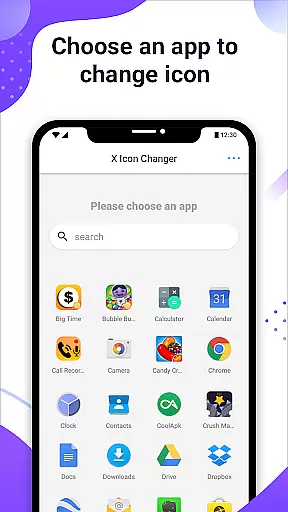
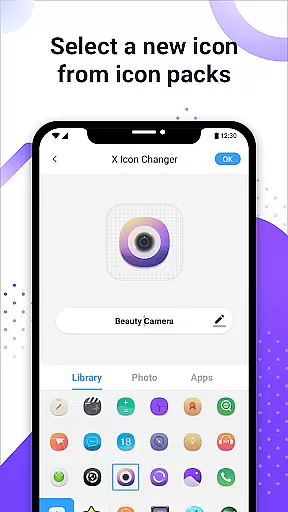
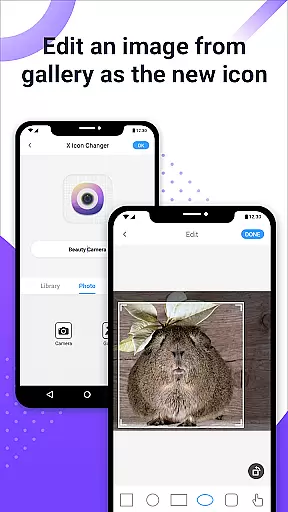
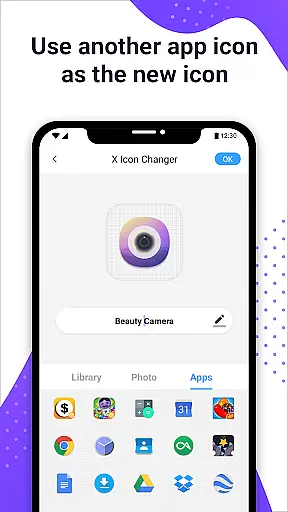
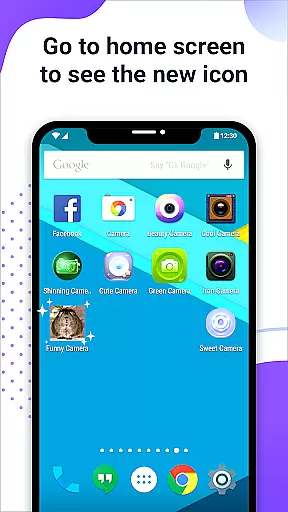
X Icon Changer is a free personalization app that allows users to customize and change icons for any app on their Android device. With this tool, you can select new icons from various sources including gallery images, other app icons, and personalized icon packs. The app creates shortcuts with the new icons on your home screen, offering an easy way to personalize your phone's appearance.
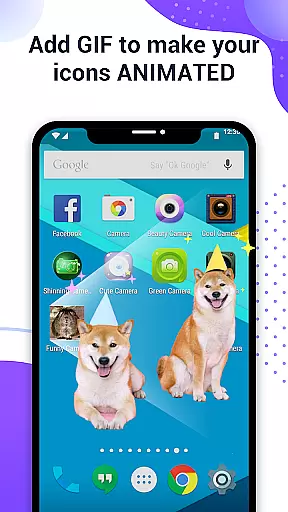
One of the standout features is the ability to add GIF animations to app icons, making your home screen more dynamic. Additionally, X Icon Changer provides a solution to avoid watermarks on Android 8.0 and above using widget technology. This ensures a seamless and attractive customization experience without any extra charges, making it a go-to choice for those looking to enhance their device's aesthetics.
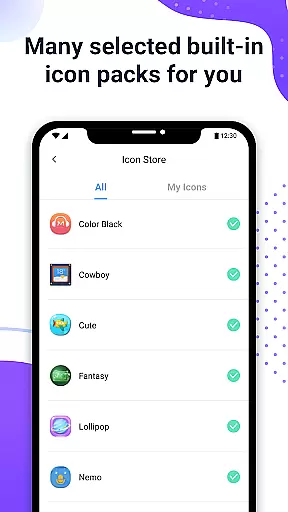
X Icon Changer offers a variety of features to help users personalize their Android devices. Firstly, it allows you to choose new icons from multiple sources such as built-in icon packs, your gallery, or third-party icon packs. You can also edit the app name, providing further customization options. Another innovative feature is the ability to add GIF animations to app icons, creating a lively home screen experience.
For users concerned about watermarks on Android 8.0 and above, X Icon Changer provides a widget-based solution to change app icons without any watermark. By dragging the X Icon Changer widget to your desktop, you can modify app icons seamlessly. These features collectively ensure that users have a comprehensive and hassle-free customization experience, enhancing both the functionality and appearance of their devices.
X Icon Changer offers an extensive range of customization options, allowing users to personalize their app icons effortlessly. The application provides built-in icon packs and supports third-party icon selections, ensuring a diverse choice for every user's unique style.
Users can select new icons from various sources including the phone's gallery, other app icons, or personalized third-party icon packs. This flexibility ensures that you can match your home screen's aesthetics with your personal preferences without any limitations.
Beyond just changing icons, the app allows editing of app names, adding another layer of customization. You can rename apps to anything you prefer, making app identification easier and more intuitive.
Additionally, X Icon Changer includes the option to add GIFs to your app shortcuts, enabling interesting animations when launching apps. This feature adds a dynamic and fun element to your home screen, enhancing both functionality and visual appeal.
Ensuring seamless integration with your deviceu2019s existing themes, X Icon Changer maintains high theme compatibility. Whether you are using default Android themes or customized ones, the app guarantees that new icons blend perfectly with your current setup.
For devices running Android 8.0 and above, where the system may automatically add watermarks to shortcut icons, X Icon Changer offers a solution. By utilizing widget technology, it allows users to change app icons without any watermarks, preserving the visual integrity of your home screen.
The widget feature is easy to use; simply go to your home screen, access the Widgets menu, and drag the X Icon Changer widget to your desktop. This opens up a watermark-free customization experience, ensuring your icons look clean and professional.
With these capabilities, X Icon Changer not only enhances personalization but also ensures that all customizations are visually consistent and compatible across different themes and devices.
User-friendly interface
Wide selection of icons
Customizable app names
GIF animation support
No watermark on icons
Limited to Android devices
Requires manual updates
Some features are complex
Third-party icon dependency
Widget setup needed

Beautiful realistic hybrid watch face with numerous customization options.
 4.50
4.50
A retro cartoon style watch face and a punch right in the face of the copyright
4.60
Personalize your phone with stunning HD and 4K wallpapers!
4.70
More than 3000+ themes and 9000+ wallpapers for everybody!
4.10
Run multiple accounts of the same app on a single device
4.10 4.10
4.10
Adorable pets roam and play right on your phone screen!
3.30
Transform your device in a game console
4.40
Fast SMS & group chat - use GIFs and emojis from your home screen launcher.
4.50
Sparkle your screen with Glitter Wallpapers For Girls and Cute Backgrounds!
4.80
Dark icon pack based on One 8
4.80
Wallpaper HD 4K Live - Thousands of high-quality Anime backgrounds for you.
4.80
300+ Stunning and well-designed widgets inspired by NOTHING.
4.70
Stunningly Different look with Line Icons and Neon Colors
4.60
Over 28,000 high quality icons to bring color & homogeneity to your phone.
4.60
Stylish Pink Cute Hippo keyboard with 10000+ customized keyboard themes!
4.60
Customizable screen pets that play, climb, and keep you company.
4.50
Romantic Kiss Stickers App. Start romantic messaging now!
4.30
Struggling to find apps? Use this app to locate and open any app on your phone!
2.20


User Reviews