
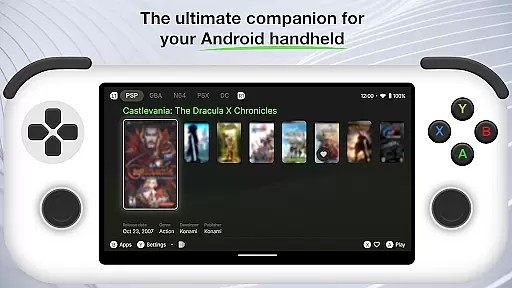
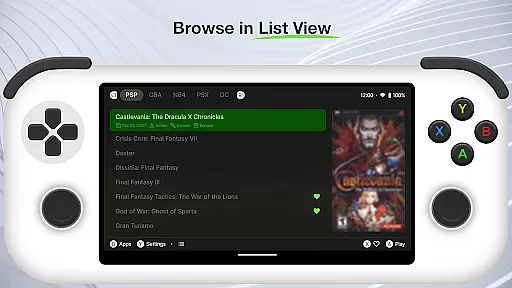
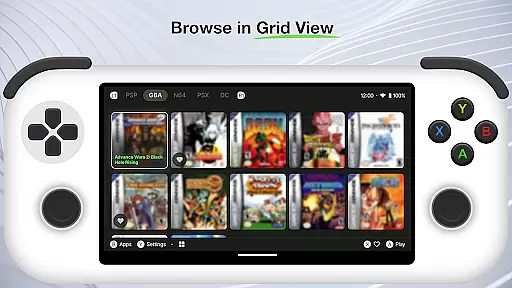
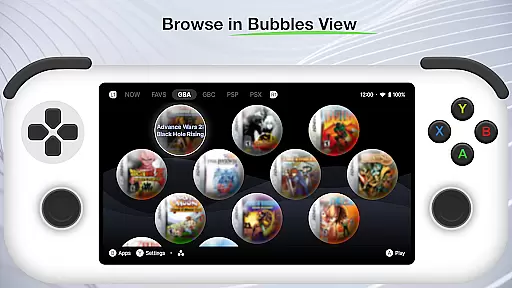
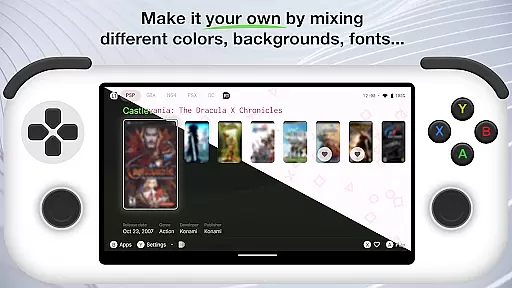
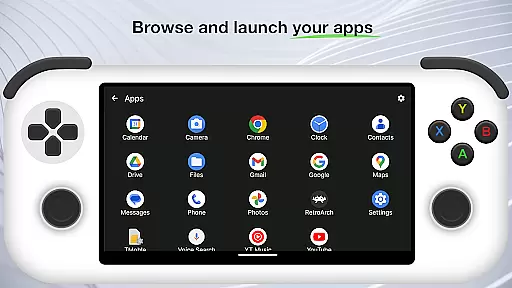
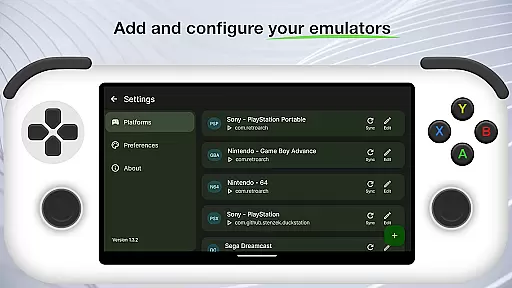
Beacon Game Launcher is an innovative Android launcher specifically designed for retro gaming enthusiasts. This application serves as a central hub to organize and launch your classic game collection.
The app allows users to add their preferred emulators and manage their entire retro gaming library efficiently. By automatically scraping cover art and metadata, Beacon ensures that your game library is visually appealing and well-organized.
Ideal for gamers who appreciate nostalgia, Beacon enhances the overall gaming experience by providing quick access to your favorite titles. Whether you're revisiting childhood classics or discovering retro gems for the first time, this launcher streamlines the process.
Beacon Game Launcher offers a comprehensive set of features tailored for retro gaming aficionados. One standout capability is its support for multiple emulators, allowing seamless integration of various gaming platforms.
The automatic scraping feature enriches your game library by fetching cover art and essential metadata, making it both visually attractive and easy to navigate. Users can curate their collections with custom categories and tags, ensuring effortless organization.
Additionally, the app provides a user-friendly interface that simplifies launching games. With its focus on enhancing the classic gaming experience, Beacon stands out in the Personalisation category by offering tools that are both powerful and accessible.
Beacon Game Launcher offers a wide array of customization options that allow users to tailor their gaming experience. The app enables you to add your preferred emulators, ensuring compatibility with various classic games.
With the ability to curate your retro game collection, you can organize and manage your library in a way that suits your preferences. This level of personal curation enhances user engagement by providing quick access to your most cherished games.
The launcher also supports automatic scraping of cover art and metadata, enriching your game library with visually appealing and informative content. This feature not only beautifies your collection but also makes it easier to identify and select games.
Overall, Beacon's customization options empower users to create a personalized and efficient environment for enjoying classic games on Android devices.
Theme compatibility is a crucial aspect of Beacon Game Launcher, ensuring that users can enjoy a consistent and visually pleasing interface. The app is designed to work seamlessly with various themes, allowing for a customizable look and feel.
By supporting different themes, Beacon provides users the flexibility to match the launcheru2019s appearance with their personal style or mood. Whether you prefer a retro aesthetic or a modern design, the app adapts to your visual preferences.
In addition to aesthetic customization, theme compatibility ensures that all visual elements are displayed correctly across different devices. This consistency improves usability and maintains the integrity of the gaming library's presentation.
Ultimately, Beaconu2019s theme compatibility enhances the overall user experience by offering both functional and aesthetic customization possibilities, making it a versatile choice for retro gaming enthusiasts.
User-friendly interface
Supports multiple emulators
Automatic metadata scraping
Customizable game library
Quick game launching
No built-in games
Limited to retro gaming
Requires emulator setup
Metadata depends on internet
Android only

Wear Os Watch Face - Seasonal - Animated Snow Effect - 9 Animals
 4.20
4.20
Dark icon pack based on One 8
4.80
More than 3000+ themes and 9000+ wallpapers for everybody!
4.10
Aesthetic Widgets, HD Wallpapers, Themes in Mico Widget for Home and Lock Screen
4.50
Zip lock screen with magic wallpaper to decorate your phone with fun zipper lock
4.60 4.50
4.50
One 8 icons glass color version
4.80
Transform your phone with stunning video wallpapers and a unique, personal touch
3.80
Create stunning widgets with Widget 2026: Aesthetic Widgets for Android!
4.60
A Colorful and Minimal icon pack in an Outline Style - Over 13,600 icons!
4.70
Handcrafted pixel art icons, widgets & wallpapers
4.60
Beautiful realistic hybrid watch face with numerous customization options.
4.50
200+ Material Inspired Widgets
4.50
Themes - Widget & Wallpaper: Customize home screen, icon changer w unique themes
4.30
The definitive Icon pack maker and editor
4.30
Organize and manage your photos and videos effortlessly with Photo Gallery
4.20
Run multiple accounts of the same app on a single device
4.10
Crystal-clear, square icon provides a sleek and sophisticated visual upgrade
4.00
Create unique, fun emojis with Funny Emoji Maker! Unlimited creativity!
4.00


User Reviews