
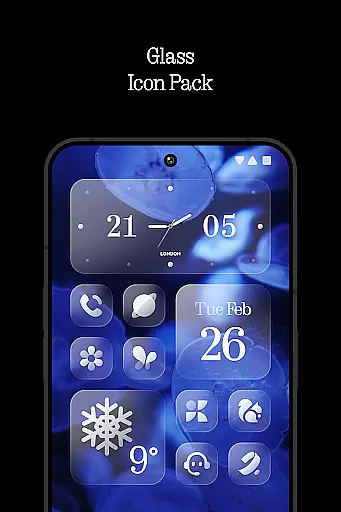
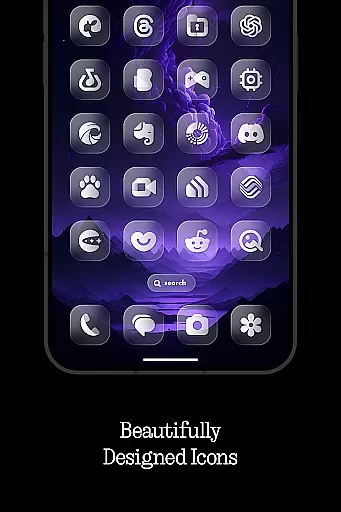
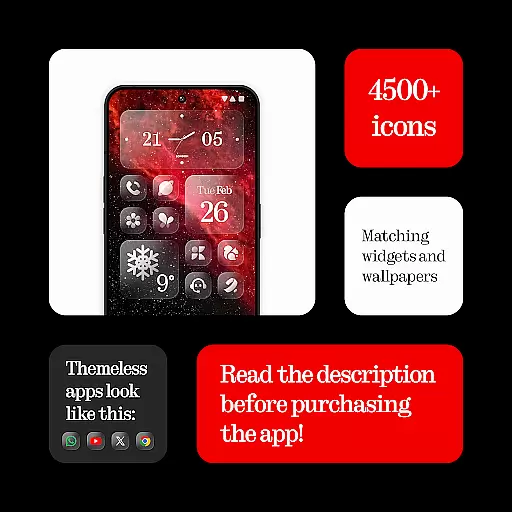
Glass Icons is a premium icon pack designed to provide users with a sleek and sophisticated visual upgrade for their mobile devices. Featuring over 5400 crystal-clear, square icons, this pack seamlessly integrates with your device's interface, offering a modern aesthetic that enhances the overall user experience.
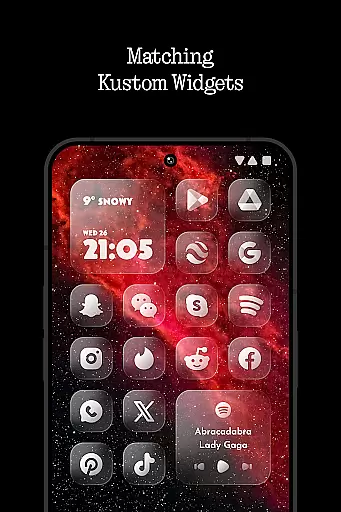
In addition to its extensive icon library, Glass Icons includes five customizable Kustom widgets and cloud-based wallpapers, allowing for a personalized touch. The pack also offers regular updates and an icon request tool, ensuring compatibility with new apps and maintaining a fresh look. Whether you're using Nova Launcher, Lawnchair, or other popular launchers, Glass Icons delivers a cohesive and polished appearance that transforms your home screen.
Glass Icons stands out with its comprehensive feature set tailored for customization enthusiasts. The pack includes over 5400 meticulously designed icons, each crafted to maintain visual consistency while offering a unique style. These icons are compatible with a wide range of supported launchers, including Nothing Launcher, Nova Launcher, and Shade Launcher, among others.
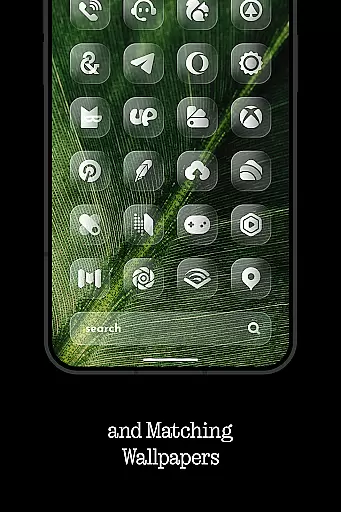
Beyond icons, the pack provides five Kustom widgets that allow users to create personalized home screen layouts. With cloud-based wallpapers, users can access and apply stunning background images that complement the icons. Regular updates ensure that new app icons are continually added, while the icon request tool lets users suggest specific icons they'd like to see included. This combination of features makes Glass Icons a versatile choice for those seeking a refined mobile aesthetic.
Glass Icons offers an extensive range of customization options that cater to personal preferences and device compatibility. With over 5400 icons, users can transform their device's interface into a sleek, sophisticated visual experience.
The inclusion of 5 Kustom widgets adds another layer of personal touch, allowing for unique home screen setups. These widgets are fully customizable, ensuring they blend seamlessly with the chosen icons.
Cloud-based wallpapers provide additional customization opportunities, enabling users to match their device's aesthetic with dynamic and high-quality images. This feature ensures that your device remains visually fresh and engaging.
Regular updates and an icon request tool further enhance the customization experience, ensuring users have access to new content and can request specific icons that may not currently be available.
Ensuring theme compatibility is crucial for a cohesive user experience, and Glass Icons excels in this area. The icon pack is designed to integrate smoothly with various launchers, including popular options like Nova Launcher, Lawnchair Launcher, and Niagara Launcher.
For devices using Pixel Launcher or Stock One UI Launcher, compatibility is achieved through third-party apps such as Shortcut Maker and Theme Park. This flexibility ensures that users can enjoy the Glass Icons experience regardless of their preferred launcher.
Special attention has been given to ensure shadows are active in Nova Launcher, maintaining the visual integrity of the icons. This attention to detail highlights the commitment to compatibility across different platforms.
Additionally, the FAQ section within the app addresses common compatibility questions, providing users with the necessary information to optimize their experience. This proactive approach helps prevent potential issues and enhances overall satisfaction.
Extensive icon library
Regular updates
Customizable widgets
Cloud-based wallpapers
Wide launcher support
Paid KWGT PRO required
No stock Pixel support
Limited One UI integration
Third-party launcher needed
Shadow settings mandatory

Stunningly Different look with Line Icons and Neon Colors
 4.60
4.60
Only for Wear OS devices!
4.90
A retro cartoon style watch face and a punch right in the face of the copyright
4.60
Add cute Shimeji pets to screen, interact with them and relax with cute motions
4.60
Want to make your phone more special than ever?
4.60
Custom edge gestures for volume control, brightness, apps, and shortcuts.
4.1
Launcher OS™ Pro without ads help make your phone simple and pretty
4.30
Struggling to find apps? Use this app to locate and open any app on your phone!
2.20
Transform your phone with stylish zipper lock themes and 4D live wallpaper
4.10
A Colorful and Minimal icon pack in an Outline Style - Over 13,600 icons!
4.70
Classic analogue watch face. For wear os devices.
4.60
Customize your home screen with stunning themes, blur, widgets & icons.
4.60
Embrace the Night. Unleash the power of darkness with Raven Dark Icon Pack
4.60
Ninja Turtles Cowabunga SE watch face for Wear OS
4.50 4.50
4.50
Transform your device in a game console
4.40
App Icon Changer & Shortcut Creator. Customize your icons without any watermarks
4.30
Run multiple accounts of the same app on a single device
4.10
Customizable flower power digital watch face for Wear OS watches.
4.00


User Reviews