
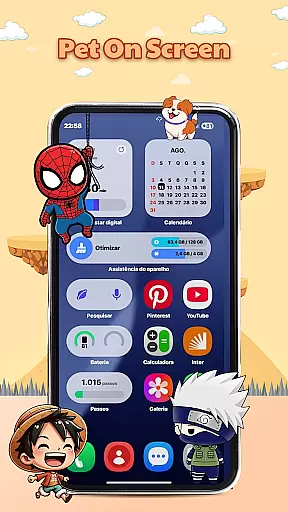
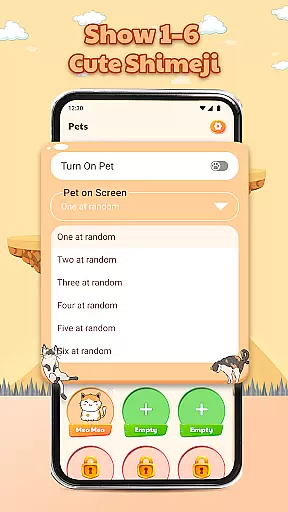
Pet On Screen - Shimeji Kawaii is a delightful personalization app that brings your phone to life with adorable animated characters. These cute, anime-style pets walk, climb, and interact on your screen, creating a lively and fun experience.
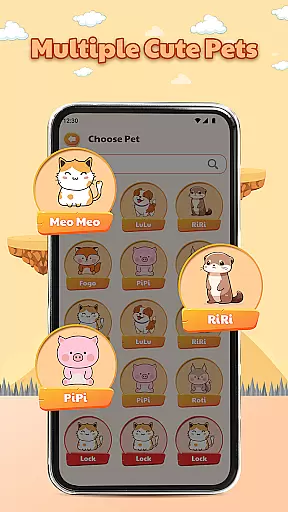
With a wide selection of charming characters to choose from, including chibi and cartoon styles, this app allows you to customize your device's appearance to match your unique style. The playful interactions and advanced customization options make it easy to adjust the pets' size, speed, and behavior to suit your preferences.
Whether you're looking for a relaxing companion or simply want to add a touch of joy to your daily routine, Pet On Screen - Shimeji Kawaii offers a small dose of happiness every time you unlock your phone.
This app stands out with its collection of live mini characters that move naturally across your screen, providing an engaging and dynamic user experience. Each pet has been designed with attention to detail, offering users a variety of cute and playful animations.
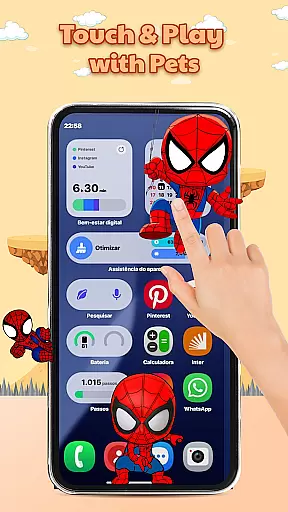
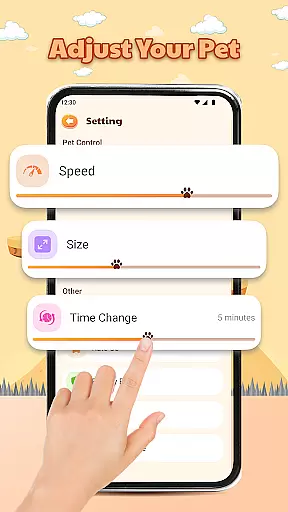
The app also features extensive customization options. You can modify the pets' size, movement speed, and even their activity times, ensuring they fit seamlessly into your digital environment. Additionally, the tap-and-hold interaction allows you to engage with these virtual companions, triggering charming reactions that enhance the sense of connection.
For those seeking a personalized touch, Pet On Screen - Shimeji Kawaii delivers both aesthetic appeal and interactive enjoyment, making it more than just a visual enhancement but a source of daily delight.
Customization is at the heart of Pet On Screen - Shimeji Kawaii, allowing users to tailor their experience with a range of adjustable settings.
This app provides an extensive selection of cute characters in various styles such as anime and chibi, ensuring that there's something for every user's unique taste.
Beyond choosing characters, individuals can fine-tune elements like character size, movement speed, and time changes, crafting a personalized environment that perfectly matches their device usage habits.
The ability to customize not only enhances the visual appeal but also offers a more engaging and interactive experience with every tap and swipe on the screen.
Pet On Screen - Shimeji Kawaii excels in theme compatibility, seamlessly integrating with users' device aesthetics to enhance personal style.
Each adorable character is designed to be visually compatible with a wide array of device themes, from minimalist to vibrant colorful setups, ensuring they complement the existing look and feel.
By supporting different themes, this app maintains visual consistency across the user's device, making daily interactions delightful without clashing with other design elements.
Users will appreciate how these lively pets not only bring joy but also blend harmoniously with their personalized digital space, offering both entertainment and aesthetic pleasure.
Cute animated characters
Wide variety of styles
Interactive features
Customizable settings
Stress-relieving experience
May drain battery faster
Limited free options
Can be distracting
Not suitable for all devices
Some features require payment

Classic analogue watch face. For wear os devices.
 4.60
4.60
Sparkle your screen with Glitter Wallpapers For Girls and Cute Backgrounds!
4.80
Gun Chase - Let the chase begin.
4.80
AI-powered Copilot. Personalized keyboard with gifs, stickers & themes
4.40
Run multiple accounts of the same app on a single device
4.10
Customize glowing edges, wallpapers, and caller screen with EdgeAura.
3.50
Nothing Icon pack with more than 3750+ highly crafted icons.
4.70
Color phone with cool effects for call screen, flash alert & ringtones music
4.50
Yandex Browser — stylish and secure, with voice search and data compression
4.40
Wallpaper HD 4K Live - Thousands of high-quality Anime backgrounds for you.
4.80
A minimalist productivity launcher. One-hand-friendly. Zero ads.
4.70
Icons made of colorful linear lines
4.60
300+ Beautifully crafted widgets inspired by OneUI.
4.60
Beautiful realistic hybrid watch face with numerous customization options.
4.50
Aesthetic Widgets, HD Wallpapers, Themes in Mico Widget for Home and Lock Screen
4.50
Fingerprint Lock Screen & Live Animations with 4K Wallpapers as Live Wallpaper
4.40
The definitive Icon pack maker and editor
4.30
Create unique, fun emojis with Funny Emoji Maker! Unlimited creativity!
4.00
Adaptive Dot Style IconPack with Light & Dark Theme.
3.70


User Reviews