
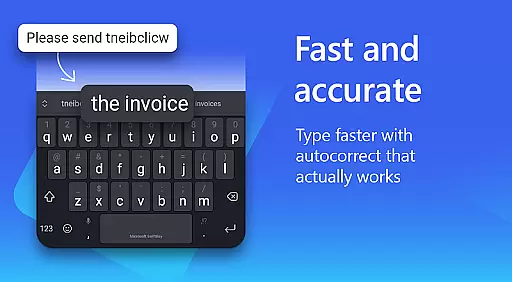
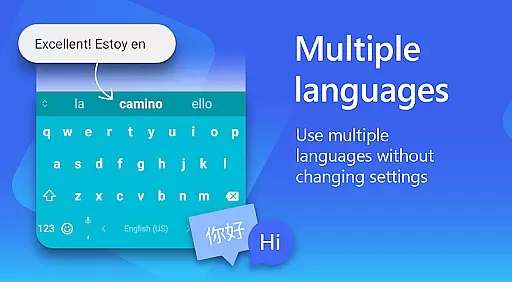
Microsoft SwiftKey AI Keyboard is an advanced personalization tool designed to enhance typing efficiency and style. This intelligent keyboard learns your unique writing patterns, offering personalized autocorrect and predictive text features. With support for over 700 languages and the ability to enable up to five languages simultaneously, it caters to a global user base.
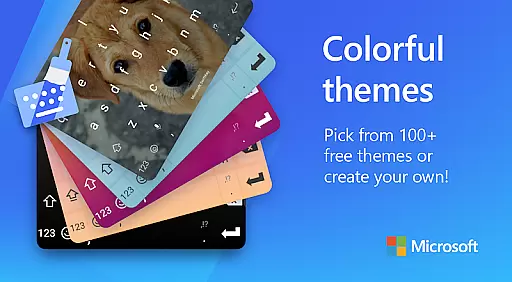
The app goes beyond basic typing by integrating rich content options such as adaptive emojis, GIFs, and stickers. Users can also create custom keyboard themes using personal photos, choose from 100+ colorful themes, and adjust keyboard size and layout. These customization options allow users to express their individuality while enjoying a more efficient typing experience.
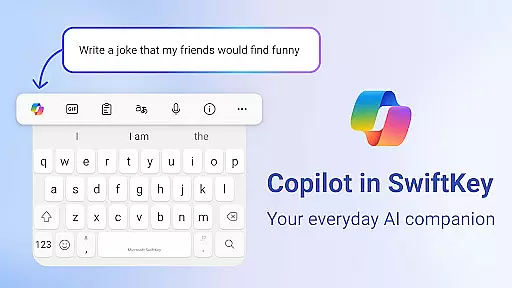
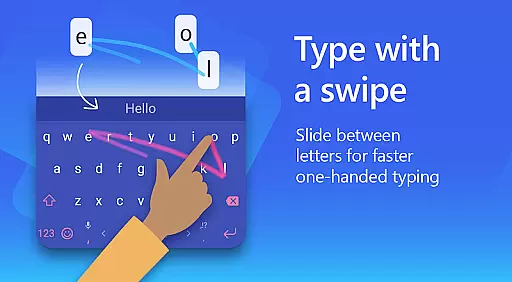
Microsoft SwiftKey's AI-powered Copilot feature serves as a daily companion, enabling users to ask questions within their favorite apps. The swipe-to-type functionality and custom keyboard toolbar with quick shortcuts make typing faster and more intuitive. Whether you're looking to improve productivity or simply want a more personalized keyboard experience, Microsoft SwiftKey offers practical solutions that adapt to various typing preferences.
Microsoft SwiftKey AI Keyboard stands out with its comprehensive feature set designed for both efficiency and personal expression. The core typing features include swipe-to-type functionality, AI-powered spell checker, and auto text predictions that learn and adapt to your unique writing style. The custom keyboard toolbar provides expandable shortcuts, while the AI-driven rewrite feature helps transform casual text into polished drafts in different tones.
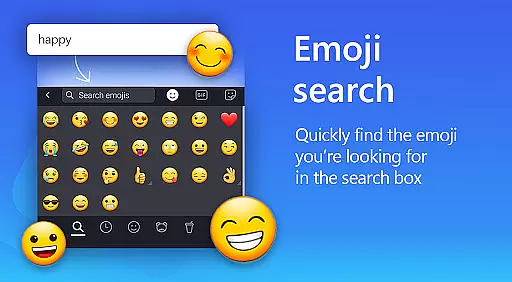
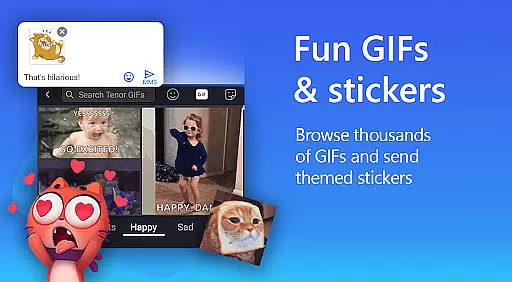
Beyond basic typing, the app excels in rich content integration. The adaptive emoji keyboard predicts your favorite emoticons, while the searchable GIF and sticker library helps you find perfect reactions for any conversation. The AI-powered image creation tool allows users to generate unique memes and images, making conversations more engaging and personalized.
Customization options are extensive, with over 100 colorful themes available. Users can create truly unique keyboard designs by using personal photos as backgrounds and adjusting keyboard size and layout. Multilingual support is another key strength, with the ability to enable up to five languages simultaneously from a selection of over 700 supported languages. These features combine to create a versatile typing experience that adapts to both professional and casual communication needs.
Microsoft SwiftKey AI Keyboard offers an extensive range of customization options that cater to individual preferences and styles. With over 100 colorful keyboard themes, users can select a design that best matches their personal taste or mood.
Beyond the preset themes, the application allows for a more personalized touch by enabling users to create their own custom keyboard theme. This feature lets users set personal photos as the background, making every typing experience uniquely theirs.
In addition to aesthetic personalization, Microsoft SwiftKey provides functional customization. Users have the ability to adjust their keyboard size and layout, ensuring comfort and efficiency while typing. These adjustments can help reduce strain during long typing sessions and accommodate different hand sizes and typing styles.
The adaptability of Microsoft SwiftKey's customization features ensures that users are not just limited to a one-size-fits-all solution. Instead, they have the freedom to tailor their keyboard in a way that enhances both their productivity and enjoyment, making it an ideal choice for those who seek a typing experience that is truly their own.
Theme compatibility in Microsoft SwiftKey AI Keyboard ensures that users' selected designs work seamlessly across different devices and screen sizes. Whether on a phone or tablet, themes maintain their visual integrity and intended user experience without any compromise.
Moreover, the application guarantees that all custom themes, including those with personal photos, are fully optimized for the keyboard interface. This optimization process means images are appropriately cropped and adjusted to fit the unique dimensions of the keyboard without losing quality or context.
Microsoft SwiftKey also takes into account various operating system versions, ensuring backward and forward compatibility. This approach allows users with different Android versions to enjoy a consistent look and feel, preserving the aesthetic aspects of their chosen or created themes regardless of software updates.
By prioritizing theme compatibility, Microsoft SwiftKey AI Keyboard delivers a reliable and visually pleasing typing environment. Users can switch between devices or upgrade their OS with confidence, knowing their personalized keyboard appearance will remain intact, providing a familiar and satisfying typing experience every time.
AI-powered predictions
Multi-language support
Customizable themes
Rich content integration
Swipe-to-type functionality
Requires permissions
Feature learning curve
Storage requirements
Limited offline features
Premium upgrades

Ultra realistic high quality analog watch face for Wear OS.
 4.60
4.60
3D, live, and moving wallpapers & themes in 4K and HD for your device.
4.50
Art & Emoji Keyboard with Cool Fonts, Cute Themes and Custom Designs.
4.40
Wallpaper HD 4K Live - Thousands of high-quality Anime backgrounds for you.
4.80 4.10
4.10
Struggling to find apps? Use this app to locate and open any app on your phone!
2.20
Your home screen, just the way you like it.
4.30
Customize phone with anime themes, 3D icons, aesthetic widgets & wallpapers
4.80
Create stunning widgets with Widget 2026: Aesthetic Widgets for Android!
4.60
Only for Wear OS devices!
4.90
Dark icon pack based on One 8
4.80
Ultimate Gallery Lock App - Hide Pictures, Videos and Lock Apps Instantly!
4.60
Icons made of colorful linear lines
4.60
Handcrafted pixel art icons, widgets & wallpapers
4.60
Turn text & photos into stunning AI videos, art, and creative visual stories.
4.50
Transform your phone with stunning video wallpapers and a unique, personal touch
3.80
Adaptive Dot Style IconPack with Light & Dark Theme.
3.70
Prank your friends with realistic broken screen and cracked HD effects!
4.3
Custom edge gestures for volume control, brightness, apps, and shortcuts.
4.0


User Reviews