
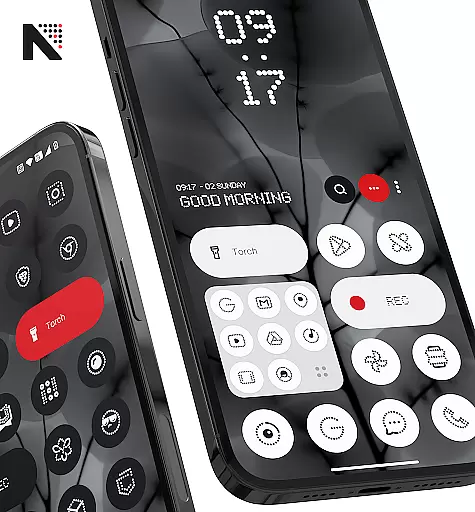
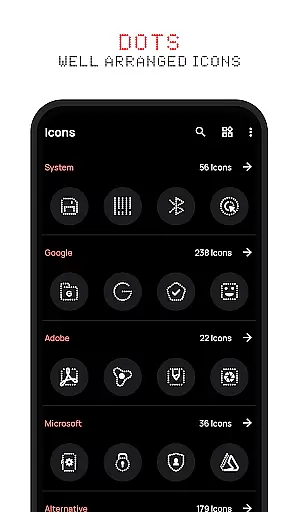
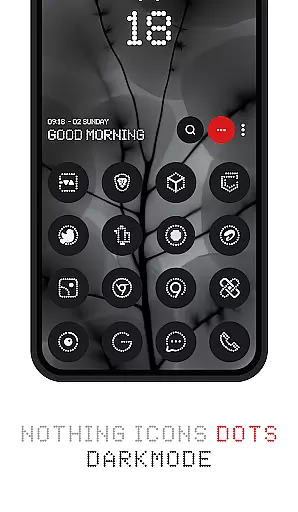
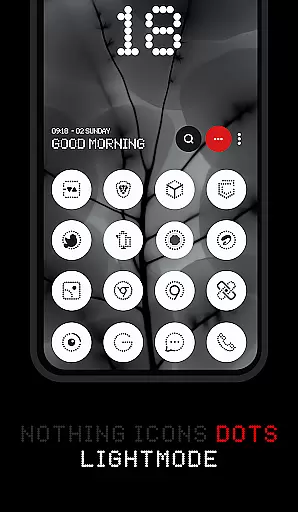


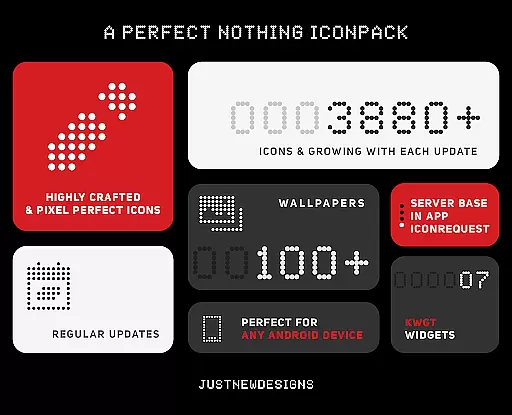
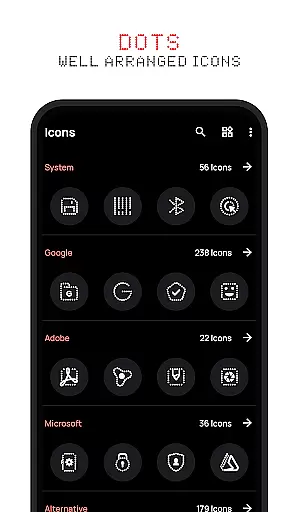
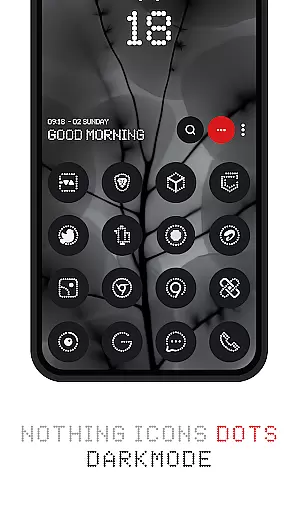


Dots : Adaptive Icon pack is a premium icon pack that combines minimalist design with adaptive functionality. The icons feature a distinctive dot design inspired by the Nothing Brand, using a white color scheme that adapts based on the original app icons and device theme.
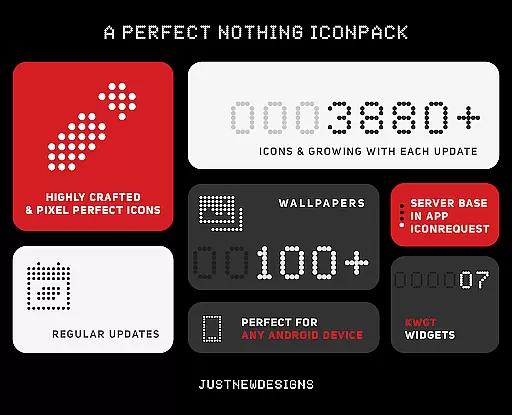
This personalization app offers over 3000 themed icons that work seamlessly with various launchers, automatically adjusting their appearance between dark and light modes based on your device settings. The adaptive shapes change according to your launcher's configuration, making it highly versatile for different home screen setups.
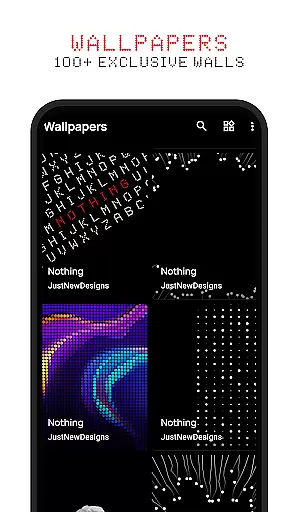
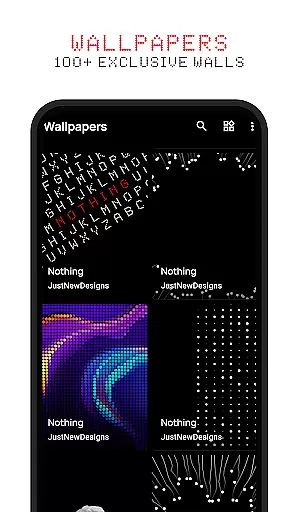
Ideal for users who appreciate dark-themed aesthetics and AMOLED displays, this icon pack also includes 100+ matching wallpapers and offers a satisfaction guarantee. Whether you're looking to refresh your device's appearance or seeking perfect icon uniformity, Dots provides a complete solution for Android customization.
The Dots icon pack stands out through its combination of aesthetic design and technical functionality. The adaptive features are particularly noteworthy - icons intelligently switch between dark and light variations based on your system's current theme settings, ensuring optimal visibility and visual harmony.
A key innovation is the adaptive icon shape technology. Unlike traditional icon packs, Dots icons can morph their shape (circle, square, squircle, etc.) depending on the launcher you're using, thanks to its compatibility with most modern launchers' shape theming capabilities. This ensures consistent design language across different devices and launchers.
The pack also includes over 100 custom-created wallpapers that complement the icon design, creating a cohesive look for your device. Regular updates add new icons and wallpapers, while the developer's support channels provide reliable assistance. The inclusion of a satisfaction guarantee further demonstrates confidence in the product's quality and user appeal.
Customization is at the heart of Dots: Adaptive Icon Pack, offering users a versatile way to personalize their device's appearance. With over 3000 themed icons, this icon pack provides an extensive library that caters to various tastes and preferences.
The adaptive nature of these icons allows them to seamlessly integrate with different launchers that support icon shape theming, ensuring a consistent look across devices regardless of manufacturer or model. This flexibility empowers users to tailor their home screens precisely as they envision.
In addition to its vast icon collection, Dots includes 100+ matching wallpapers specifically crafted for this pack. These high-quality images complement the minimalist design language inspired by Nothing Brand, enhancing the overall aesthetic appeal and providing complete customization freedom.
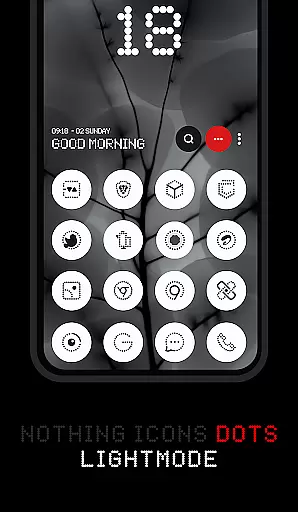
Dots: Adaptive Icon Pack excels in theme compatibility, automatically adjusting icon colors based on the device's selected theme. Whether using a light or dark mode, the icons maintain their visual integrity while adapting to the system-wide color scheme.
This intelligent adaptation extends beyond basic light/dark settings. The icon pack responds to specific themes like Dots Theme and White Color, creating a cohesive visual experience that aligns with the original app icons' design language.
The pack's thoughtful design ensures smooth integration with various launchers that support adaptive icon shapes. This compatibility guarantees that users can enjoy a unified appearance across their entire interface, maintaining professional-grade aesthetics while allowing personal expression through technology.
Adaptive icon shapes
Dark/Light themes
Over 3000 icons
Matching wallpapers
Refund guarantee
Limited colors
Theme dependent
No iOS support
Paid app
Launcher specific

Only for Wear OS devices!
 4.90
4.90
Beautiful realistic hybrid watch face with numerous customization options.
4.50
A retro cartoon style watch face and a punch right in the face of the copyright
4.60
App Icon Changer & Shortcut Creator. Customize your icons without any watermarks
4.30 4.50
4.50
Choose your keyboard with RGB colors effect, themes, fonts, emojis.
4.60
One 8 icons glass color version
4.80
Fast SMS & group chat - use GIFs and emojis from your home screen launcher.
4.50
Transform your phone with stylish zipper lock themes and 4D live wallpaper
4.10
Wallpaper HD 4K Live - Thousands of high-quality Anime backgrounds for you.
4.80
Vertically oriented rectangular icons
4.70
Want to make your phone more special than ever?
4.60
Embrace the Night. Unleash the power of darkness with Raven Dark Icon Pack
4.60
Stylish Pink Cute Hippo keyboard with 10000+ customized keyboard themes!
4.60
The definitive Icon pack maker and editor
4.30
Launcher OS™ Pro without ads help make your phone simple and pretty
4.30
Unique Fonts, typefaces and stylish text. Fonts for Instagram, Whatsapp & others
4.20 4.10
4.10
Your go to Weather App & Home Screen. Get your weather at a swipe of a finger!
3.80


User Reviews