
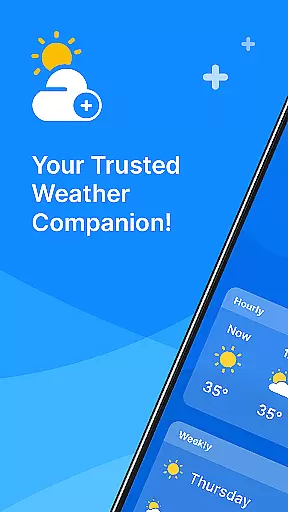
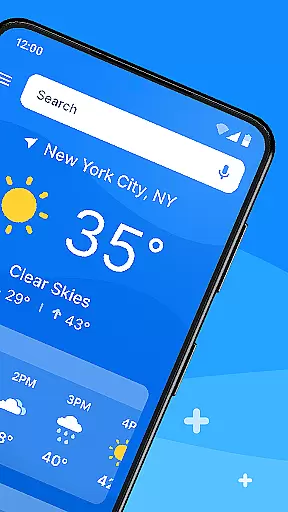
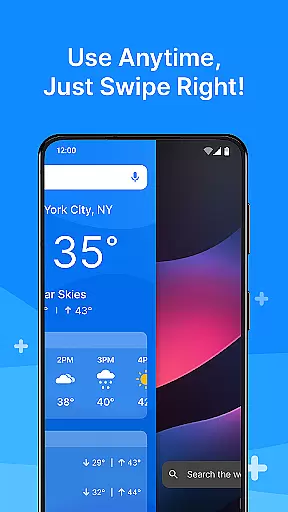
All Weather Mode is a comprehensive weather application designed to keep users informed about current and forecasted weather conditions. The app provides real-time updates, detailed forecasts, and location-based reporting, ensuring you are always prepared for the day ahead. With an intuitive home screen layout, it offers quick access to essential weather information through easy swipe shortcuts.
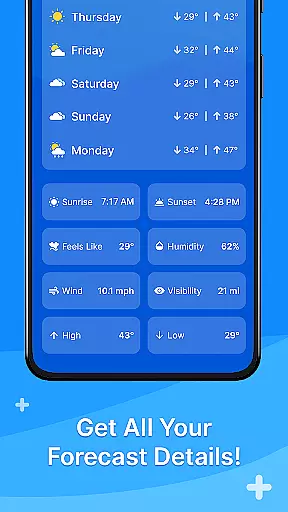
One of the standout features of All Weather Mode is its robust reporting system that includes temperature, sunrise, sunset, feels-like temperatures, humidity levels, wind speed, visibility, and more. Whether planning daily activities or preparing for severe weather, this app equips users with accurate data to make informed decisions. Additionally, the 7-day forecast and hourly updates allow for meticulous planning, making it an invaluable tool for both everyday use and outdoor excursions.
All Weather Mode stands out due to its rich feature set tailored to meet diverse user needs. The app's intuitive home screen layout ensures ease of use, providing a clean interface with quick-swipe shortcuts for instant access to weather reports. This design minimizes the effort required to retrieve crucial weather data, enhancing user experience significantly.
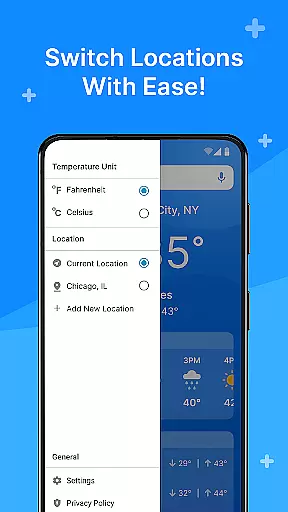
The real-time weather reporting feature delivers up-to-the-minute information on current and saved locations. Users can view detailed metrics such as temperature highs and lows, precipitation percentages, sunrise and sunset times, and other vital statistics. Furthermore, the location-based weather functionality allows users to monitor multiple locations, which is particularly useful for travelers or those concerned about loved ones in different areas. These capabilities ensure that users stay informed and prepared, regardless of their location or activity.
Weather Mode: Weather Launcher stands out with its diverse customization options, allowing users to tailor their weather experience according to personal preferences.
The app features an intuitive home screen layout that can be personalized for easy access to essential weather information. Users can customize quick-swipe shortcuts, ensuring that the most relevant weather data is just a swipe away.
In addition to the customizable layout, the app offers robust search capabilities powered by Yahoo, enabling users to quickly find weather details for any location worldwide. This feature enhances the overall user experience by providing flexibility and control over how weather information is accessed and displayed.
With these comprehensive customization options, Weather Mode: Weather Launcher ensures that each user's interaction with the app is unique and tailored to their specific needs, making it more than just a weather app but a personalized weather companion.
Theme compatibility is a crucial aspect of Weather Mode: Weather Launcher, ensuring that the app not only functions seamlessly but also integrates visually with various device themes.
The app boasts a clean and modern design that adapts well to different Android themes, maintaining visual consistency across devices. This adaptability allows users to enjoy a cohesive look and feel, whether they prefer light or dark modes.
Moreover, the app's interface is designed to be visually appealing while remaining functional, offering high-resolution graphics and icons that scale beautifully on any screen size. This attention to detail in theme compatibility enhances the overall aesthetic appeal without compromising usability.
By prioritizing theme compatibility, Weather Mode: Weather Launcher provides an immersive and visually pleasing experience, ensuring that users can access critical weather information in an environment that feels native to their device's theme settings.
User-friendly interface
Real-time weather updates
Detailed 7-day forecasts
Location-based reporting
Quick-swipe shortcuts
Limited customization options
Occasional data inaccuracies
Ads in free version
High battery usage
Complex for beginners

Vertically oriented rectangular icons
 4.70
4.70
Glass style colourful icons with a One UI look and feel
4.60
App Icon Changer & Shortcut Creator. Customize your icons without any watermarks
4.30
Zip lock screen with magic wallpaper to decorate your phone with fun zipper lock
4.60
Nothing Icon pack with more than 3750+ highly crafted icons.
4.70
Color phone with cool effects for call screen, flash alert & ringtones music
4.50
Vibrant Adaptive Icons with Material You and Enhanced Monet Colors.
4.50
Stylish Pink Cute Hippo keyboard with 10000+ customized keyboard themes!
4.60
Your home screen, just the way you like it.
4.30
Make your phone look simple & luxury, like iDevice
4.60
Bring adorable pets to life on your screen. Playful, interactive and full of fun
4.60
Ninja Turtles Cowabunga SE watch face for Wear OS
4.50
Transform your phone with Launcher iOS 26 - Smooth & elegant iOS experience
4.50
200+ Material Inspired Widgets
4.50
AI-powered Copilot. Personalized keyboard with gifs, stickers & themes
4.40 4.10
4.10
Transfer your live wallpapers from Windows to Android using Wallpaper Engine!
4.00
Ultimate widget creator. Design custom widgets for a truly unique home screen!
3.90
HappyLighting is a Bluetooth lamp control software.
3.40


User Reviews