
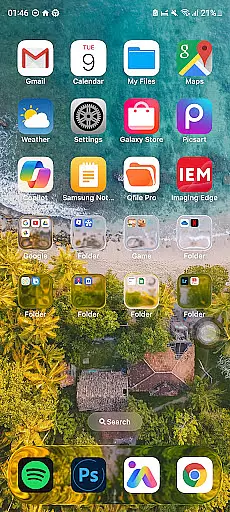
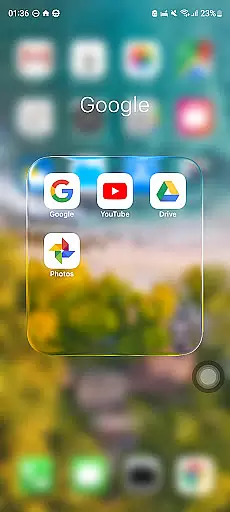
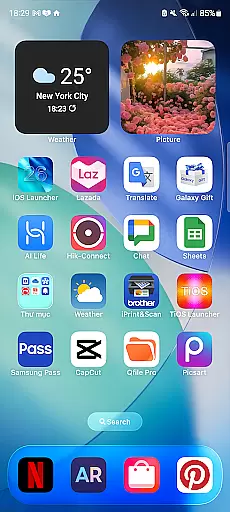
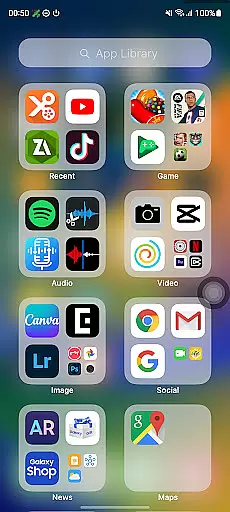
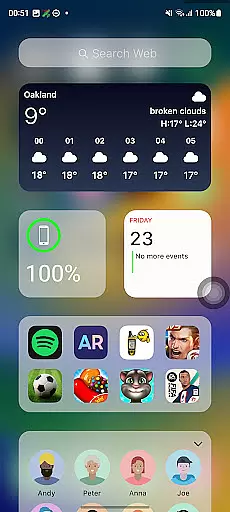
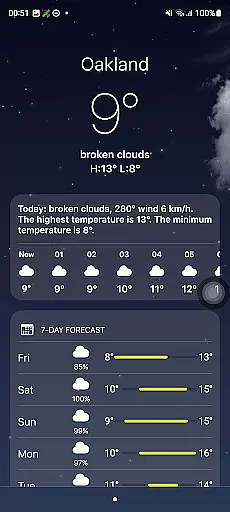
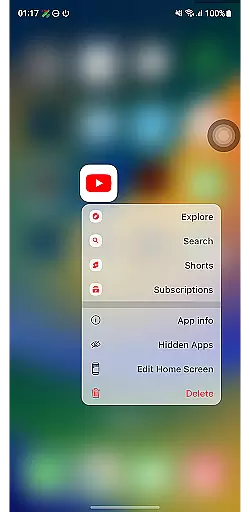
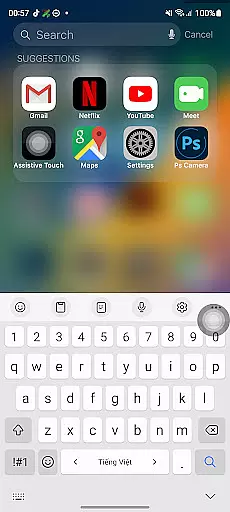
Launcher iOS 26 brings the familiar iPhone experience to Android devices. This personalization app transforms your phone's interface with a sleek design inspired by iOS, offering users an authentic iPhone look and feel. It goes beyond aesthetics by providing enhanced functionality through features like a convenient Control Center and customizable wallpapers.
The app simplifies and personalizes the Android experience by allowing users to access essential functions with simple swipes and customize their home screens to create a unique style. Launcher iOS 26 is ideal for those who appreciate the iPhone's polished design but want to use it on their current Android device, making daily interactions more intuitive and visually appealing.
Launcher iOS 26 offers a variety of features designed to enhance user experience. The app replicates the iconic iOS look, including a Control Center that allows quick access to essential phone functions with a simple swipe. Users can also enjoy customizable wallpapers, giving them the freedom to personalize their device just like on an actual iPhone.
Beyond its visual appeal, Launcher iOS 26 provides practical functionalities such as easy access to favorite apps and actions, mimicking the AssistiveTouch feature found in iPhones. These capabilities ensure that users not only achieve the aesthetic they desire but also benefit from streamlined navigation and improved usability on their Android devices.
Launcher iOS 26 offers a rich array of customization options that allow users to tailor their Android devices to closely resemble the iPhone experience. This includes not only aesthetic elements but also functional features inspired by iOS.
The launcher provides an authentic iOS look and feel, with customizable wallpapers akin to those on an actual iPhone. Users can choose from a variety of wallpapers or set their own, providing a personalized touch to their home screens.
Beyond visual customization, Launcher iOS 26 integrates enhanced functionality such as the Control Center, which is accessible with a simple swipe. This feature mirrors the convenience found in iPhones, allowing for quick adjustments to device settings without navigating through menus.
Quick Access is another standout feature, offering easy access to favorite apps and actions. Inspired by iPhone's AssistiveTouch, this function streamlines user interaction with the device, making daily tasks more efficient and enjoyable.
Theme compatibility is at the heart of Launcher iOS 26's design philosophy, ensuring that users can enjoy a seamless transition between different visual themes while maintaining consistency across their Android experience.
This launcher supports various themes that align with iOS aesthetics, enabling users to maintain a uniform appearance throughout their deviceu2019s interface. The attention to detail extends from icons to system fonts, creating an immersive environment reminiscent of Appleu2019s ecosystem.
In addition to supporting multiple themes, Launcher iOS 26 ensures these themes are fully compatible with its core features. Whether itu2019s the Control Center or Quick Access functionalities, each theme integrates smoothly, preserving both form and function.
By prioritizing theme compatibility, Launcher iOS 26 delivers a cohesive user experience where personalization does not come at the cost of usability or performance, setting a new standard for personalization apps within the Personalisation category.
User-friendly interface
Authentic iOS look
Customizable wallpapers
Convenient Control Center
Quick access to apps
Limited to Android
May lack some iOS features
Potential performance issues
Not a full OS replacement
Ads may be present

Customizable Glass widgets. Over 360+ stunning widgets and more!
 4.70
4.70
Fingerprint Lock Screen & Live Animations with 4K Wallpapers as Live Wallpaper
4.40
Themes - Widget & Wallpaper: Customize home screen, icon changer w unique themes
4.30
Unique Android Launcher
4.60 4.50
4.50 4.10
4.10
Create unique, fun emojis with Funny Emoji Maker! Unlimited creativity!
4.00
A minimalist productivity launcher. One-hand-friendly. Zero ads.
4.70
Install amazing sticker packs: endless styles, always cool.
4.70
Sparkle your screen with Glitter Wallpapers For Girls and Cute Backgrounds!
4.80
A launcher for Samsung Good Lock and Good Guardians modules without ads
4.70
Want to make your phone more special than ever?
4.60
Icons made of colorful linear lines
4.60
Ultra realistic gold analog watch face with lots of customization options.
4.50
Beautiful realistic hybrid watch face with numerous customization options.
4.50
Customizable screen pets that play, climb, and keep you company.
4.50
Wear Os Watch Face - Seasonal - Animated Snow Effect - 9 Animals
4.20
Your go to Weather App & Home Screen. Get your weather at a swipe of a finger!
3.80
Emoji Maker app - Design custom emojis and effortlessly blend them with Mixer
3.80


User Reviews