
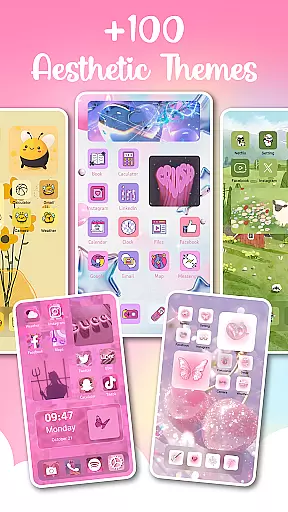
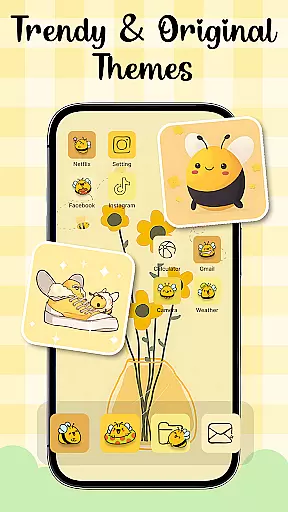
Themes - Widgets, Icon Changer is a powerful personalization app that allows users to fully customize their smartphone's appearance. The app provides an extensive collection of themes, widgets, wallpapers, and icon packs, enabling users to create a unique and personalized mobile experience.
With support for various aesthetic styles including anime, Kpop, and minimalist designs, the app caters to diverse user preferences. Its key feature is the ability to transform the entire phone interface through coordinated themes that include matching wallpapers, widgets, and icons. Users can easily switch between different styles and moods with just one tap.
The app's strength lies in its comprehensive approach to personalization, offering not just visual changes but also functional enhancements through customizable widgets. This makes it particularly valuable for users who want both beauty and practicality in their device's interface.
The app boasts several distinctive features that set it apart in the personalization category. First is its extensive theme library containing various styles such as anime, cute, and aesthetic themes, all designed to work seamlessly across different phone screens. Each theme package includes matching elements for complete interface transformation.
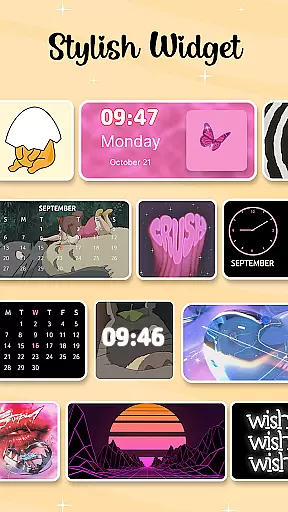
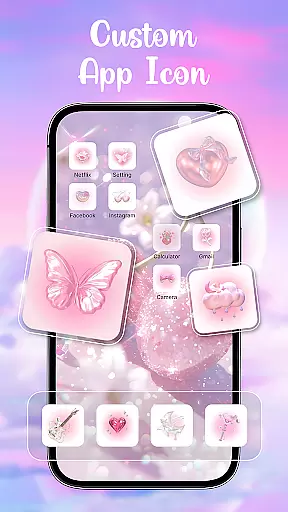
A standout feature is the custom widget creator, offering over 100 widget variations. These widgets allow users to display important information while maintaining their chosen aesthetic style. The app also includes advanced icon changing capabilities, supporting popular social media apps and allowing users to create completely customized home screen layouts.
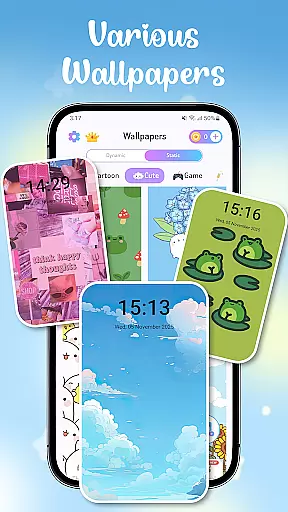
Additional notable features include daily wallpaper refresh options, multiple icon pack choices, and easy one-click application functionality. The app maintains regular updates, ensuring fresh content and compatibility with latest devices, making it a comprehensive solution for those seeking total control over their device's appearance.
In the realm of personalizing your mobile device, Themes - Widgets, Icon Changer stands out by offering an extensive array of customization options. This app allows users to transform their phone screens into personalized masterpieces through a rich selection of themes, widgets, wallpapers, and icon packs.
Users can choose from a multitude of trendy and stylish themes that cater to various preferences such as anime, cute, aesthetic, or Kpop themes. The app's diverse collection ensures that there is a theme for every mood and style preference, making it easy for individuals to express their unique personality through their device's appearance.
Beyond themes, the app provides over 100 customizable widgets which break away from traditional screen appearances. These widgets not only enhance visual appeal but also offer functional benefits like quick access to frequently used features. Additionally, users have the creative freedom to select images from their gallery and apply them to widgets, further showcasing their individuality.
The ability to mix and match different elements including themes, widgets, wallpapers, and app icons adds another layer of personalization. With options ranging from social media icons to bespoke icon packs, this app empowers users to craft a cohesive and distinctive look for their home screens with ease.
Theme compatibility is crucial when customizing a smartphone's interface, ensuring that all visual elements work seamlessly together. Themes - Widgets, Icon Changer excels in this area by providing a harmonious blend of themes, widgets, wallpapers, and icons that are designed to complement each other.
This app offers a wide range of aesthetically pleasing wallpapers that pair beautifully with its diverse theme options. Whether you're looking for minimalist designs or vibrant art styles, the wallpapers provided will enhance the overall look and feel of your chosen theme without clashing or appearing disjointed.
Moreover, the app includes exquisite icon packs that maintain consistency across the user interface. By selecting from these carefully crafted icons, users can ensure that their apps' visual representations align perfectly with the selected theme, creating a unified and polished appearance on their home screen.
With constant updates and additions to its library, Themes - Widgets, Icon Changer guarantees ongoing compatibility and freshness. Users can enjoy peace of mind knowing that new content will integrate smoothly with existing elements, allowing for endless personalization possibilities while maintaining a professional and coordinated aesthetic throughout their device.
User-friendly interface
Extensive customization options
Regular content updates
One-click application feature
Variety of aesthetic styles
May affect device performance
Some features require permissions
Premium content available
Occasional compatibility issues
Learning curve for beginners

Stunningly Different look with Line Icons and Neon Colors
 4.60
4.60
Unique Android Launcher
4.60
Unique Fonts, typefaces and stylish text. Fonts for Instagram, Whatsapp & others
4.20
Create unique, fun emojis with Funny Emoji Maker! Unlimited creativity!
4.00
Enjoy a variety of amazing live wallpapers and colorful EDGE lighting borders!
4.80
Emoji Maker app - Design custom emojis and effortlessly blend them with Mixer
3.80
Amazing letter fonts in your messages and social statuses
4.70
Your home screen, just the way you like it.
3.80
Transform your phone with stylish zipper lock themes and 4D live wallpaper
4.10
400+ Beautifully crafted widgets inspired by NOTHING.
4.70
Glass style colourful icons with a One UI look and feel
4.60
Make your phone look simple & luxury, like iDevice
4.60
Customize your home screen with stunning themes, blur, widgets & icons.
4.60
Turn text & photos into stunning AI videos, art, and creative visual stories.
4.50
App Icon Changer & Shortcut Creator. Customize your icons without any watermarks
4.30
Launcher OS™ Pro without ads help make your phone simple and pretty
4.30
Your home screen, just the way you like it.
4.30
Organize and manage your photos and videos effortlessly with Photo Gallery
4.20
⭐ OneUI inspired Fluffy Icon Pack – Soft. Stylish. Standout. ⭐
4.1


User Reviews