
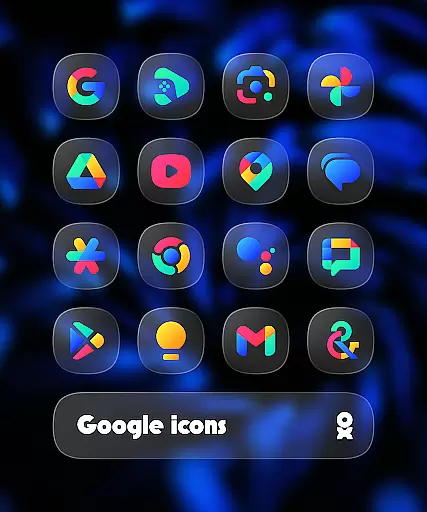
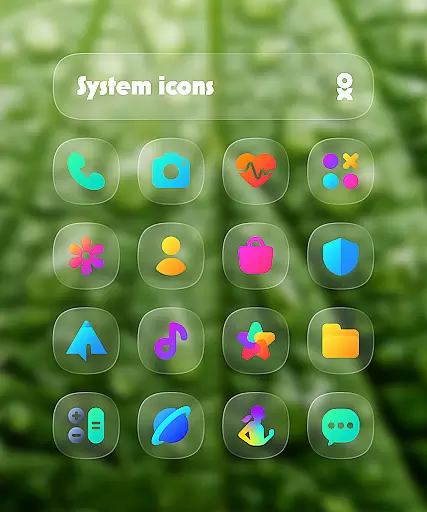
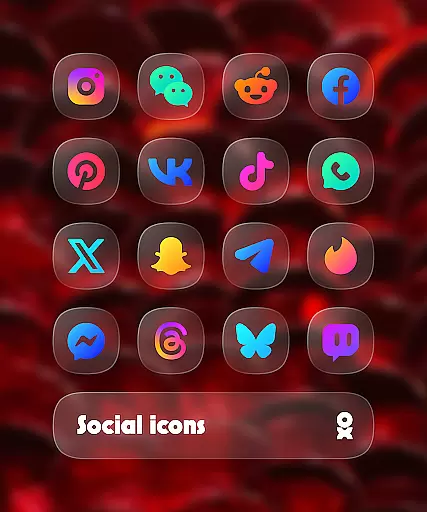
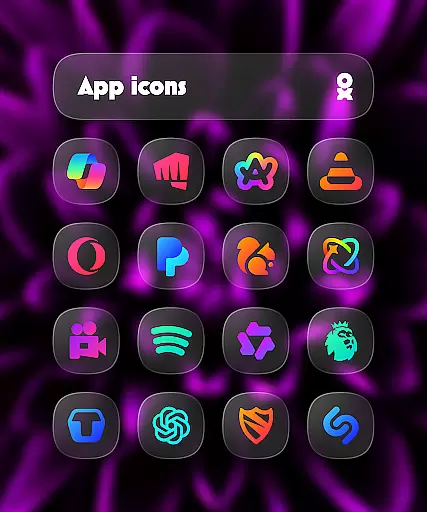
One UI Glass Color Icon Pack offers over 6000 crystal-clear, colorful squircle icons designed with a sleek and minimal aesthetic. Inspired by Samsung's One UI design language, this icon pack provides a modern and elegant look that seamlessly integrates with your device's interface.
The pack includes cloud wallpapers, an icon request tool, and regular updates to ensure compatibility with new apps. It supports various launchers including One UI Home, Nova Launcher, and Lawnchair Launcher, making it versatile for different devices. This icon pack is ideal for users seeking a cohesive and stylish home screen experience.
One UI Glass Color Icon Pack stands out with its comprehensive set of features tailored for customization enthusiasts. With over 6000 HD icons, users can enjoy high-quality visuals that enhance their device's appearance. The inclusion of cloud wallpapers adds an extra layer of personalization.
The icon request tool allows users to request specific app icons not already included in the pack. Regular updates ensure that new app icons are continually added. Additionally, compatibility with numerous launchers like One UI Home, Nova Launcher, and Lawnchair Launcher makes it adaptable to various user preferences and device types.
One UI Glass Color Icon Pack offers a wide array of customization options that cater to personal preferences and device aesthetics. With over 6000 HD icons, users can enjoy crystal-clear graphics in a colorful and sleek squircle design.
The pack includes cloud wallpapers that complement the icons, enhancing the overall visual experience. These resources are regularly updated, ensuring that users have access to fresh content that keeps their devices looking modern and stylish.
An icon request tool is also provided, allowing users to suggest specific icons they desire. This feature demonstrates the developer's commitment to meeting user needs and expanding the icon library based on community feedback.
Compatibility with numerous launchers means that whether you're using One UI Home with Theme Park or other popular launchers like Nova Launcher or Lawnchair Launcher, you'll find seamless integration and extensive customization possibilities.
Theme compatibility is a crucial aspect of the One UI Glass Color Icon Pack, ensuring it works harmoniously across various launchers and devices. Designed with Samsungu2019s One UI design language in mind, this icon pack provides a modern and elegant feel that aligns perfectly with different themes.
For optimal performance, certain launchers require specific settings adjustments. For instance, Nova Launcher users need to enable shadow settings for the best visual results. Similarly, Pixel Launcher users should use Shortcut Maker to fully utilize the icon pack's capabilities.
Users of Kustom Widgets will appreciate the support for KWGT & KWGT PRO (paid), which enhances widget customization options. This ensures that not only app icons but also widgets maintain a cohesive look and feel throughout the device interface.
By supporting multiple launchers including Smart Launcher 6, Niagara Launcher, and many others, One UI Glass Color Icon Pack guarantees broad theme compatibility. This versatility allows users to personalize their devices while maintaining a consistent and polished appearance regardless of their chosen launcher.
Modern and elegant design
Wide launcher support
Regular updates
High-quality icons
Cloud wallpapers
Requires supported launcher
No default Pixel Launcher support
Paid Kustom Widgets needed
Limited manual settings
Fewer unique icons

Only for Wear OS devices!
 4.90
4.90
Ultimate widget creator. Design custom widgets for a truly unique home screen!
3.90
Run multiple accounts of the same app on a single device
4.10
Unique Fonts, typefaces and stylish text. Fonts for Instagram, Whatsapp & others
4.20 3.50
3.50
Customize your home screen with stunning themes, blur, widgets & icons.
4.60
Icons made of colorful linear lines
4.60
300+ Beautifully crafted widgets inspired by OneUI.
4.60
Create stunning widgets with Widget 2026: Aesthetic Widgets for Android!
4.60
Wallpaper HD 4K Live - Thousands of high-quality Anime backgrounds for you.
4.80
A Colorful and Minimal icon pack in an Outline Style - Over 13,600 icons!
4.70
Zip lock screen with magic wallpaper to decorate your phone with fun zipper lock
4.60
Handcrafted pixel art icons, widgets & wallpapers
4.60
Transform your phone with Launcher iOS 26 - Smooth & elegant iOS experience
4.50 4.50
4.50
A light in the dark, a unique style and an andless cutomization!
4.30
Struggling to find apps? Use this app to locate and open any app on your phone!
2.20
⭐ OneUI inspired Fluffy Icon Pack – Soft. Stylish. Standout. ⭐
4.0
Modern Glass Icon Pack with glossy icons, clean minimal theme & aesthetic style
4.5


User Reviews