
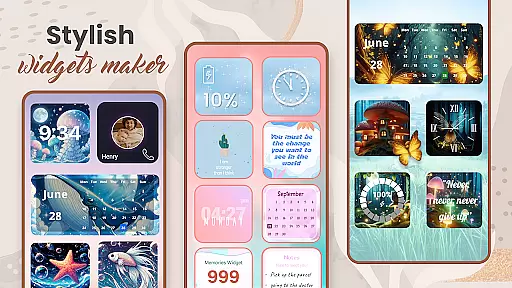
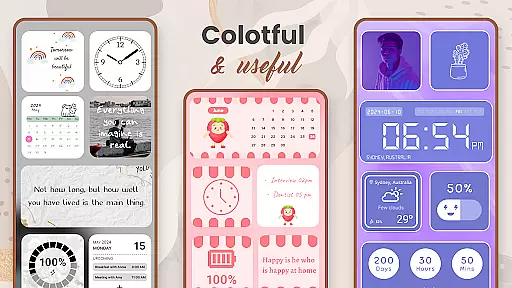
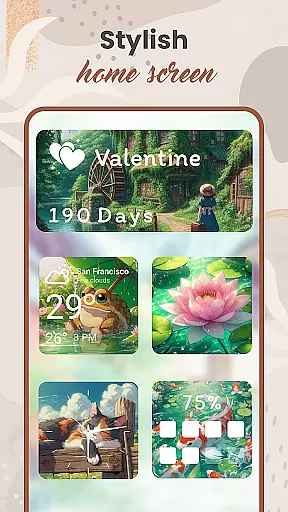
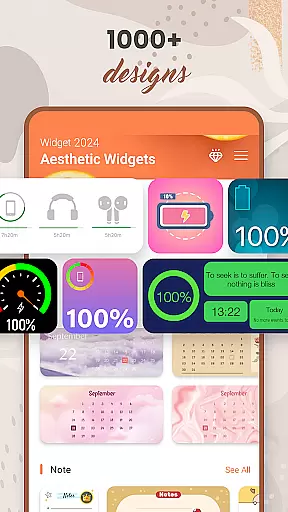
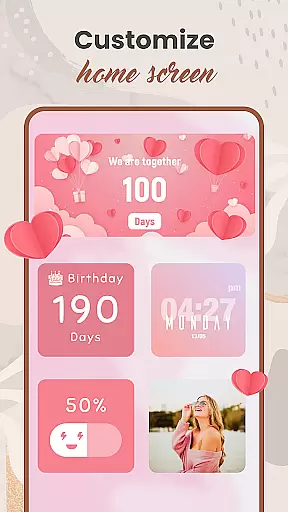
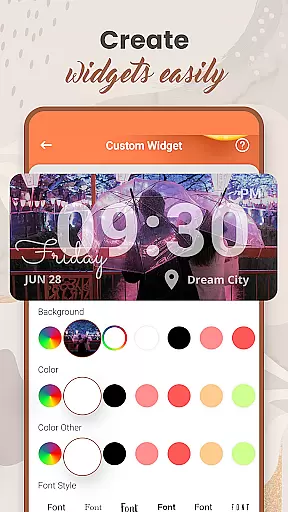
Widget 2025 is a powerful personalization app designed to transform your Android home screen with aesthetic widgets. The app offers an extensive range of customization options, including color widget maker, photo widgets, weather and clock styles, calendar, countdowns, and more.
With over 1000 stylish widgets to choose from, users can easily create fancy widgets that match their unique style. The intuitive interface allows for effortless customization of colors, fonts, styles, and backgrounds, ensuring your device stands out. Whether you need practical tools like weather updates or simply want to enhance your phone's visual appeal, Widget 2025 provides everything you need to personalize your Android experience.
Widget 2025 distinguishes itself through its comprehensive feature set tailored for home screen customization. The app's key strength lies in its powerful widget editor and Color Widget Maker, enabling users to design custom widgets that perfectly match their preferences.
The application supports various practical widgets including weather forecasts, clock displays, calendar views, countdown timers, and note widgets. Users can also add contact information directly on their home screen and monitor battery levels through dedicated widgets. With full control over customization elements such as colors, fonts, and backgrounds, plus the ability to set multiple photo widgets simultaneously, Widget 2025 offers unparalleled flexibility in personalizing your Android device.
When it comes to personalizing your Android device, having a wide array of customization options is essential. Widget 2025 offers an extensive selection of aesthetic widgets that allow users to tailor their home screens to their unique tastes. With over 1000 styles to choose from, this app ensures that your device reflects your personality and preferences.
The app provides powerful tools such as the Color Widget Maker, which lets you design custom widgets with specific colors, fonts, and backgrounds. This level of detail enables users to create cohesive themes across their devices. Whether you're looking for weather updates, calendar reminders, or simply want to display your favorite photos, Widget 2025 has the tools to make it happen.
Moreover, the user-friendly interface makes customization accessible to everyone. You don't need to be tech-savvy to transform your Android experience. The intuitive design allows for easy adjustments, empowering users to modify their screens effortlessly while enjoying a seamless and engaging process.
Theme compatibility is a crucial aspect of any personalization app, ensuring that all elements work harmoniously to create a visually pleasing experience. Widget 2025 excels in this area by offering fully customizable widgets that integrate smoothly with various Android themes. Users can match their widgets with existing themes or create new ones, providing a consistent look throughout their device.
This app supports diverse styles, including photo widgets, quotes of the day, weather, clock, calendar, and more. Each widget type is designed to blend seamlessly with others, maintaining visual consistency. For instance, if you have a minimalist theme on your phone, the sleek designs of Widget 2025u2019s offerings will complement it perfectly without clashing aesthetics.
Additionally, the ability to customize every aspectu2014colors, fonts, styles, and backgroundsu2014ensures that no matter what theme you choose, your widgets will always fit right in. This flexibility not only enhances the overall appearance but also improves usability, making daily interactions with your device more enjoyable and efficient.
User-friendly interface
Extensive customization options
Wide variety of widget types
Powerful editing capabilities
Regular feature updates
May consume system resources
Some features require premium
Occasional compatibility issues
Limited iOS functionality
Learning curve for beginners

Stunningly Different look with Line Icons and Neon Colors
 4.60
4.60
Vertically oriented rectangular icons
4.70
A light in the dark, a unique style and an andless cutomization!
4.30
Ultra realistic gold analog watch face with lots of customization options.
4.50 4.50
4.50
Unleash Your Creativity and Connect with Loved Ones with Lockscreen Drawing!
4.20
400+ Beautifully crafted widgets inspired by NOTHING.
4.70
Transform your device in a game console
4.40
set a new experience for the Android mobile phone
4.20
Only for Wear OS devices!
4.90
Personalize your phone with stunning HD and 4K wallpapers!
4.70
Glass style colourful icons with a One UI look and feel
4.60
Make your phone look simple & luxury, like iDevice
4.60
Aesthetic Widgets, HD Wallpapers, Themes in Mico Widget for Home and Lock Screen
4.50 4.50
4.50
Color phone with cool effects for call screen, flash alert & ringtones music
4.50
Wear Os Watch Face - Seasonal - Animated Snow Effect - 9 Animals
4.20
Customizable flower power digital watch face for Wear OS watches.
4.00
Interactive Miniature Painting Catalogue
3.30


User Reviews