
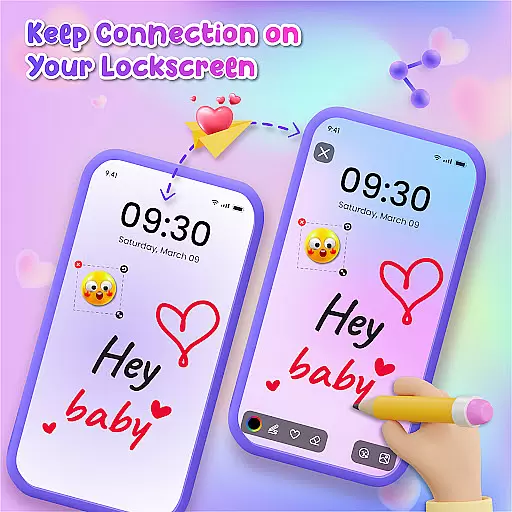
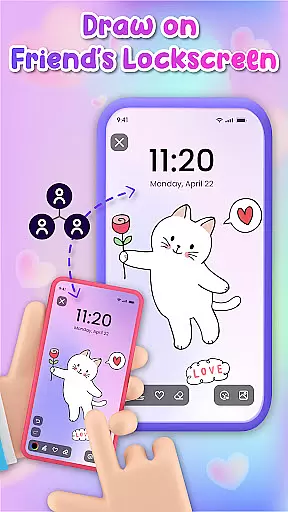
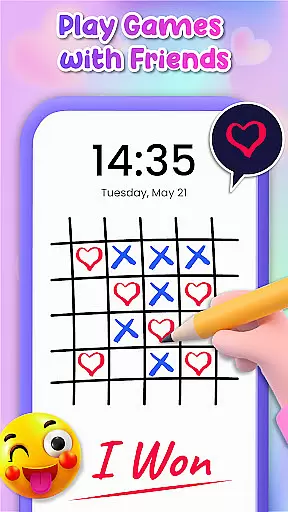
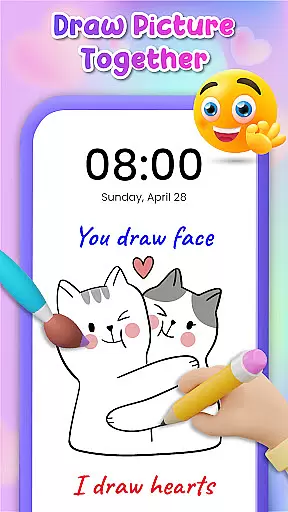
Lockscreen Drawing is a unique personalization app that transforms your phone's lock screen into an interactive canvas. This innovative application allows users to draw directly on their lock screens, share creations instantly with friends, and collaborate in real-time.
The app offers multiple drawing options including the lock screen itself, a dedicated widget, and an in-app canvas. With over 100 stickers and 20 themed backgrounds, it provides extensive creative possibilities while enabling users to express themselves through digital art.
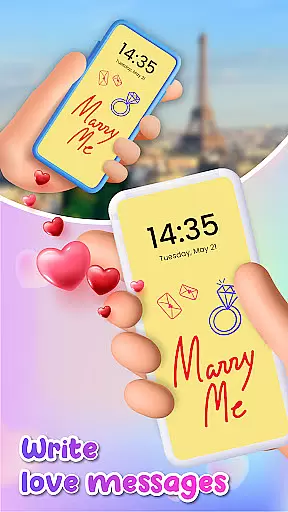
This functionality proves particularly valuable for couples and close friends who wish to surprise each other with personalized messages or drawings that appear every time they unlock their phones, making daily interactions more meaningful and engaging.
Lockscreen Drawing stands out with its live collaboration feature, allowing multiple users to draw simultaneously on their respective lock screens. The app implements this through sophisticated synchronization technology that ensures all connected devices display updates in real-time.
Additional notable features include a versatile widget for quick access to friends' artwork, an extensive library of customizable backgrounds, and a comprehensive collection of expressive stickers. These elements work together to create a rich, personalized user experience that extends beyond basic lock screen functionality.
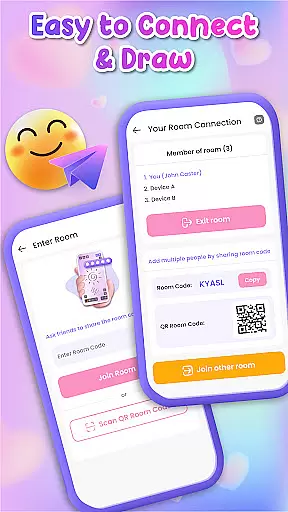
The app's infrastructure supports various connection methods including QR codes, links, and special codes, facilitating seamless interaction between users while maintaining security and privacy standards.
Lockscreen Drawing offers a rich array of customization options that allow users to transform their lock screens into personalized canvases. With over 100 unique stickers and more than 20 themed backgrounds, the app provides endless possibilities for creative expression.
The ability to choose from various backgrounds, including photos from your gallery, ensures that every user can find the perfect setting for their artwork. This feature not only enhances personal creativity but also allows for a deeper connection with friends and family through shared artistic experiences.
By integrating fun elements such as stickers and themed backdrops, Lockscreen Drawing caters to diverse tastes and preferences. Whether you're in the mood for something whimsical or romantic, this app has everything needed to make your lock screen truly yours.
Theme compatibility is at the heart of Lockscreen Drawing's design philosophy. The app seamlessly integrates with different themes, ensuring that all visual elements are cohesive and visually appealing. This compatibility extends across various devices and operating systems, providing a consistent experience for all users.
Users can enjoy creating art on their lock screens without worrying about mismatched aesthetics. The appu2019s support for multiple themes means that whether you prefer minimalist designs or vibrant patterns, your drawings will always look harmonious and well-integrated.
This level of theme compatibility enhances user satisfaction by allowing them to maintain a personalized yet unified appearance across their device. It ensures that every doodle, sticker, or background choice complements the overall look and feel of the user's interface.
User-friendly interface
Real-time collaboration
Extensive customization
Versatile drawing tools
Secure sharing options
Limited free features
High battery usage
Occasional sync issues
Ads between sessions
Learning curve present

Stunningly Different look with Line Icons and Neon Colors
 4.60
4.60
Ninja Turtles Cowabunga SE watch face for Wear OS
4.50
3D, live, and moving wallpapers & themes in 4K and HD for your device.
4.50
AI-powered Copilot. Personalized keyboard with gifs, stickers & themes
4.40 4.50
4.50
Embrace the Night. Unleash the power of darkness with Raven Dark Icon Pack
4.60
Stylish Pink Cute Hippo keyboard with 10000+ customized keyboard themes!
4.60
300+ widgets inspired by Material You and Material 3 expressive design.
4.60
200+ Material Inspired Widgets
4.50
A launcher for Samsung Good Lock and Good Guardians modules without ads
4.70
Shimeji adds cute animated characters to your screen, lively and fun.
4.70
Bring adorable pets to life on your screen. Playful, interactive and full of fun
4.60
Customize your home screen with stunning themes, blur, widgets & icons.
4.60
Customizable screen pets that play, climb, and keep you company.
4.50
Color phone with cool effects for call screen, flash alert & ringtones music
4.50
App Icon Changer & Shortcut Creator. Customize your icons without any watermarks
4.30
Organize and manage your photos and videos effortlessly with Photo Gallery
4.20
HappyLighting is a Bluetooth lamp control software.
3.40
Prank your friends with realistic broken screen and cracked HD effects!
4.0


User Reviews