

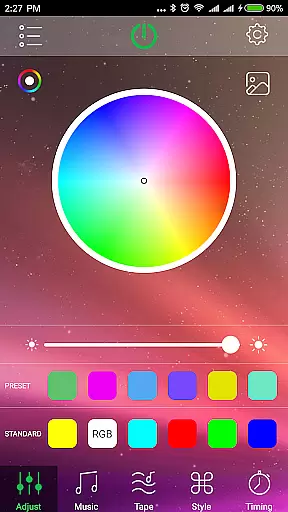
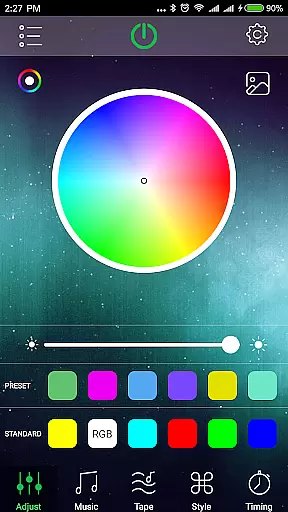
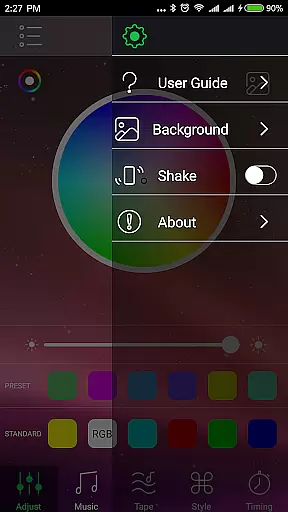
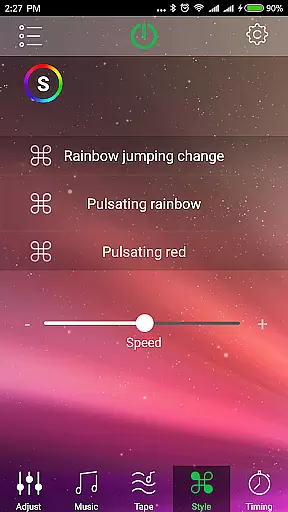
HappyLighting is a specialized Bluetooth lamp control application designed to enhance your lighting experience. The app allows users to control specific Bluetooth-enabled lamps that start with names such as 'Triones, BRGlight, Dream, Light' in the Bluetooth list. With HappyLighting, you can easily adjust color settings, schedule lighting timers, and set various lighting modes.
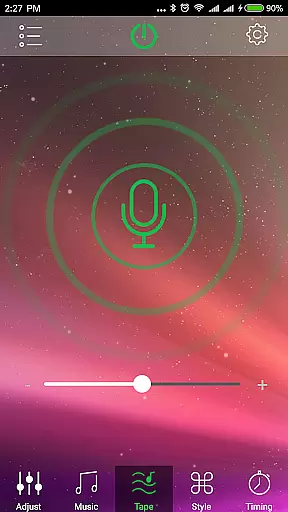
One of the standout features of HappyLighting is its ability to synchronize light colors with music, creating dynamic and immersive environments. This makes it particularly useful for parties, relaxation, or personalized ambiance settings at home. By offering precise control over your Bluetooth lamps, this app ensures that users can customize their lighting to fit any mood or occasion.
HappyLighting offers a comprehensive suite of features tailored for controlling Bluetooth lamps. Firstly, the app provides extensive color-matching capabilities, allowing users to fine-tune the lighting hues to their exact preference. Secondly, it includes a robust scheduling system where users can automate when their lights turn on or off, enhancing convenience and energy efficiency.
Additionally, HappyLighting supports multiple lighting modes which can be customized according to different scenarios, such as reading, entertaining, or relaxing. Another innovative feature is the music-sync functionality, which dynamically changes light colors based on the rhythm and beat of the playing music. These features collectively ensure a versatile and user-friendly lighting control solution.
HappyLighting offers a diverse range of customization options that allow users to tailor their Bluetooth lamp experience according to personal preferences.
The app provides the ability to control color matching, set timing schedules, and choose from various lighting modes for HappyLighting Bluetooth lights. This versatility ensures that users can create the perfect ambiance for any setting, whether it's for relaxation, entertainment, or productivity.
Additionally, one standout feature is the capability to synchronize light colors with music, providing an immersive audio-visual experience. This level of customization empowers users to not only adjust the lighting to their mood but also enhance their environment with dynamic and responsive visuals.
Theme compatibility in HappyLighting ensures that users can seamlessly integrate their Bluetooth lamps with different themes and settings.
Whether you're looking to match your home decor, create a themed party atmosphere, or enhance your workspace aesthetics, HappyLighting supports a wide array of themes through its extensive customization features. The app's ability to change light colors based on music further extends its theme compatibility, allowing for synchronized experiences that elevate any occasion.
This flexibility makes HappyLighting an ideal choice for users seeking a lighting solution that adapts to various themes and enhances the overall ambiance with minimal effort.
User-friendly interface
Wide range of color options
Customizable lighting schedules
Multiple lighting modes
Music synchronization feature
Limited device compatibility
No support for other smart devices
Requires specific Bluetooth lamp models
Occasional connectivity issues
Interface may feel outdated

Beautiful realistic hybrid watch face with numerous customization options.
 4.50
4.50
Glass style colourful icons with a One UI look and feel
4.60
Transform your phone with Launcher iOS 26 - Smooth & elegant iOS experience
4.50
Over 28,000 high quality icons to bring color & homogeneity to your phone.
4.60
Customize glowing edges, wallpapers, and caller screen with EdgeAura.
3.50
Stylish Pink Cute Hippo keyboard with 10000+ customized keyboard themes!
4.60
One 8 icons glass color version
4.80
300+ Beautifully crafted widgets inspired by OneUI.
4.60
Create stunning widgets with Widget 2026: Aesthetic Widgets for Android!
4.60
Dark icon pack based on One 8
4.80
Vertically oriented rectangular icons
4.70
Want to make your phone more special than ever?
4.60
Icons made of colorful linear lines
4.60
Choose your keyboard with RGB colors effect, themes, fonts, emojis.
4.60 4.50
4.50
Yandex Browser — stylish and secure, with voice search and data compression
4.40
Launcher OS™ Pro without ads help make your phone simple and pretty
4.30
Crystal-clear, square icon provides a sleek and sophisticated visual upgrade
4.00
Struggling to find apps? Use this app to locate and open any app on your phone!
2.20


User Reviews