
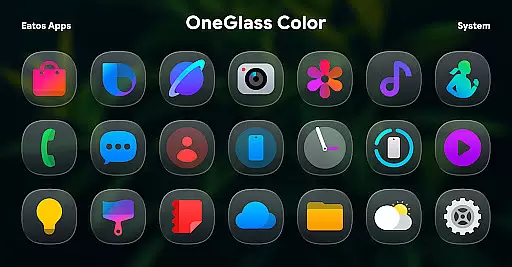
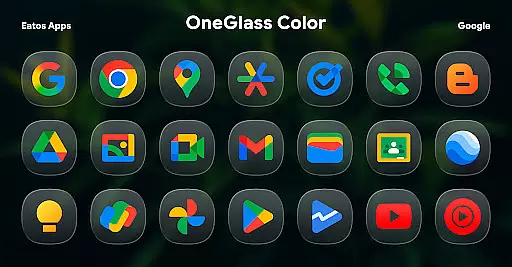
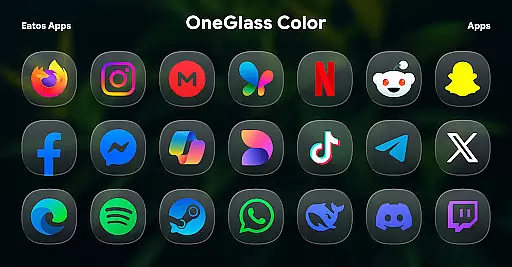
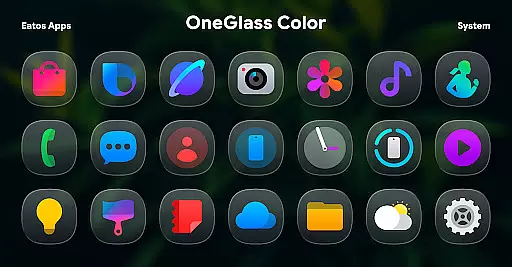
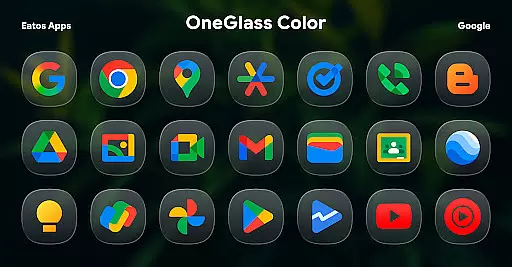
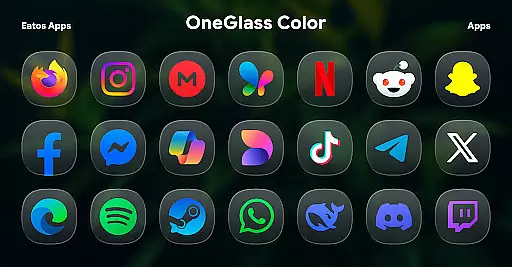
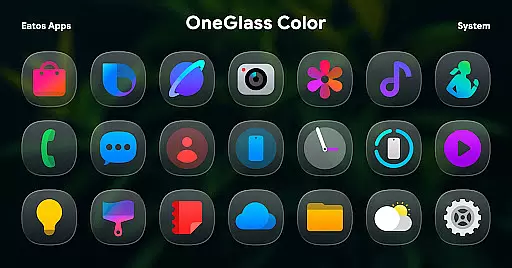
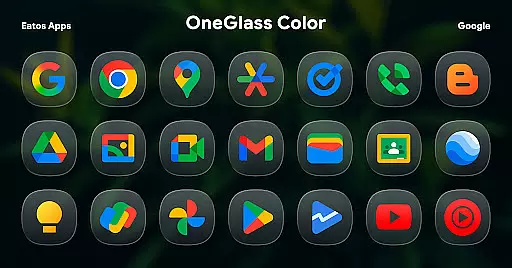
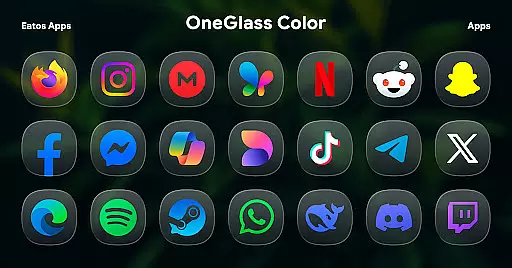
OneGlass 8 (Color) is a premium icon pack featuring over 4,600 meticulously crafted glass-style icons inspired by One 8 design language. This personalization app also includes more than 430 high-quality wallpapers, offering users a complete aesthetic experience for their devices. Designed specifically for dark mode enthusiasts, the icon pack achieves its best visual effect when paired with dark wallpapers.
The app supports popular launchers like Hyperion Launcher, Nova Launcher, and Smart Launcher, making it versatile across different Android devices. For Samsung One UI users, the theme can be applied through the Good Lock and Theme Park apps. With its sleek design and extensive icon coverage, OneGlass 8 (Color) provides a modern and cohesive look that enhances the overall user interface of any compatible device.
OneGlass 8 (Color) stands out with its unique glass-style icon design, offering users a visually stunning and modern aesthetic. Each icon is carefully crafted to maintain consistency while incorporating vibrant colors that complement dark mode wallpapers. The pack includes over 4,600 icons covering a wide range of popular apps, ensuring comprehensive support for most user needs.
In addition to the extensive icon collection, the app provides more than 430 wallpapers specifically designed to match the icons. These wallpapers are optimized for various screen resolutions, delivering crisp and vibrant backgrounds. The app also offers compatibility with multiple launchers including Nova Launcher and Smart Launcher, while providing dedicated instructions for applying themes on Samsung One UI through Good Lock and Theme Park integration.
Users benefit from regular updates that expand icon coverage and improve overall quality. The intuitive application process and detailed instructions make it easy for both beginners and advanced users to personalize their devices effectively. With its focus on dark mode optimization and consistent design language, OneGlass 8 (Color) delivers a premium customization experience.
OneGlass 8 (Color) offers a vast array of customization options, ensuring users can tailor their device's appearance to their exact preferences. With over 4,600 Glass color icons and more than 430 wallpapers, this icon pack provides an extensive selection for personalizing your smartphone or tablet.
The design is optimized for dark mode, making it ideal for users who prefer darker themes. This feature not only enhances visual comfort but also complements the aesthetics of modern devices that support dark mode. The inclusion of numerous wallpapers further expands the customization possibilities, allowing users to create a cohesive look across their home screens.
To apply these customizations, users need a compatible launcher such as Hyperion Launcher, Nova Launcher, or Smart Launcher. These launchers support theme applications, enabling seamless integration of the OneGlass 8 (Color) icons and wallpapers. For OneUI launcher users, additional steps involve downloading 'Good Lock' and 'Theme Park' apps, providing even more ways to personalize your device.
Theme compatibility is a crucial aspect of OneGlass 8 (Color), ensuring that its vibrant icons and wallpapers work harmoniously with various launchers and devices. Designed primarily for dark mode, this icon pack integrates smoothly with launchers like Hyperion, Nova, and Smart Launcher, which support advanced theming features.
For users of Samsungu2019s OneUI launcher, OneGlass 8 (Color) provides specific instructions to ensure full compatibility. By downloading 'Good Lock' and 'Theme Park' apps, users can follow a detailed guide available at https://bit.ly/OneUIThemePark to apply the theme effectively. This compatibility ensures that all visual elements align perfectly with the systemu2019s UI components.
In addition to launcher compatibility, the pack maintains high standards of design consistency. Each icon and wallpaper is crafted to maintain visual harmony, whether you are using a third-party launcher or the native OneUI interface. This attention to detail guarantees a polished and professional appearance across different platforms.
Stunning glass-style icons
Extensive icon coverage
Vibrant color palette
Regular updates
Comprehensive instructions
Requires compatible launcher
Dark mode only
Limited free wallpapers
No automatic updates
One UI setup complex

Only for Wear OS devices!
 4.90
4.90
More than 3000+ themes and 9000+ wallpapers for everybody!
4.10
The definitive Icon pack maker and editor
4.30
Want to make your phone more special than ever?
4.60
Adaptive Dot Style IconPack with Light & Dark Theme.
3.70
Design your screen with unique, vibrant clocks
3.80
200+ Material Inspired Widgets
4.50
Transform your phone with stunning video wallpapers and a unique, personal touch
3.80
Fast SMS & group chat - use GIFs and emojis from your home screen launcher.
4.50
Dark icon pack based on One 8
4.80
Add cute Shimeji pets to screen, interact with them and relax with cute motions
4.60
Try creating your own keyboard with "Keyboard theme for android" app now!
4.50
Fingerprint Lock Screen & Live Animations with 4K Wallpapers as Live Wallpaper
4.40
Wear Os Watch Face - Seasonal - Animated Snow Effect - 9 Animals
4.20
Organize and manage your photos and videos effortlessly with Photo Gallery
4.20
Magic fluids wallpaper 4D: Relax with stunning fluid simulation wallpaper app
4.20
Transfer your live wallpapers from Windows to Android using Wallpaper Engine!
4.00
Your go to Weather App & Home Screen. Get your weather at a swipe of a finger!
3.80
Capture moments that pass like a storm, second by second.
4.5


User Reviews