
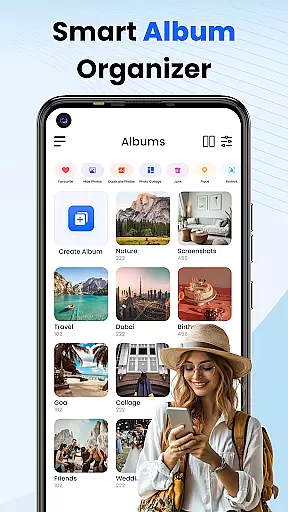
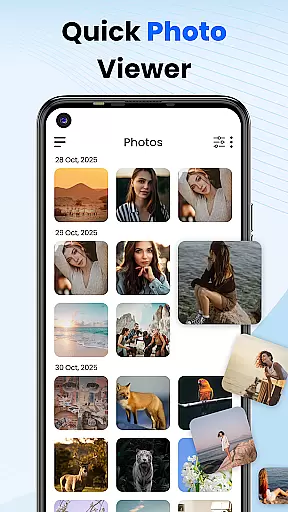

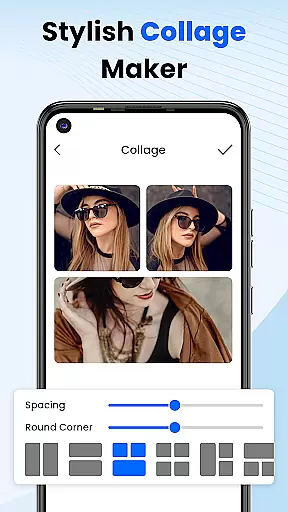
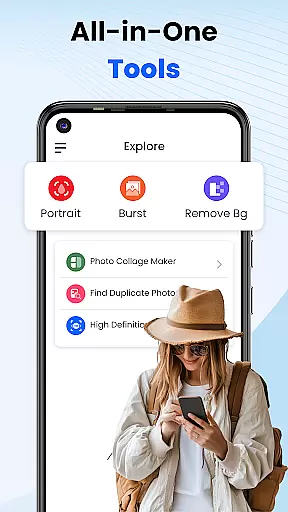
Gallery 2025 is a feature-rich photo management app designed to streamline the organization and enhancement of your photos and videos. With its intuitive interface, users can easily categorize media by timeline, location, or path, ensuring quick access and effortless navigation. The app also includes powerful editing tools that allow you to enhance images to perfection while offering creative options like collage creation.
A standout feature of Gallery 2025 is its secure Vault functionality, which safeguards private photos and videos through PIN protection, pattern locks, or security questions. This ensures that sensitive content remains confidential. Additionally, the app supports lightweight design principles, making it fast and efficient for both casual users and power users who need advanced features such as album locking and video playback capabilities.
Whether you're looking to organize personal memories or protect confidential media, Gallery 2025 provides a comprehensive solution that combines privacy, creativity, and convenience in one sleek package.
Gallery 2025 offers an impressive suite of features tailored for seamless photo and video management. One key highlight is Smart Organization, which automatically sorts media files by timeline, location, and directory path. This makes it easy to locate specific items without hassle. Users can also transfer files to and from SD cards, providing flexibility for storage management.
The app excels in privacy protection with its Private Vault and Gallery Lock functionalities. The secure vault encrypts sensitive media, accessible only via PIN, pattern, or security question. Meanwhile, the Gallery Lock feature ensures that personal albums remain protected behind additional layers of authentication. For creative enthusiasts, built-in editing tools and collage creation options allow users to personalize their media effortlessly.
Additional features include Recovery Options, enabling users to restore accidentally deleted files from the recycle bin, and Effortless Search, which helps find specific photos or videos sorted by date or place. These robust capabilities make Gallery 2025 a versatile tool for managing all types of visual content securely and efficiently.
Customization is at the heart of Photo Gallery, offering users a versatile platform to manage their digital memories. This app provides an extensive range of customization options that cater to personal preferences and needs.
Photo Gallery allows you to automatically categorize your photos and videos by timeline, location, and path, ensuring that your media library is always organized just the way you like it. The smart organization feature makes it simple to find and manage your files without any hassle.
In addition to organization, the app offers creative tools such as photo editing and collage creation, which let you modify and personalize your images to reflect your unique style. These features provide endless possibilities for customization, making each photo truly yours.
The benefit of such comprehensive customization options is a personalized and streamlined experience that saves time and enhances enjoyment. Users can easily tailor their photo management process, making it more intuitive and engaging.
Theme compatibility in Photo Gallery ensures that users can enjoy a consistent and visually pleasing experience across different devices and screen sizes. This feature is crucial for maintaining the aesthetic appeal and usability of the app.
With its lightweight design, Photo Gallery supports various themes while preserving functionality and ease of use. Whether you prefer a dark mode for nighttime viewing or a vibrant theme to brighten your day, the app adapts to your visual preferences seamlessly.
Beyond just looks, theme compatibility extends to the app's user interface, ensuring that all features are easily accessible regardless of the chosen theme. This includes everything from album locking to video playback, providing a cohesive experience.
Ultimately, the theme compatibility of Photo Gallery enhances user satisfaction by delivering a customizable and comfortable viewing environment. It ensures that managing and organizing photos remains a delightful experience, no matter the device or theme preference.
User-friendly interface
Advanced privacy controls
Powerful search functionality
Creative editing tools
Lightweight performance
Limited cloud integration
Occasional bugs reported
No cross-platform sync
Premium features locked
Ads in free version

Stunningly Different look with Line Icons and Neon Colors
 4.60
4.60
Customizable Glass widgets. Over 360+ stunning widgets and more!
4.70
A light in the dark, a unique style and an andless cutomization!
4.30
The definitive Icon pack maker and editor
4.30 4.50
4.50
Customize your home screen with stunning themes, blur, widgets & icons.
4.60
Handcrafted pixel art icons, widgets & wallpapers
4.60
A minimalist productivity launcher. One-hand-friendly. Zero ads.
4.70
Install amazing sticker packs: endless styles, always cool.
4.70
One 8 icons glass color version
4.80
Vertically oriented rectangular icons
4.70
350+ widgets with a premium glass-style finish, perfect for home & lock screens.
4.70
Glass style colourful icons with a One UI look and feel
4.60
Bring adorable pets to life on your screen. Playful, interactive and full of fun
4.60
Customizable screen pets that play, climb, and keep you company.
4.50 4.50
4.50
Transfer your live wallpapers from Windows to Android using Wallpaper Engine!
4.00
Interactive Miniature Painting Catalogue
3.30
Capture moments that pass like a storm, second by second.
4.0


User Reviews