
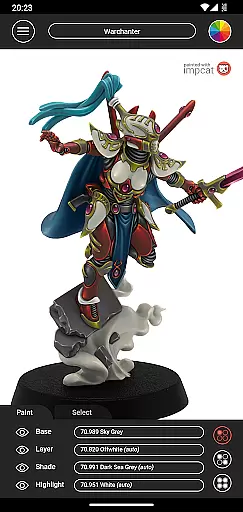
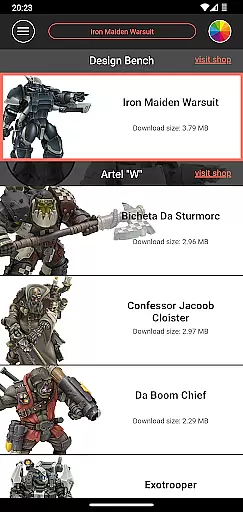
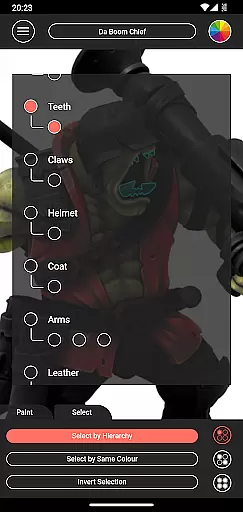
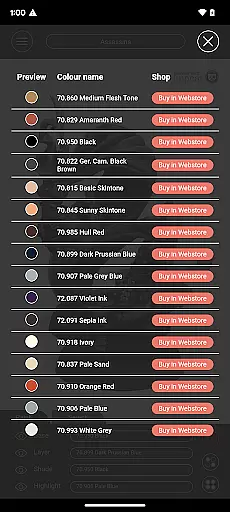
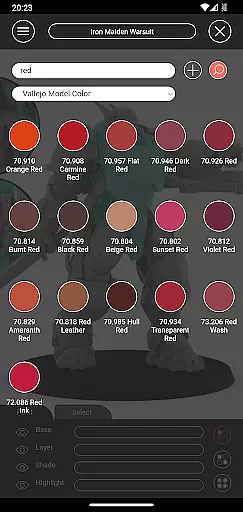
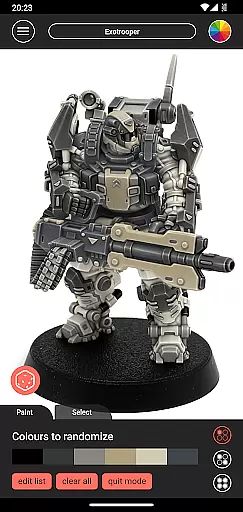
Impcat, short for Interactive Miniature Painting Catalogue, is a simulator designed to provide photorealistic painting results on gaming and tabletop miniatures. This app allows users to select from a variety of miniature images and paint them with colors they own or wish to purchase. It works seamlessly with predefined color palettes, using names and values as promoted by manufacturers.
The system simulates a four-step painting process including base coloring, layering, shading, and highlighting, ensuring high-quality results. With features like built-in miniatures, color palettes, and tools such as complement recommendation mode, shopping list generator, color mixer, and randomizer, Impcat offers an all-encompassing solution for miniature painting enthusiasts.
Whether you are a hobbyist or a professional, Impcat provides the tools necessary to visualize your miniature painting projects before committing to physical models, saving both time and resources.
Impcat boasts a rich set of features tailored for miniature painting enthusiasts. The app includes six built-in miniatures provided by Artel "W" and a comprehensive list of built-in color palettes featuring Vallejo Model Color and Vallejo Game Color, totaling 308 colors. Users can access miniature templates and color palette DLCs that get updated automatically when new content is uploaded, completely free of charge.
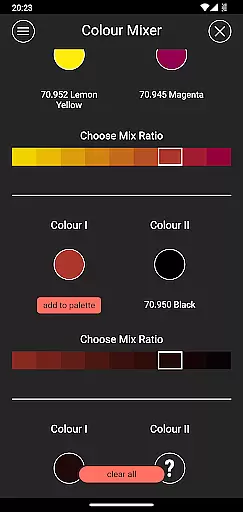
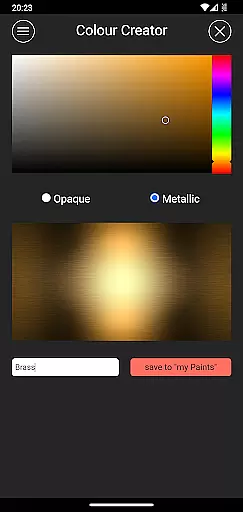
One standout feature is the complement recommendation mode, which lets users select a base color and then automatically applies harmonizing layer, shade, and highlight paints. These can be customized at will. Additionally, the app offers a photorealistic simulation of applied paints, a shopping list generator, a color mixer tool, a color creator tool, and a randomizer tool that distributes colors across a model randomly.
These features collectively ensure that users have a versatile and powerful toolkit at their disposal, enhancing their miniature painting experience significantly.
Customization is at the heart of impcat, allowing users to explore a vast array of miniature painting possibilities. With six built-in miniatures and over 300 color options from Vallejo Model Color and Vallejo Game Color palettes, the app provides an extensive selection for enthusiasts.
In addition to the predefined colors, impcat offers tools like the complement recommendation mode, which suggests harmonizing shades and highlights based on your base color choice. This feature not only enhances creativity but also simplifies the decision-making process for users who are new to painting or looking for inspiration.
The app goes beyond just offering colors; it includes a color mixer and creator tool, enabling users to experiment with their unique blends. These customization features ensure that every user can achieve a personalized and photorealistic finish on their miniatures, making each project truly one-of-a-kind.
While impcat focuses primarily on providing a realistic painting simulation, its theme compatibility ensures that all visual elements align seamlessly with the app's overall aesthetic. The interface is designed to be intuitive and visually cohesive, enhancing the user experience without detracting from functionality.
Users will appreciate how smoothly they can navigate through different menus and options while maintaining a consistent look and feel throughout their session. This attention to detail in design helps maintain immersion, crucial when working on intricate details of miniature painting.
Moreover, updates and additional content such as new miniatures or color palettes are integrated effortlessly into the existing framework, preserving the thematic integrity of the application. This commitment to quality ensures that whether you're selecting colors or generating shopping lists, everything feels interconnected within this comprehensive painting simulator.
User-friendly interface
Highly realistic simulations
Comprehensive color options
Free DLC updates
Versatile painting tools
Limited built-in miniatures
No micro-transactions
Complex for beginners
Requires internet for updates
Specific to certain brands

Customizable Glass widgets. Over 360+ stunning widgets and more!
 4.70
4.70
Ultra realistic high quality analog watch face for Wear OS.
4.60
Shimeji adds cute animated characters to your screen, lively and fun.
4.70
Ultimate Gallery Lock App - Hide Pictures, Videos and Lock Apps Instantly!
4.60
100+ Stylish Fonts, Emojis, Symbols keyboard for Instagram & TikTok!
4.80
Turn text & photos into stunning AI videos, art, and creative visual stories.
4.50
Vibrant Adaptive Icons with Material You and Enhanced Monet Colors.
4.50
Stylish Pink Cute Hippo keyboard with 10000+ customized keyboard themes!
4.60
400+ Beautifully crafted widgets inspired by NOTHING.
4.70
Enjoy a variety of amazing live wallpapers and colorful EDGE lighting borders!
4.80
Nothing Icon pack with more than 3750+ highly crafted icons.
4.70 4.50
4.50
Art & Emoji Keyboard with Cool Fonts, Cute Themes and Custom Designs.
4.40
App Icon Changer & Shortcut Creator. Customize your icons without any watermarks
4.30
Your home screen, just the way you like it.
4.30
Adaptive Dot Style IconPack with Light & Dark Theme.
3.70
Prank your friends with realistic broken screen and cracked HD effects!
4.5
⭐ OneUI inspired Fluffy Icon Pack – Soft. Stylish. Standout. ⭐
4.1
Custom edge gestures for volume control, brightness, apps, and shortcuts.
4.3


User Reviews