
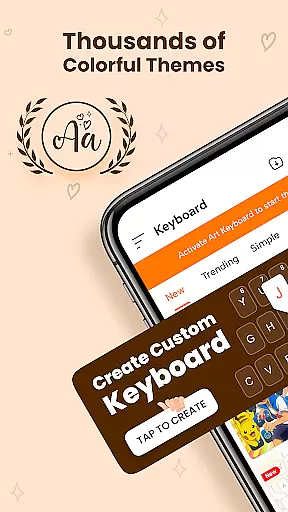
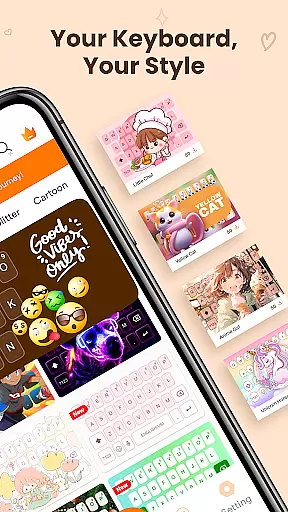
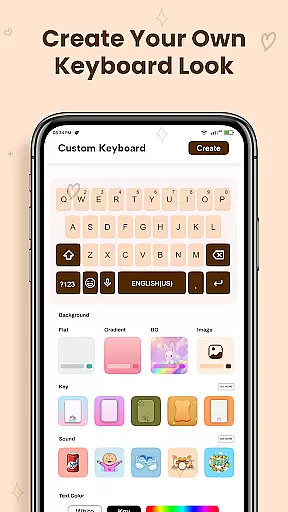
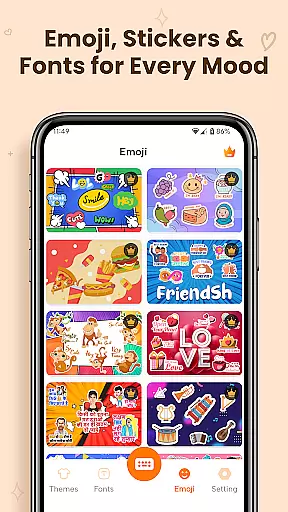
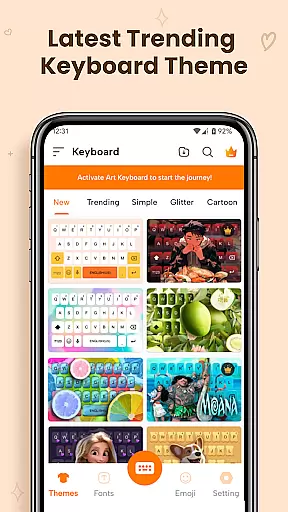
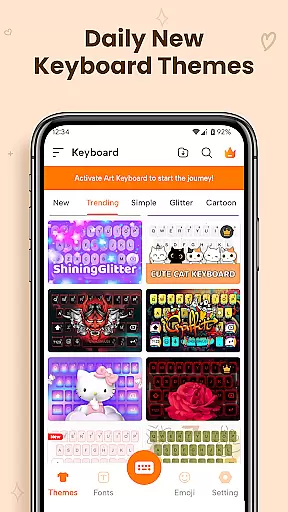
ART Keyboard is a versatile personalization app that transforms your mobile typing experience through customizable keyboard themes, expressive fonts, and an extensive emoji collection. This all-in-one keyboard solution combines functionality with aesthetics, allowing users to express their personality while typing.
The app features thousands of keyboard themes ranging from cute styles to professional designs, along with multi-language support and AI-powered emoji suggestions. Whether you're looking for creative fonts or practical typing tools, ART Keyboard delivers both style and performance in one package.
Perfect for users who want more than just basic typing functionality, this app enhances messaging apps, social media interactions, and daily communication with its visually appealing and highly functional design elements.
ART Keyboard stands out with its comprehensive feature set designed to enhance personal expression through typing. The app offers thousands of custom keyboard themes including dark modes, gradient designs, and aesthetic layouts that can be switched easily based on user preference.
Beyond visual customization, the app provides advanced typing tools such as auto-correction, swipe typing, and voice input capabilities. Its rich collection of fonts includes artistic options like calligraphy and cursive styles, while the built-in AI-powered emoji suggestion system helps users communicate emotions more effectively.
What sets ART Keyboard apart is its commitment to regular updates, adding fresh content and maintaining optimal performance across devices. These features collectively create a personalized yet efficient typing experience that adapts to various user needs and preferences.
Customization is at the heart of Keyboard Themes - Fonts, Emoji, offering users a vast array of options to personalize their typing experience. This app provides thousands of keyboard themes, including cute styles, dark themes, gradients, neon looks, and aesthetic layouts. Each theme is designed to cater to different tastes and preferences, ensuring that every user can find something that resonates with their personal style.
The app's customization extends beyond just visual aesthetics. Users can choose from a rich collection of fonts, ranging from cursive and calligraphy to fancy and creative styles. These fonts are not only visually appealing but also work across various apps, allowing for consistent self-expression whether you're chatting with friends or posting on social media.
Moreover, the emoji keyboard adds another layer of personalization. With thousands of emojis, including expressive face emojis and symbol sets, users can convey emotions and ideas without needing to type out full sentences. The AI-driven suggestions make this process even smoother by predicting the right emoji for the context, enhancing both convenience and creativity in communication.
Overall, the extensive customization options available in Keyboard Themes - Fonts, Emoji empower users to create a typing environment that truly reflects their personality. Whether it's through unique themes, standout fonts, or expressive emojis, this app ensures that your keyboard is as individual as you are.
Theme compatibility is a crucial aspect of Keyboard Themes - Fonts, Emoji, ensuring that all customizations work seamlessly across different devices and operating systems. The app supports a wide range of Android devices, providing a consistent and reliable experience regardless of the model or screen size. This broad compatibility means that users can enjoy their personalized keyboard themes without worrying about performance issues or visual discrepancies.
In addition to device compatibility, the app offers multi-language support, which enhances its usability for a global audience. Users can switch between languages effortlessly while maintaining the same level of customization and functionality. This feature is particularly beneficial for those who communicate in multiple languages, as it allows them to retain their preferred keyboard themes and fonts across different linguistic contexts.
Furthermore, the app's regular updates ensure that new themes and styles are continuously added, keeping the content fresh and engaging. These updates often include optimizations for newer devices and OS versions, further solidifying the app's commitment to compatibility and user satisfaction. By staying current with technological advancements, Keyboard Themes - Fonts, Emoji guarantees that its themes remain relevant and functional.
Ultimately, the robust theme compatibility of Keyboard Themes - Fonts, Emoji ensures that users have a smooth and enjoyable experience. Regardless of the device or language used, the app delivers a personalized and visually pleasing keyboard solution that meets the diverse needs of its global user base.
Highly customizable themes
Extensive font collection
AI-powered emoji suggestions
Multi-language support
Regular content updates
Requires accessibility permissions
Some features may need premium
Occasional ads in free version
Large app size
Learning curve for new users

3D, live, and moving wallpapers & themes in 4K and HD for your device.
 4.50
4.50
Add cute Shimeji pets to screen, interact with them and relax with cute motions
4.60
Ultimate widget creator. Design custom widgets for a truly unique home screen!
3.90
Ultimate Gallery Lock App - Hide Pictures, Videos and Lock Apps Instantly!
4.60
Transfer your live wallpapers from Windows to Android using Wallpaper Engine!
4.00
Launcher OS™ Pro without ads help make your phone simple and pretty
4.30
300+ Beautifully crafted widgets inspired by OneUI.
4.60
Emoji Maker app - Design custom emojis and effortlessly blend them with Mixer
3.80
Your home screen, just the way you like it.
3.80
Glass style colourful icons with a One UI look and feel
4.60
Make your phone look simple & luxury, like iDevice
4.60
Icons made of colorful linear lines
4.60
Customizable screen pets that play, climb, and keep you company.
4.50
Color phone with cool effects for call screen, flash alert & ringtones music
4.50
Romantic Kiss Stickers App. Start romantic messaging now!
4.30
Your home screen, just the way you like it.
4.30
Customize glowing edges, wallpapers, and caller screen with EdgeAura.
3.50
⭐ OneUI inspired Fluffy Icon Pack – Soft. Stylish. Standout. ⭐
4.4
Modern Glass Icon Pack with glossy icons, clean minimal theme & aesthetic style
4.3


User Reviews