
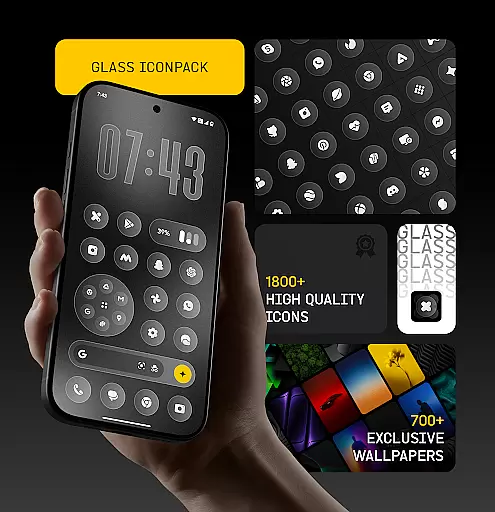
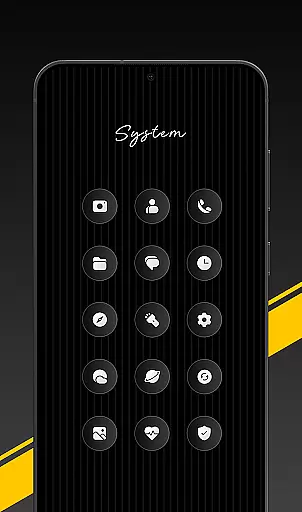
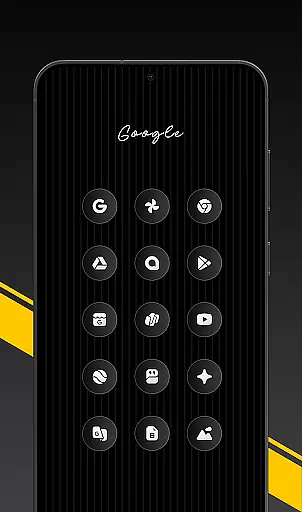
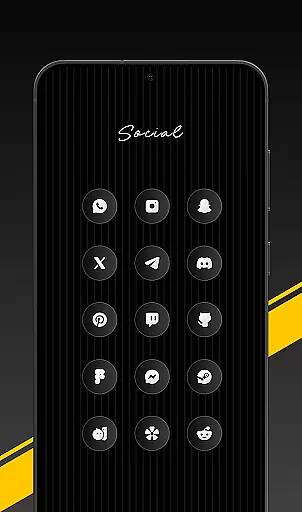
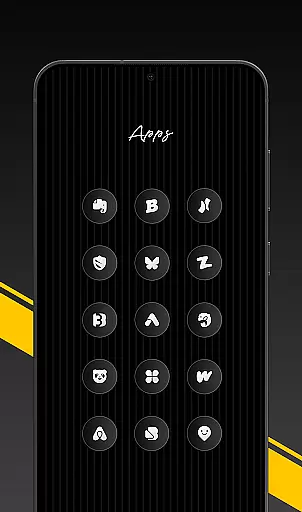
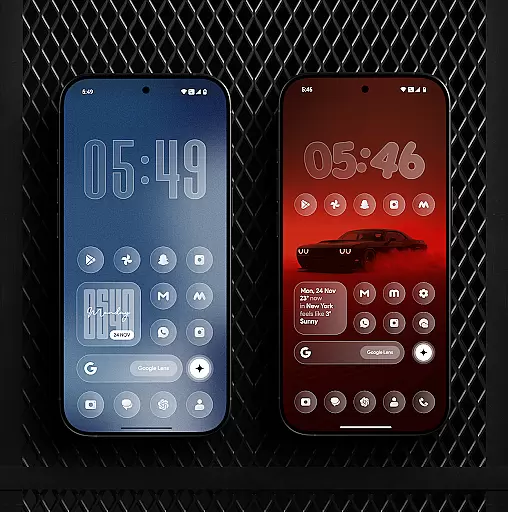
Glass Icon Pack is a premium collection of glossy, polished icons designed to modernize Android home screens. With over 1850 high-quality icons featuring a smooth glass effect, the pack brings elegance and minimalism to any device.
The pack includes HD resolution icons, 700+ matching wallpapers, dynamic calendar support, and smart icon masking for unthemed apps. Regular updates ensure users receive new icons and improvements consistently. Its aesthetic design caters to various app categories, including social media, tools, and popular apps, making it versatile for customization enthusiasts.
Glass Icon Pack stands out with its meticulously crafted features tailored for customization lovers. The icons boast a clean, modern design with subtle depth and premium shine, blending seamlessly with any wallpaper or setup.
Key functionalities include an easy-to-use dashboard with icon search and preview, free icon requests, and compatibility with supported launchers. Additionally, the inclusion of dynamic calendar icons and smart masking ensures that even unthemed apps maintain visual consistency. These features collectively enhance user experience by offering both aesthetics and practicality in personalizing Android devices.
Glass Icon Pack offers an extensive range of customization options, ensuring users can tailor their Android home screens to their unique preferences. With over 1850 high-quality glass icons, the pack covers a wide array of app categories including system apps, social media, and tools.
Each icon is meticulously designed with a glossy, polished finish that imparts a modern and aesthetic look. The inclusion of HD resolution ensures that visuals remain sharp and vibrant, enhancing the overall user experience.
Beyond icons, the pack provides 700+ matching wallpapers inspired by glass and gradient themes, allowing for a cohesive and personalized device appearance. This vast selection empowers users to express individuality while maintaining a sleek and consistent design language across their devices.
Ensuring seamless integration with various launchers, Glass Icon Pack emphasizes theme compatibility. Users can apply the pack through supported launchers or via their launcheru2019s icon settings, making it versatile for different devices and setups.
The pack features dynamic calendar icons and smart icon masking for unthemed apps, which extends its compatibility and usability. These features ensure that even if certain icons are not themed, they will still blend harmoniously with the overall design scheme.
Regular updates and easy-to-use dashboard functionalities like icon search and preview further enhance user convenience. Additionally, free icon requests allow users to suggest missing icons, which are then included in future updates, ensuring ongoing compatibility and satisfaction.
Premium glossy design
Regular updates
HD resolution
Wide app compatibility
Smart icon masking
Limited launcher support
No iOS version
Missing some icons
Paid app
Refund policy limitations

A Colorful and Minimal icon pack in an Outline Style - Over 13,600 icons!
 4.70
4.70
Vertically oriented rectangular icons
4.70
Beautiful realistic hybrid watch face with numerous customization options.
4.50
Glass style colourful icons with a One UI look and feel
4.60
Wear Os Watch Face - Seasonal - Animated Snow Effect - 9 Animals
4.20
Unique Android Launcher
4.60
Add cute Shimeji pets to screen, interact with them and relax with cute motions
4.60
Yandex Browser — stylish and secure, with voice search and data compression
4.40
300+ widgets inspired by Material You and Material 3 expressive design.
4.60
Sparkle your screen with Glitter Wallpapers For Girls and Cute Backgrounds!
4.80
Dark icon pack based on One 8
4.80
Enjoy a variety of amazing live wallpapers and colorful EDGE lighting borders!
4.80
Choose your keyboard with RGB colors effect, themes, fonts, emojis.
4.60
Try creating your own keyboard with "Keyboard theme for android" app now!
4.50
Art & Emoji Keyboard with Cool Fonts, Cute Themes and Custom Designs.
4.40
Adult video chat, dating, making friends, random matching
4.20
More than 3000+ themes and 9000+ wallpapers for everybody!
4.10
Adaptive Dot Style IconPack with Light & Dark Theme.
3.70
Struggling to find apps? Use this app to locate and open any app on your phone!
2.20


User Reviews