
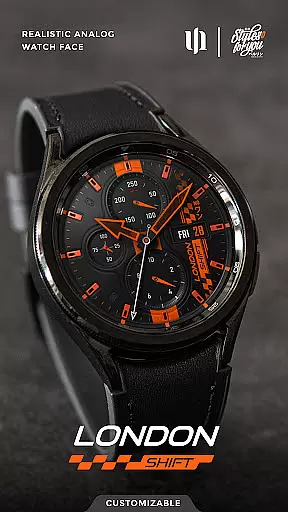
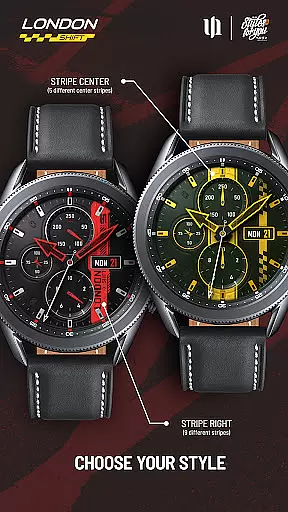
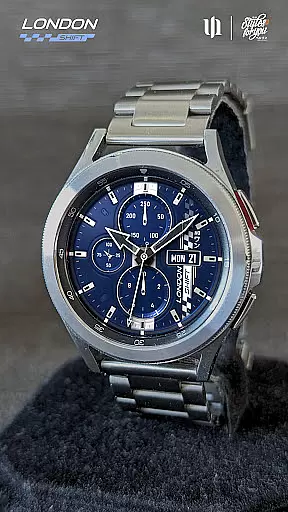
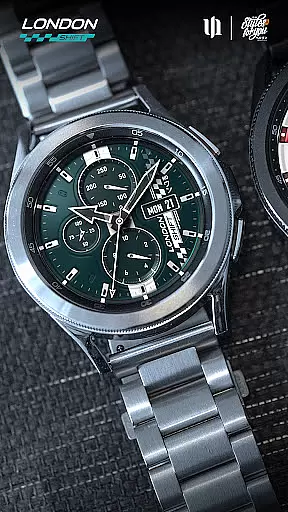
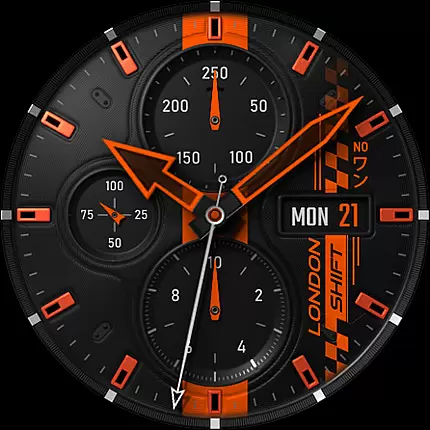
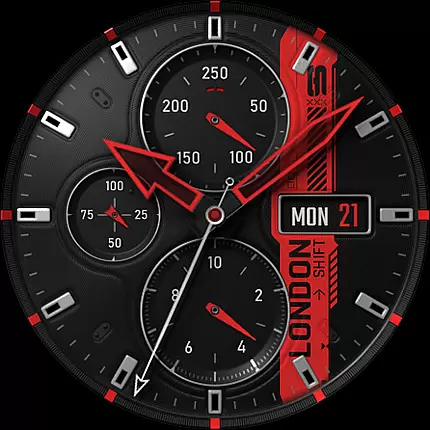
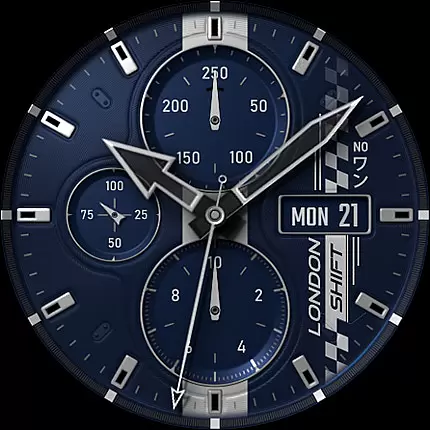
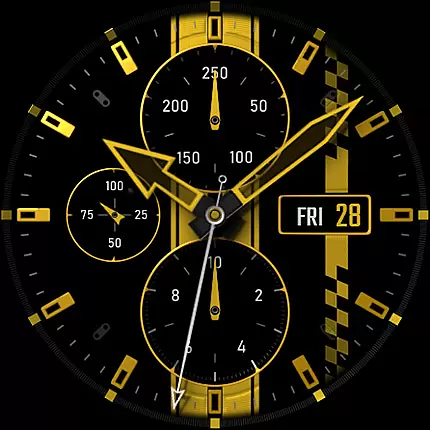
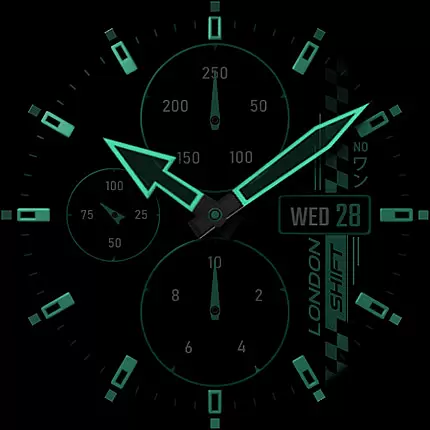
S4U Shift - Analog watch face is a premium Wear OS watch face designed for smartwatches running Wear OS 5 or higher. This highly customizable analog dial offers an ultra-realistic watch experience with its 3D effects and multiple color options, making it ideal for users seeking both style and functionality.
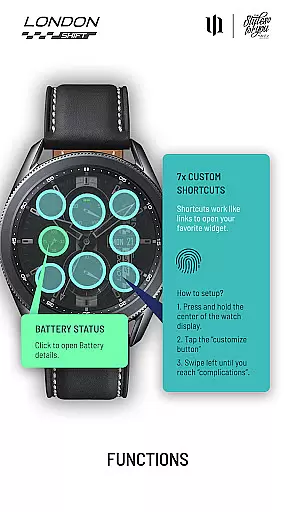
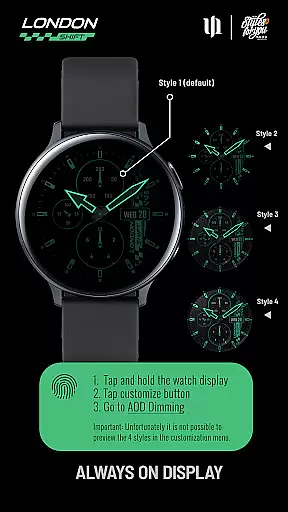
Key features include day and date display, battery status with details accessible via tap, heart rate monitoring, and an analog pedometer. The always-on display (AOD) supports four dimming styles, ensuring visibility while conserving battery life. With seven customizable shortcuts, users can access their favorite widgets effortlessly.
This watch face is compatible with Samsung Galaxy Watch series, Google Pixel Watch, and other Wear OS devices. Whether you're a fitness enthusiast or a professional, S4U Shift enhances your smartwatch experience by combining aesthetics with practical utility.
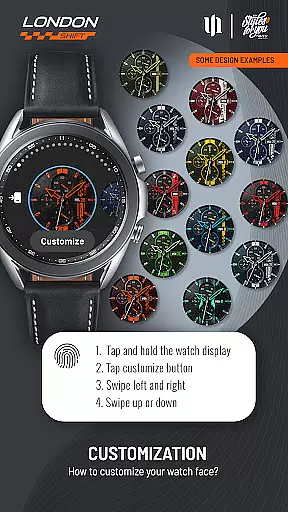
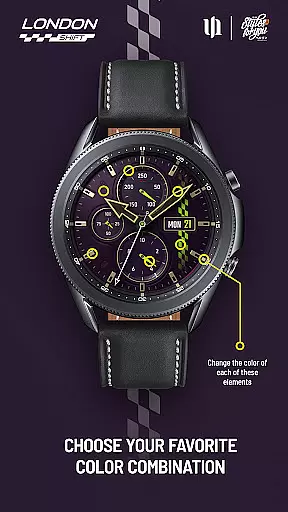
The S4U Shift watch face stands out with its extensive customization capabilities. Users can personalize over ten elements including background, hands, indexes, and dials border, with multiple color options for each. The unique 3D effect creates an unparalleled realistic appearance, mimicking the look of a traditional analog watch.
Functionality is not compromised, as the watch face displays essential information such as day, date, battery level, heart rate, and step count. The AOD feature provides four dimming options to balance visibility and power consumption. Additionally, seven custom shortcuts allow quick access to frequently used widgets, enhancing user convenience.
Advanced features include automatic heart rate measurement intervals set through health settings and compatibility with various Wear OS models. While some features may vary across devices, the overall experience remains consistent, offering users a sophisticated and personalized smartwatch interface.
Customization is at the heart of the S4U Shift - Analog watch face, offering users an extensive range of personalization options to tailor their smartwatch experience. With over 70 color customization choices across various elements such as Background, Hands, Indexes, and more, users can truly make their watch face unique.
The app provides multiple sections where colors and styles can be adjusted, including the main and small hands, dials border, and even an always-on display (AOD) with four dimming options. This level of detail ensures that every aspect of the watch face can be modified to suit individual preferences.
Users benefit from intuitive controls for customization; by simply pressing and holding on the watch display, they can access a button to adjust settings. Swiping gestures allow for easy navigation between customizable items and changing their colors or styles, providing a seamless and user-friendly experience.
This vast array of customization not only enhances aesthetic appeal but also allows for functional personalization, like setting up to seven custom shortcuts for quick access to favorite widgets, thus improving both the visual and practical aspects of using a Wear OS smartwatch.
The S4U Shift - Analog watch face is designed with theme compatibility in mind, ensuring it works seamlessly with Wear OS devices running version 5 or higher (Wear OS API 34+). This includes popular models such as Samsung Galaxy Watches and Google Pixel Watches, making it accessible to a wide audience of smartwatch users.
Ensuring broad device support, the app maintains consistent performance and visual fidelity across different devices. Users can expect the same high-quality experience regardless of whether they are using a Samsung Galaxy Watch 4 or a Google Pixel Watch 1-3, thanks to meticulous design and testing processes.
For those encountering issues, comprehensive support is available through the companion app's Install/Issues section, alongside direct email assistance. This dedication to customer service reinforces the reliability of the watch faceu2019s compatibility features.
By focusing on cross-device functionality, S4U Shift guarantees that its sophisticated analog design and customization capabilities are preserved, delivering a cohesive user experience that aligns perfectly with various Wear OS themes and settings.
Ultra-realistic design
Extensive customization
Seven custom shortcuts
Always-on display
Compatible with Wear OS
Wear OS only
No iOS support
Complex setup
Battery intensive
Limited AOD preview

 4.50
4.50
Adaptive Dot Style IconPack with Light & Dark Theme.
3.70
300+ Beautifully crafted widgets inspired by OneUI.
4.60
200+ Material Inspired Widgets
4.50
Struggling to find apps? Use this app to locate and open any app on your phone!
2.20
Transform your phone with stunning video wallpapers and a unique, personal touch
3.80
Magic fluids wallpaper 4D: Relax with stunning fluid simulation wallpaper app
4.20
set a new experience for the Android mobile phone
4.20
Custom ringtones songs, music ringtones for Android phones
4.60
One 8 icons glass color version
4.80
Personalize your phone with stunning HD and 4K wallpapers!
4.70
Stunningly Different look with Line Icons and Neon Colors
4.60
Want to make your phone more special than ever?
4.60
Icons made of colorful linear lines
4.60
Choose your keyboard with RGB colors effect, themes, fonts, emojis.
4.60
Turn text & photos into stunning AI videos, art, and creative visual stories.
4.50 4.50
4.50
Unleash Your Creativity and Connect with Loved Ones with Lockscreen Drawing!
4.20
Emoji Maker app - Design custom emojis and effortlessly blend them with Mixer
3.80


User Reviews