
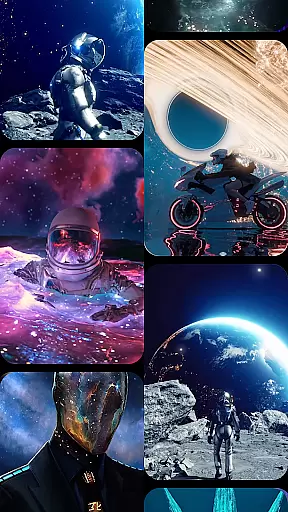



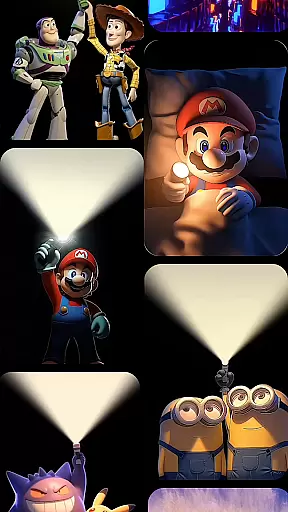

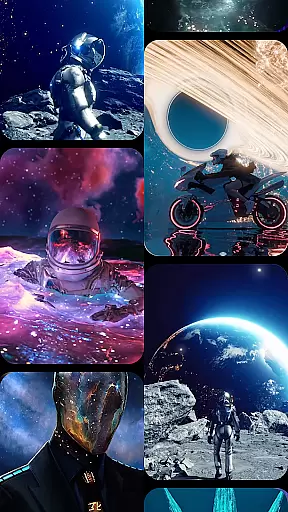



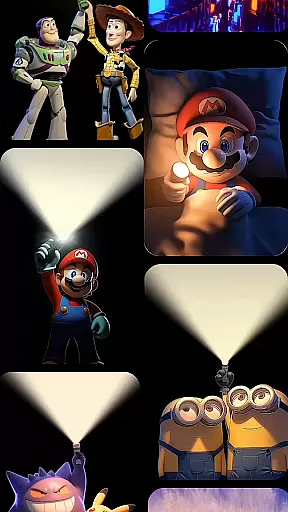

CoolLauncher Pro is a premium home screen replacement app designed to elevate your Android experience through stunning 3D themes, smooth performance, and extensive customization options. This launcher allows users to personalize every aspect of their device's interface, offering features like live video wallpapers, advanced icon packs, and sleek minimalistic layouts.
One of the standout capabilities of CoolLauncher Pro is its powerful organization tools. The app automatically categorizes installed applications into folders, helping users maintain a clutter-free home screen. Additionally, it includes built-in widgets for weather updates, Bible access, and more, making it a versatile tool for both functionality and aesthetics.
Whether you're looking to redesign your phone with futuristic themes or simply seeking a cleaner, faster interface, CoolLauncher Pro provides the perfect solution for those wanting a modernized Android experience.
CoolLauncher Pro stands out with its rich feature set tailored for personalization enthusiasts. The app offers an extensive library of 3D themes and live video wallpapers, powered by an advanced animation engine that ensures smooth transitions and dynamic visuals. These effects bring your device to life, creating an immersive user experience.
Beyond aesthetics, CoolLauncher Pro excels in utility. Its smart app management system organizes apps into intuitive folders, streamlining navigation and decluttering your workspace. Users can also customize fonts, icons, and wallpapers from a vast selection or upload their own designs for a unique touch.
The inclusion of practical widgets such as real-time weather updates and quick-access tools adds another layer of convenience. With its combination of visual appeal and functional enhancements, CoolLauncher Pro delivers a complete package for anyone seeking both style and substance in their mobile experience.
Customization is at the heart of CoolLauncher Pro, offering users an extensive array of options to personalize their Android experience. With a vast selection of themes, icon packs, custom fonts, and wallpapers, users can tailor every visual aspect of their device's interface.
The app provides access to the worldu2019s largest theme store, featuring categories that range from sleek minimalism to vibrant, eye-catching designs. This ensures that users can always find a style that matches their mood or preference, making their device truly unique.
CoolLauncher Pro also supports live video wallpapers and 3D effects, powered by an advanced animation engine. These dynamic elements bring the home screen to life with smooth transitions and stunning visuals, enhancing both aesthetics and user engagement.
Ultimately, the level of customization available in CoolLauncher Pro allows users to create a personalized and visually appealing environment, improving both functionality and enjoyment of their device.
Theme compatibility is a crucial feature of CoolLauncher Pro, ensuring that all visual enhancements integrate seamlessly with the user's device. The launcher supports a wide range of themes and icon packs, maintaining visual consistency across the entire interface.
Users can choose from an extensive library of professionally designed themes, each optimized for compatibility and performance. This means that regardless of the selected theme, users will experience smooth performance without any compromise on aesthetics.
In addition to pre-designed themes, CoolLauncher Pro allows users to upload their own images and graphics, providing endless possibilities for personalization. This flexibility ensures that personal content blends perfectly with the overall design scheme.
By prioritizing theme compatibility, CoolLauncher Pro delivers a cohesive and polished look, empowering users to express their individuality while enjoying a fluid and responsive experience.
Highly customizable
Smooth performance
Stunning 3D effects
Smart app organization
Versatile widget support
Premium price tag
Occasional bugs
Heavy on resources
Complex for beginners
Limited free themes

A light in the dark, a unique style and an andless cutomization!
 4.30
4.30
Unique Android Launcher
4.60
Art & Emoji Keyboard with Cool Fonts, Cute Themes and Custom Designs.
4.40
Personalize your phone with stunning HD and 4K wallpapers!
4.70
Turn your lock screen into fun with smile live wallpapers & animated wallpapers!
2.50
App Icon Changer & Shortcut Creator. Customize your icons without any watermarks
4.30 4.50
4.50
Launcher OS™ Pro without ads help make your phone simple and pretty
4.30
set a new experience for the Android mobile phone
4.20
Winter's Journey: digital watch face for Galaxy Watch & Wear OS
4.80
A launcher for Samsung Good Lock and Good Guardians modules without ads
4.70
Nothing Icon pack with more than 3750+ highly crafted icons.
4.70
300+ Stunning and well-designed widgets inspired by NOTHING.
4.70
400+ Beautifully crafted widgets inspired by NOTHING.
4.70
Beautiful realistic hybrid watch face with numerous customization options.
4.50
AI-powered Copilot. Personalized keyboard with gifs, stickers & themes
4.40
Your go to Weather App & Home Screen. Get your weather at a swipe of a finger!
3.80
HappyLighting is a Bluetooth lamp control software.
3.40
⭐ OneUI inspired Fluffy Icon Pack – Soft. Stylish. Standout. ⭐
4.5


User Reviews