
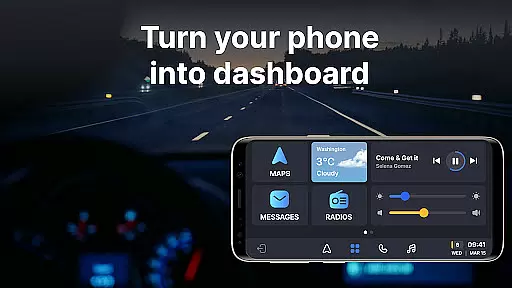
Auto Sync for Android/Car Play is a comprehensive vehicle management app that transforms your smartphone into an advanced car dashboard. The app provides real-time monitoring of essential car metrics such as fuel level, battery status, engine oil life, and tire pressure through seamless integration with both Apple CarPlay and Android Auto systems. This ensures drivers can maintain safety standards while enjoying enhanced convenience.
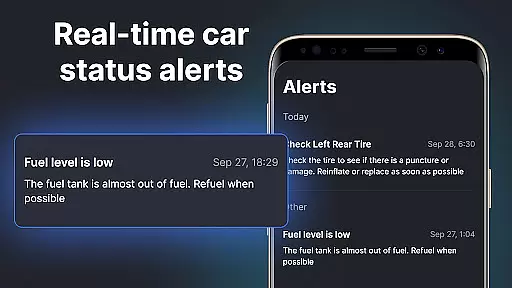
Beyond basic monitoring, the app features a wireless Driving Mode that optimizes the driving experience by enabling easy access to navigation maps, hands-free calling, and music controls. Its user-friendly interface delivers timely alerts and notifications about vehicle maintenance, low fuel levels, and other critical parameters directly on the car's screen. These features make it an indispensable tool for modern drivers who demand both safety and connectivity.
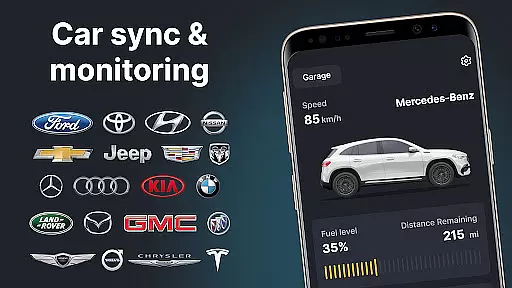
The app's Digital Garage functionality allows users to manage multiple vehicles across various brands within a single platform. Whether you own a Tesla or a Toyota, Auto Sync supports a wide range of manufacturers, making it a versatile solution for all car owners. By combining innovative features like digital car key functionalities and screen mirroring, this app offers a truly connected driving experience.
Auto Sync for Android/Car Play stands out with its robust feature set tailored for vehicle management. One of its core capabilities is the real-time monitoring system that tracks crucial aspects of your car's health, including fuel levels, battery status, engine oil life, mileage, and tire pressure. These metrics are displayed on an intuitive car dashboard, providing drivers with instant updates and notifications to ensure optimal vehicle performance.
A key highlight is the wireless Driving Mode, which seamlessly integrates with both Apple CarPlay and Android Auto. This feature turns your phone into a convenient car dashboard with just one touch, allowing you to focus on the road while still accessing essential functions like navigation, calls, and music. Additionally, the app includes a screen mirror link that projects your phone’s display onto the car's infotainment system, enhancing accessibility and convenience.
The Digital Garage feature enables users to manage multiple vehicles from different manufacturers in one place. Whether you drive a BMW, Ford, or any other supported brand, the app consolidates all vehicle information into a unified platform. With added functionalities like digital car keys and launchers, Auto Sync ensures a smooth and connected driving experience, making it an essential tool for modern vehicle owners.
Auto Sync for Android/Car Play offers comprehensive access to your vehicle's vital statistics, ensuring you stay informed about its status at all times. The app provides real-time updates on crucial factors such as fuel level, battery life, engine oil condition, mileage, and tire pressure. This detailed vehicle information is presented on a convenient car dashboard interface.
The importance of having such detailed insights into your vehicle's health cannot be overstated. With this app, drivers can address potential issues promptly by receiving timely notifications and alerts. Whether it's monitoring the remaining engine oil life or keeping track of tire pressure, users are empowered to maintain their vehicles proactively. Such diligence not only enhances safety but also extends the lifespan of the vehicle.
This application stands out by delivering these details through an intuitive digital car key/launcher system that mirrors your phoneu2019s screen onto the car display. By transforming your smartphone into a versatile tool for managing automotive needs, Auto Sync ensures that drivers have all necessary information at their fingertips. This feature significantly contributes to a safer driving experience while simplifying vehicle maintenance tasks.
Price transparency in automotive management is crucial for making informed decisions regarding vehicle upkeep and purchases. Auto Sync for Android/Car Play addresses this need by providing clear insights into various costs associated with maintaining your vehicle. From tracking fuel consumption to alerting you when service is due, the app helps manage expenses effectively.
The app supports multiple brands including Tesla, Toyota, Ford, BMW among others which allows users to compare maintenance costs across different models they own or plan to purchase. By aggregating data from numerous sources within a single platform known as Digital Garage, it simplifies financial planning related to car ownership. Users benefit from knowing exactly what each aspect of their vehicle care entails financially.
Moreover, Auto Sync goes beyond mere cost tracking by offering features like wireless Driving Mode integration with Apple CarPlay and Android Auto systems enhancing user convenience without hidden charges. It emphasizes openness about functionalities available versus those requiring additional payments ensuring customers understand where their money goes promoting trustworthiness in digital solutions designed around modern mobility needs.
User-friendly interface
Real-time monitoring
Wide device compatibility
Comprehensive vehicle support
Advanced safety features
Limited offline functionality
Premium feature costs
Brand-specific limitations
Occasional sync issues
High system requirements

The Smarter Way Forward
 3.30
3.30
* This app needs an adapter cable and a certain OBD2 adapter to work *
4.20
CVT diagnostics with ELM327 for Nissan-based vehicles
4.40
Control maps, media and messaging, with the Google Assistant while you drive
4.10
Mobile Phone Parking - So easy to park
3.70
Your car is talking. Start listening.
4.30
7-Day Returns on All Cars
4.80
Marathon ARCO Rewards members earn rewards & apply the rewards for fuel savings!
4.80
PayByPhone: A quick and easy way to pay for parking.
3.80
The ExtraMile App allows you to pay for fuel from the comfort of your car!
4.70
MySubaru: Download. Connect. Love.
4.70
OBDII - ELM327 Terminal tool for 96-00 Volvos
4.50
Find, search, and browse 40,000+ used cars, SUVs, and trucks.
4.50
Launcher for use in the car
4.40
A smarter way to park and reserve your spot ahead of time.
4.40
OBD2 car scanner and diagnostics: read Check Engine, DTC, economy....
4.30
ODB2 based monitoring application for the Chevy Bolt (2017-2021)
4.00
Better fuel to help keep you on the road
3.20
DIY Vehicle Wheel Alignment
4.2


User Reviews