
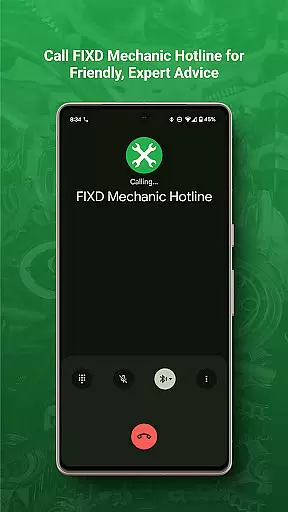
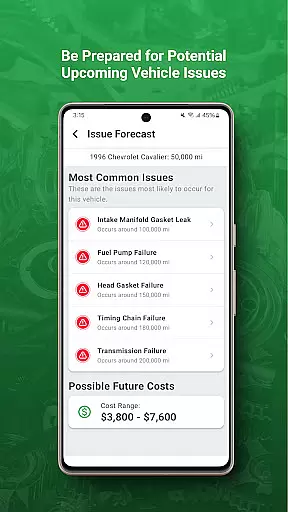
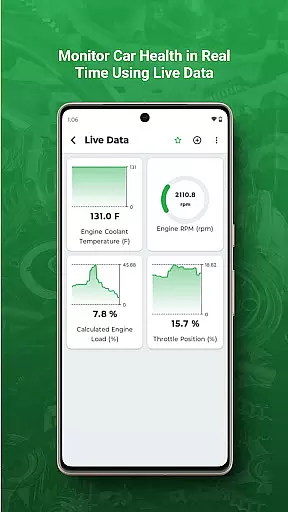
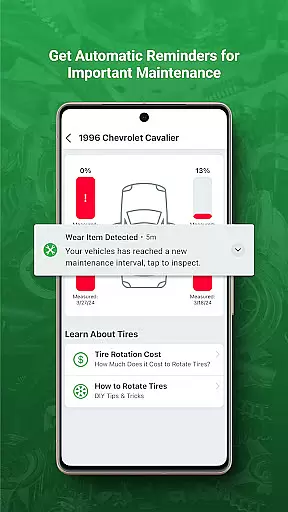
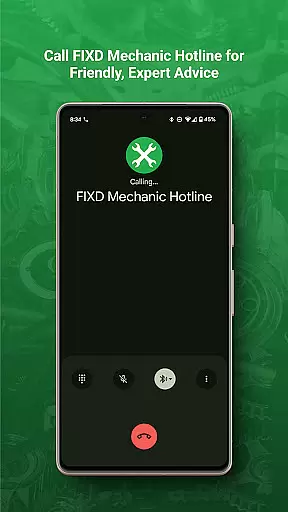
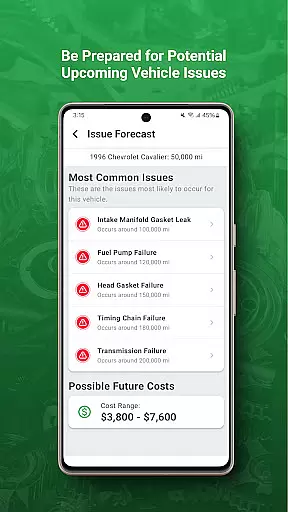
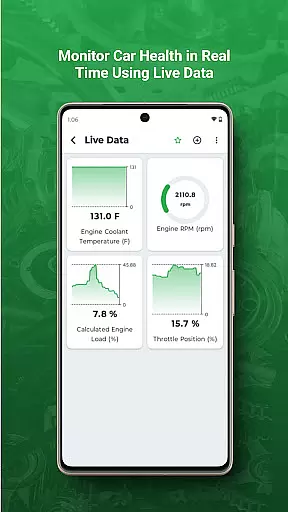
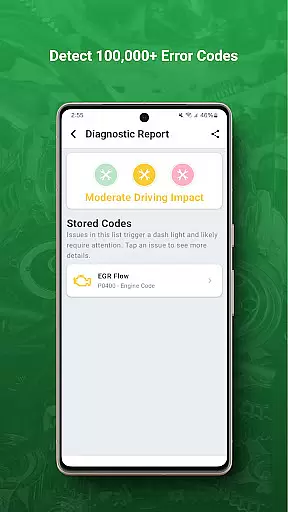
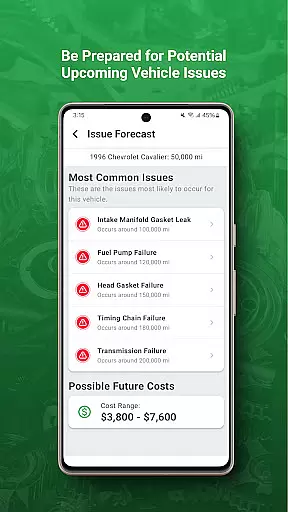
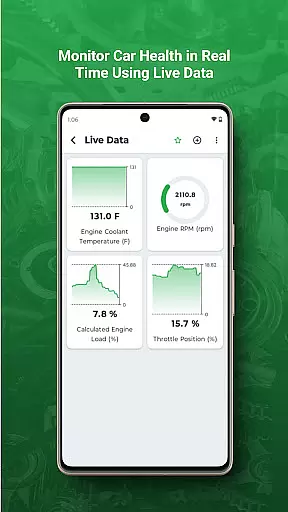
FIXD OBD2 Scanner is a powerful automotive diagnostic tool that helps drivers understand their vehicle's health. The app translates complex check engine lights into easy-to-understand explanations, empowering users to make informed maintenance decisions. With FIXD, you can track your car's service history and receive timely reminders for scheduled maintenance.
The application works in tandem with the FIXD OBD2 sensor, connecting to your vehicle's onboard computer system. This integration provides real-time monitoring of your car's performance and detects potential issues before they become major problems. Whether you're a DIY mechanic or simply want to stay informed about your vehicle's condition, FIXD offers valuable insights that can save you time and money at the repair shop.
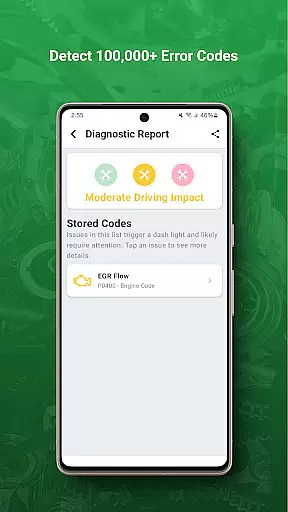
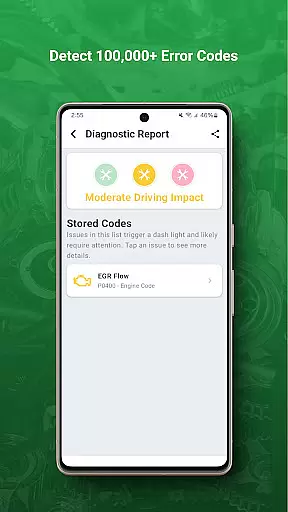
FIXD stands out with its comprehensive diagnostic capabilities that go beyond simple code reading. The app provides detailed explanations of over 7,000 possible check engine light issues, complete with severity ratings and repair recommendations. Its intuitive interface presents technical information in a user-friendly format, making professional-grade diagnostics accessible to everyday drivers.
One of the key features is its maintenance tracking system, which creates customized service schedules based on your vehicle's make, model, and mileage. Users can set up automated reminders for oil changes, tire rotations, and other essential services. Additionally, the app offers a unique feature called Lifetime Maintenance Schedule, which helps you keep track of all past and future service events in one convenient location.
Modern vehicles come equipped with complex diagnostic systems that monitor various components and trigger warning lights when issues arise. FIXD OBD2 Scanner specializes in decoding these signals, particularly the often cryptic check engine light, and translating them into clear, actionable insights.
The app provides detailed breakdowns of potential problems, ranging from minor issues like loose gas caps to more serious concerns such as oxygen sensor malfunctions. By connecting the FIXD sensor to your vehicle's OBD2 port, users can access real-time data about their car's health, empowering them to make informed decisions about necessary repairs or maintenance.
This level of transparency is invaluable for vehicle owners, as it eliminates guesswork and helps prevent unnecessary repair costs. With FIXD, users gain a deeper understanding of their vehicle's condition without needing to decipher complicated technical jargon.
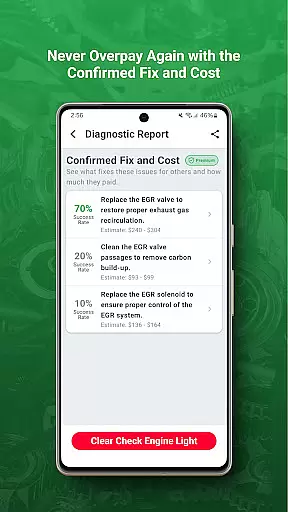
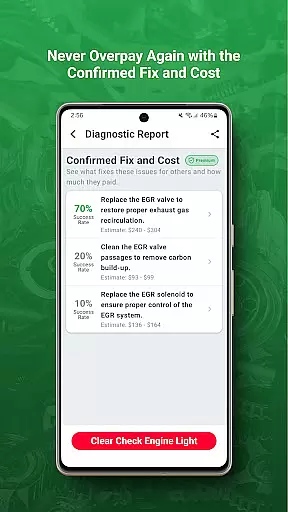
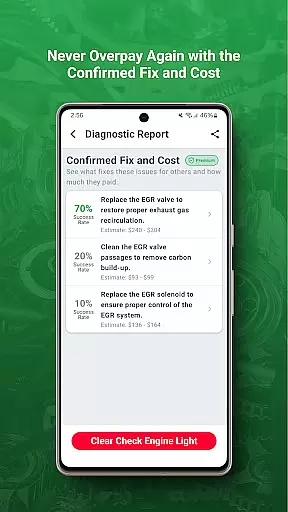
One of the most frustrating aspects of car ownership is dealing with unexpected repair costs. FIXD addresses this issue by providing users with clear explanations of what might be wrong with their vehicle, along with estimated repair costs for common issues. This feature allows drivers to approach mechanics with confidence, knowing whether the quoted price is fair.
In addition to cost estimates, the app tracks scheduled maintenance needs, helping users budget for routine services like oil changes and tire rotations. The ability to anticipate and plan for these expenses makes car ownership more predictable and manageable.
FIXD also offers peace of mind by verifying whether certain warning lights indicate genuine problems or minor issues that don't require immediate attention. This verification process saves both time and money, ensuring that users only address legitimate concerns while avoiding costly but unnecessary repairs.
User-friendly interface
Comprehensive diagnostic reports
Real-time monitoring alerts
Customizable maintenance schedules
Detailed vehicle health analysis
Requires separate hardware purchase
Limited to supported vehicles
Subscription fees for premium features
Occasional connectivity issues
Basic features only in free version

OBDII - ELM327 Terminal tool for 96-00 Volvos
 4.50
4.50
Launcher for use in the car
4.40
Control maps, media and messaging, with the Google Assistant while you drive
4.10
Simplify your drive
3.90
Lexus app currently supports 2010 or newer vehicles (2018 or newer for Hawaii).
4.80
Automotive Electrical Wiring Diagrams
4.40
Your Path to Driving Licensing Success Begins Here! Develop your driving skills.
4.40
MySubaru: Download. Connect. Love.
4.70
PayByPhone: A quick and easy way to pay for parking.
3.80
Trip computer+car diagnostic tool with widest variety of features and dashboard!
4.70
DMV practice test 2025: Driver License permit test & written test for all states
4.70
Browse millions of cars, track vehicle listings or sell your car today
4.70
OBD1 ECMs application. Data log or tune directly from your phone or tablet!
4.60
Find, search, and browse 40,000+ used cars, SUVs, and trucks.
4.50
Digital Car Key/Launcher, Screen Mirror, Android Dashboard, Remote Wireless Link
4.40
OBD2 car scanner and diagnostics: read Check Engine, DTC, economy....
4.30
Realtime Charts is a plugin for the Torque Pro App (OBD 2 & Car)
4.20
Get your personalized financing options and shop for used cars today!
4.20
O'Reilly Pro will streamline your parts lookup and ordering process!
3.20


User Reviews