
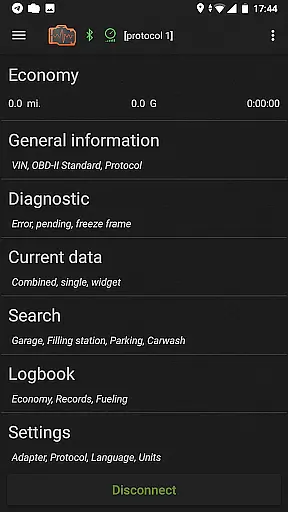
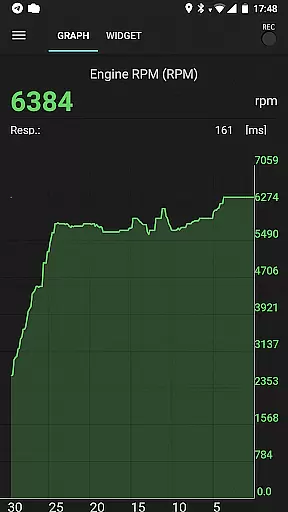
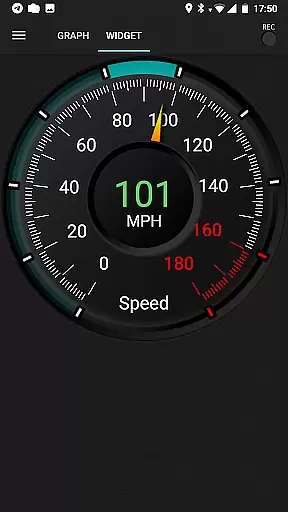
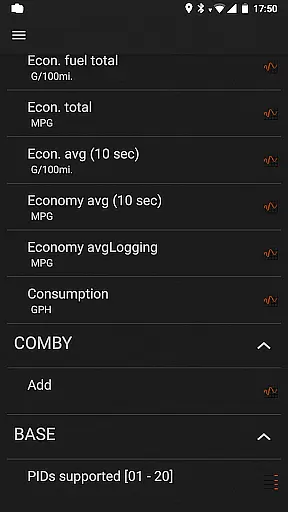
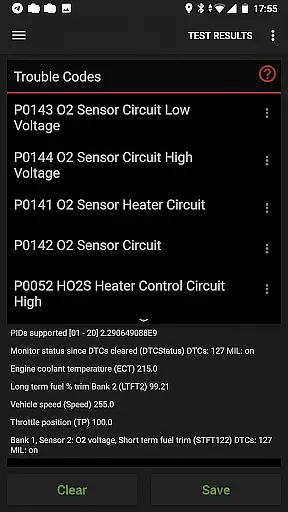
inCarDoc Pro is a comprehensive vehicle diagnostics and monitoring tool designed for car owners and automotive professionals. This application serves as an OBD-II scanner, reading real-time data from your car's Engine Control Unit (ECU) to provide detailed insights into its performance. With features like fault code reading, parameter logging, and GPS tracking, it transforms your smartphone into a powerful diagnostic device.
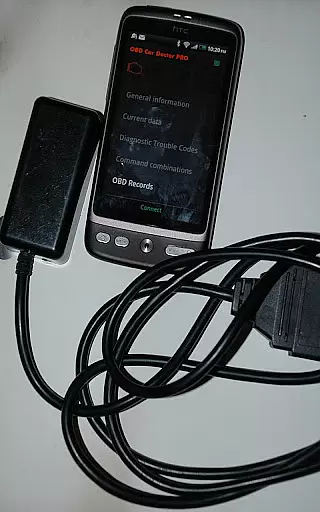
The app requires an ELM327-compatible OBD scanner to access advanced functionalities such as real-time parameter recording, multiple parameter display, and background mode operation. Users can view recorded traces of parameters, utilize extended widgets for fuel economy and acceleration, and even overlay economy data on other applications. These capabilities make inCarDoc Pro particularly useful for those seeking professional-grade diagnostics without visiting a service center.
Whether you're a car enthusiast or a professional mechanic, inCarDoc Pro offers valuable tools for monitoring vehicle health, optimizing fuel consumption, and maintaining detailed service records. Its ability to upload data to a server and present customizable views ensures that users have complete control over their vehicle's maintenance history and performance metrics.
inCarDoc Pro stands out with its extensive feature set tailored for automotive diagnostics. The application reads and displays multiple real-time parameters from the car's sensors, including speed, RPM, coolant temperature, and pressure. It supports advanced functionalities like recording parameters in the background, viewing traces of recorded data, and integrating GPS information for enhanced tracking capabilities.
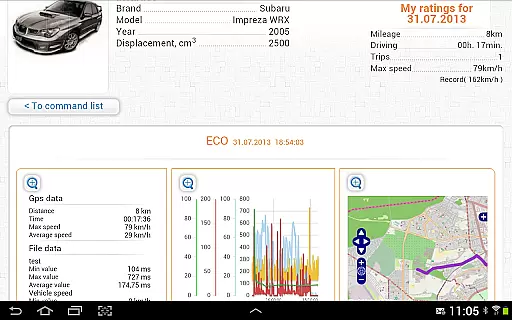
One of the key highlights is its trip computer mode, which tracks fuel economy by presenting instant and average MPG statistics. This feature relies on OBD2 economy parameters like MAF or MAP+IAT+RPM, allowing users to monitor fuel consumption per trip or daily usage. Additionally, the logbook functionality enables users to maintain detailed records of fueling, services, and maintenance activities, ensuring comprehensive vehicle management.
The app also includes specialized tools such as console mode for advanced users who need direct OBD2 and ELM327 command sending. Custom configurations allow support for non-standard parameters and protocols, making it adaptable to various vehicle models. With its ability to draw charts and present analog/digital widgets, inCarDoc Pro provides a versatile platform for both casual users and automotive experts.
Accessing detailed vehicle information is crucial for effective car maintenance and diagnostics. inCarDoc Pro provides comprehensive data about your vehicle's performance by reading real-time and stored diagnostic parameters from the ECU of OBD-II compliant cars. This includes essential metrics such as speed, engine rotation, coolant temperature, and pressure.
The application supports multiple OBD-II scanners including Bluetooth, WiFi, and BLE-enabled devices like Kiwi 3 and V-Gate iCar 3. By connecting to these scanners, users can access a wide range of vehicle parameters that are specific to their car's make and model. This ensures that you receive accurate and relevant information tailored to your vehicle.
With inCarDoc Pro, users benefit from advanced features such as real-time parameter recording and background mode operation. These functionalities allow for continuous monitoring without interrupting other activities on your device. The ability to view recorded parameter traces helps in identifying patterns or anomalies over time, aiding in proactive vehicle care.
Price transparency in automotive applications ensures that users understand the costs associated with using various features and services. inCarDoc Pro offers a clear distinction between its free and pro versions, ensuring users know exactly what they are paying for. The pro version includes valuable features such as no ads, extended widgets, and GPS trace support.
Before purchasing, users can check compatibility with their car and OBD2 scanner using the free version available at inCarDoc.com. This approach allows potential buyers to verify functionality and make informed decisions based on their specific needs and vehicle specifications.
Additionally, inCarDoc Pro provides detailed descriptions of each feature within the pro version, allowing users to assess the value proposition accurately. Features like fuel economy tracking, acceleration widgets, and server uploads enhance the overall utility of the app while maintaining transparency regarding additional costs. Users can thus manage expenses effectively while benefiting from enhanced diagnostic capabilities.
User-friendly interface
Comprehensive diagnostics
Real-time data tracking
Customizable widgets
Detailed logbook
Requires ELM327 adapter
Limited without scanner
Premium cost
Complex for beginners
Compatibility issues

The Smarter Way Forward
 3.30
3.30
Theme for Car Launcher
4.3
Read and delete OBD codes with any ELM327 OBD scanner. Coding functions included
3.40
The ExtraMile App allows you to pay for fuel from the comfort of your car!
4.70
Lexus app currently supports 2010 or newer vehicles (2018 or newer for Hawaii).
4.80
MySubaru: Download. Connect. Love.
4.70
PayByPhone: A quick and easy way to pay for parking.
3.80
Browse millions of cars, track vehicle listings or sell your car today
4.70
Get price alerts, vehicle history details and more for cars near you!
4.50
Oil change service & coupons for car maintenance at Valvoline Instant Oil Change
4.70
View your car’s service records and find out when maintenance is due.
4.70
Find Your Local Store or Shop Online for the Car, Truck, or SUV Parts You Need
4.70
Quick and easy car diagnostics to get you the right fix.
4.70
CVT diagnostics with ELM327 for Nissan-based vehicles
4.40
Your Path to Driving Licensing Success Begins Here! Develop your driving skills.
4.40
Taximeter; the professional's choice
4.30
Your car is talking. Start listening.
4.30
Blink Charging Mobile app makes finding an EV charger an intuitive experience.
3.80
Easily notify car owners in urgent situations, safe, fast, multilingual.
4.4


User Reviews