
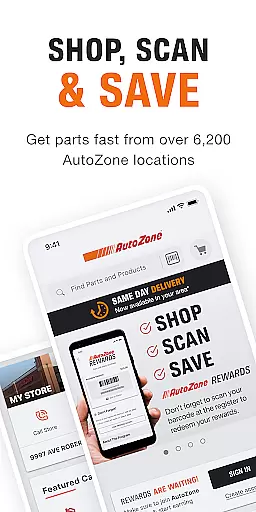
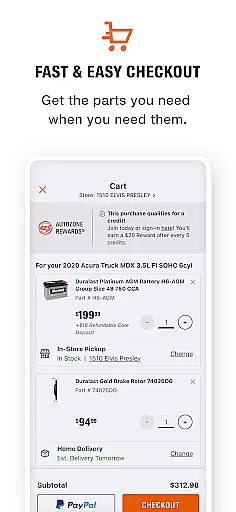
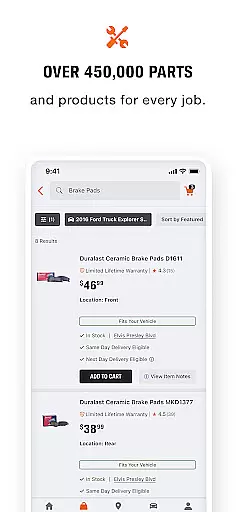
AutoZone Auto Parts & Repair is a comprehensive automotive solution designed specifically for vehicle owners who want to maintain their vehicles efficiently. The app provides an extensive catalog of auto parts and accessories, allowing users to order products with ease through its intuitive interface. Whether you're performing routine maintenance or complex repairs, AutoZone ensures that you can find and purchase the necessary components quickly.
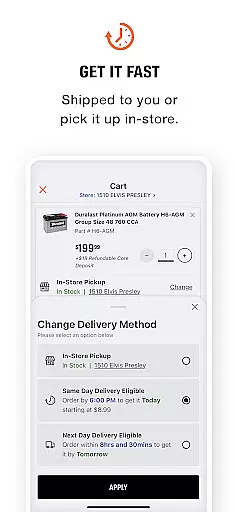
One of the standout features of this app is its seamless integration of multiple fulfillment options. Users can choose between same-day in-store pickup or direct home delivery, ensuring timely access to required parts. Additionally, the app offers valuable tools such as VIN Decoder, License Plate Lookup, and Barcode Scanner, which simplify the process of identifying the correct parts for your vehicle. These functionalities make it an indispensable tool for both DIY enthusiasts and professional mechanics.
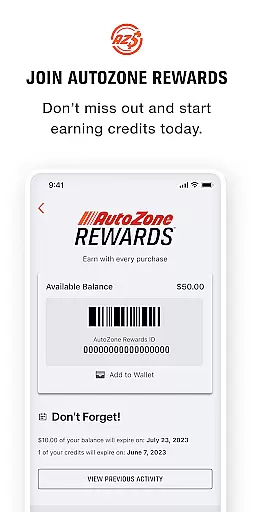
The app also includes practical features like Store Locator, Rewards tracking, and Service History management. With over 6,000 stores across the United States, finding a nearby location is effortless. Furthermore, the AutoZone Rewards program incentivizes regular usage by offering cashback on purchases. By consolidating all these capabilities into one platform, AutoZone empowers users to manage their automotive needs effectively while saving time and money.
AutoZone Auto Parts & Repair distinguishes itself through a variety of innovative features tailored to enhance the user experience. One of the primary highlights is the ability to order parts and accessories online with remarkable ease. The app's search functionality is robust, enabling users to filter results based on specific vehicle models, ensuring compatibility and accuracy. This feature alone significantly reduces the time spent searching for the right components, making it ideal for busy individuals.
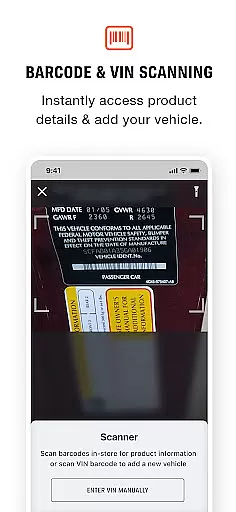
In addition to its ordering capabilities, AutoZone incorporates advanced identification tools such as the VIN Decoder and License Plate Lookup. These tools automatically detect vehicle specifications, streamlining the selection process. For those shopping in-store, the Barcode Scanner allows users to check pricing and specifications instantly, providing transparency and convenience. Moreover, the app supports Same Day Delivery in select markets, catering to urgent repair needs without delay.
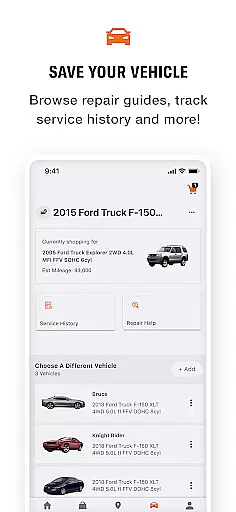
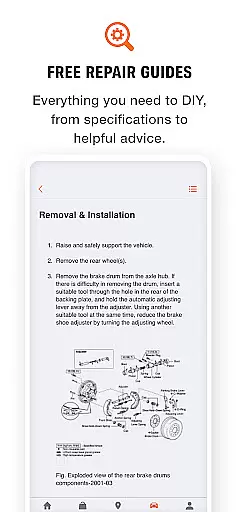
Another notable aspect is the comprehensive vehicle management system. Users can track service histories, view DIY suggestions via Repair Help, and monitor vehicle specifications—all within the app. Coupled with the AutoZone Rewards program, which lets users earn cashback on purchases, these features create a holistic ecosystem for automotive care. Overall, AutoZone's combination of ordering efficiency, advanced identification tools, and integrated rewards makes it a top choice for vehicle maintenance.
Accessing detailed vehicle information is crucial for proper maintenance and repair. The AutoZone app excels in this area by providing multiple ways to accurately identify and track your vehicles.
Through innovative features like the VIN Decoder and License Plate Lookup, users can quickly add their vehicles to the app. This ensures that all parts and accessories ordered are compatible with the specific make and model of their vehicle.
The app goes beyond basic vehicle identification by offering a comprehensive Service History feature. This allows users to log every repair and maintenance task, creating a detailed record of their vehicle's upkeep over time.
These detailed vehicle management tools provide significant value to users. They ensure accurate part selection, simplify maintenance tracking, and help maintain a complete automotive history at your fingertips.
Price transparency is essential for making informed purchasing decisions when it comes to automotive parts and services. The AutoZone app addresses this need through several key features that keep users well-informed about costs.
With the Store Locator function, customers can view pricing and product availability at their nearest AutoZone location. This feature helps them compare prices across different stores and plan their purchases accordingly.
The Barcode Scanner tool adds another layer of price transparency. While shopping in-store, users can scan any part to instantly view its price and specifications, eliminating any uncertainty about product costs.
This commitment to price visibility extends to their delivery options as well. The app clearly displays shipping costs for home delivery and provides detailed information about their Same Day Delivery service fees, ensuring customers always know what they'll pay before confirming their orders.
User-friendly interface
Extensive parts catalog
Convenient fulfillment options
Advanced vehicle identification tools
Rewards program for savings
Limited international availability
Some features restricted to select markets
Occasional delays in delivery
Requires account creation
In-app ads may disrupt experience

Easily notify car owners in urgent situations, safe, fast, multilingual.
 4.0
4.0
On the CarShield app, you can view contracts, make payments, & request roadside.
4.40
Launcher for use in the car
4.40
Better fuel to help keep you on the road
3.20
The Texaco App allows you to pay for fuel from the comfort of your car!
4.80
DMV Test Pro offers all the updated FREE DMV tests online.
4.60
myAudi offers users services and Audi connect services for Audi drivers
4.10
Digital Car Key/Launcher, Screen Mirror, Android Dashboard, Remote Wireless Link
4.40
Secure mobile payments & fuel savings at Phillips 66®, Conoco® and 76® stations
4.40
Practice the drills within MotoJitsu Master Riding Program Volume 1 & 2!
4.80
Marathon ARCO Rewards members earn rewards & apply the rewards for fuel savings!
4.80
Trip computer+car diagnostic tool with widest variety of features and dashboard!
4.70
Browse millions of cars, track vehicle listings or sell your car today
4.70
Listings of Tesla's with FSD - Included package
4.60
Control maps, media and messaging, with the Google Assistant while you drive
4.10
Available in select states.
4.00
PayByPhone: A quick and easy way to pay for parking.
3.80
AlfaOBD software for Fiat Group cars native diagnostic
3.70
Read and delete OBD codes with any ELM327 OBD scanner. Coding functions included
3.40


User Reviews