
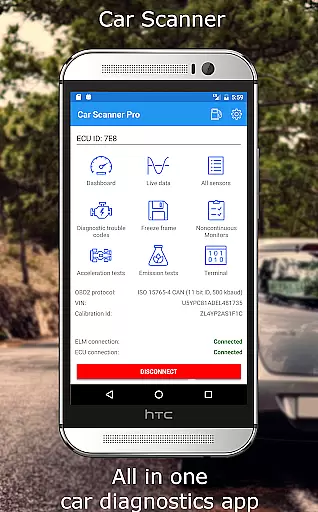
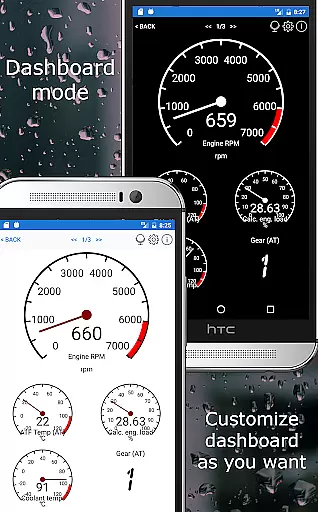
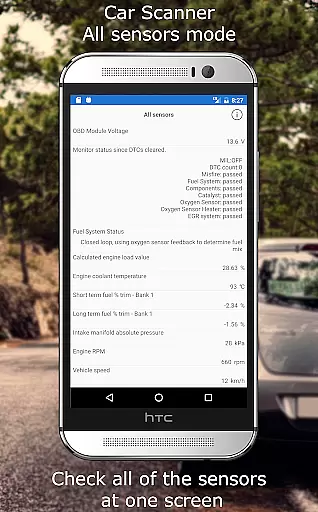
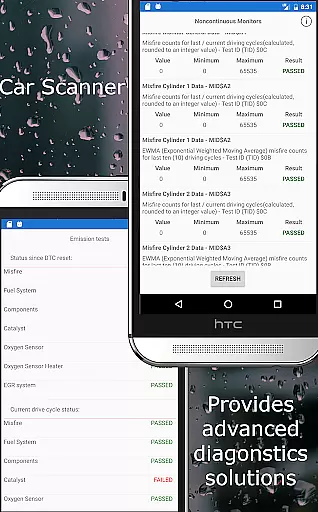
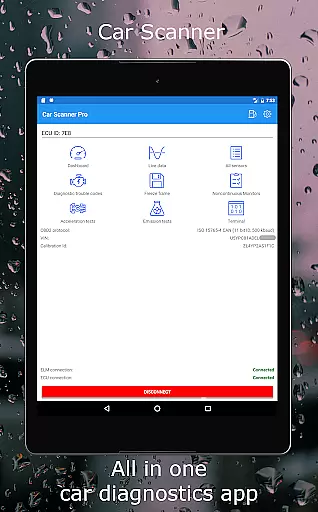
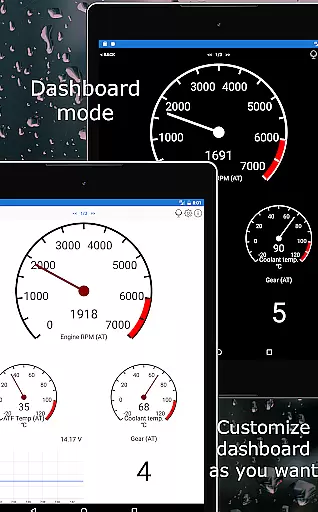
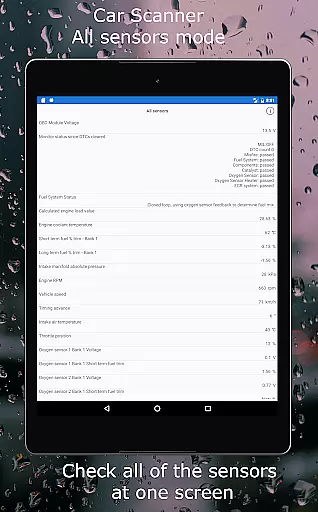
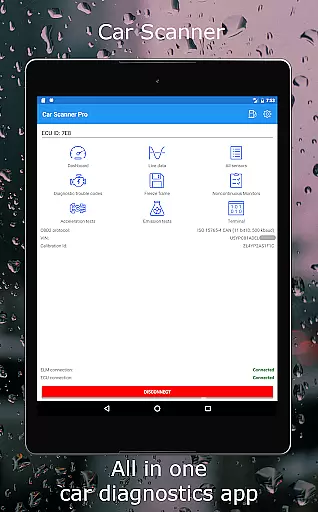
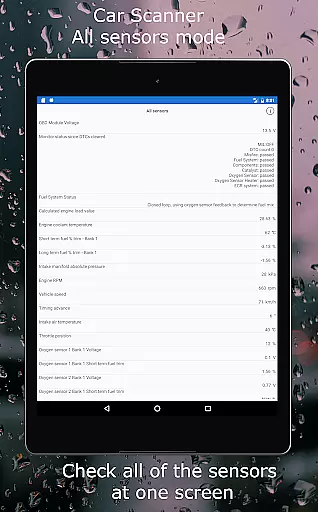
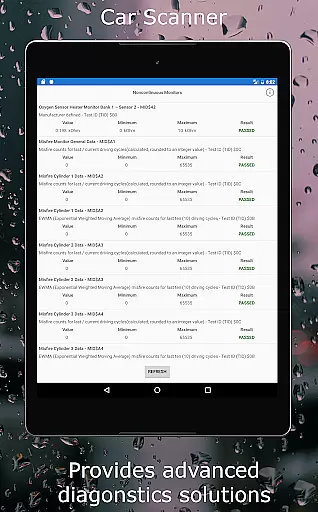
Car Scanner ELM OBD2 is a comprehensive vehicle diagnostics tool that connects to your car's OBD2 engine management system through a Wi-Fi or Bluetooth adapter. This app allows users to monitor their car's performance in real-time, providing access to OBD fault codes, sensor data, and other critical information. With its customizable dashboard, users can create personalized layouts featuring the gauges and charts they need. Additionally, it offers unique features such as Mode 06 testing, emission test readiness checks, and even HUD mode for projecting data onto the windshield.
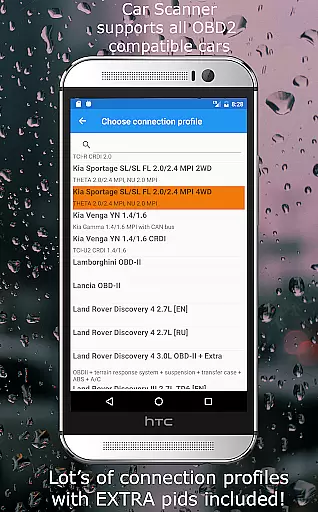
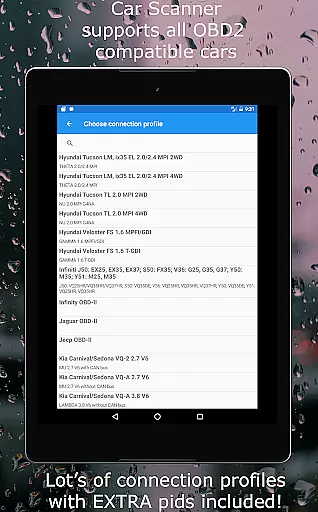
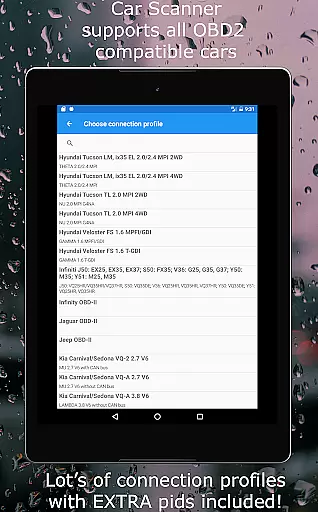
The app supports a wide range of vehicles built after 2000, with specific connection profiles enhancing functionality for brands like Toyota, Mitsubishi, GM, and more. Car Scanner also includes advanced tools for coding hidden car settings, making it an invaluable resource for car enthusiasts and professionals alike. Whether you're diagnosing issues, measuring acceleration, or monitoring fuel consumption, this app provides a wealth of features for free, ensuring you have the information needed to maintain and optimize your vehicle's performance.
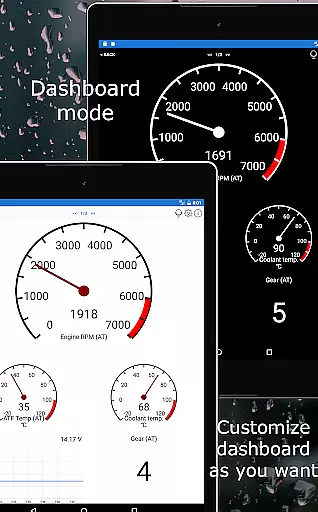
Car Scanner ELM OBD2 stands out with its extensive feature set tailored for car diagnostics and performance monitoring. One of its key features is the ability to customize your dashboard by adding gauges and charts that display the specific data you're interested in. This flexibility ensures that users can focus on the metrics that matter most to them, whether it's engine temperature, speed, or fuel efficiency. Additionally, the app supports custom PIDs, allowing users to access information typically hidden by car manufacturers.
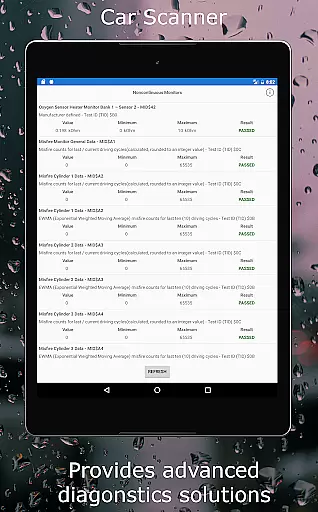
Another significant feature is its capability to show and reset DTC fault codes, complete with a comprehensive database of code descriptions. The inclusion of Mode 06 testing provides users with ECU self-monitoring results, which can be crucial for identifying potential issues before they become serious problems. Furthermore, the app's trip computer functionality tracks fuel consumption statistics, while its HUD mode projects vital information onto the windshield for easy viewing. These features, combined with support for coding hidden car settings across various brands, make Car Scanner ELM OBD2 a versatile and powerful tool for anyone looking to get the most out of their vehicle diagnostics.
Accessing detailed vehicle information is crucial for both car enthusiasts and everyday drivers. Car Scanner ELM OBD2 provides a comprehensive suite of tools to monitor your vehicle's performance in real time. The app connects to your car's OBD II system through a compatible adapter, allowing you to view critical data such as fault codes, sensor readings, and overall engine health.
The application goes beyond basic diagnostics by offering customizable dashboards where users can track specific parameters that matter most to them. Whether it's monitoring fuel consumption, checking emission readiness, or analyzing sensor states when diagnostic trouble codes (DTCs) are triggered, this app ensures you have all the necessary details at your fingertips.
By providing insights into various systems like Toyota, Mitsubishi, GM, and more, Car Scanner empowers users with knowledge about their vehicleu2019s inner workings. This level of detail not only helps in routine maintenance but also aids in making informed decisions regarding repairs or upgrades, ultimately saving time and money.
Price transparency in automotive tools is essential for users seeking value without hidden costs. Car Scanner ELM OBD2 stands out by offering an extensive range of features free of charge, which is uncommon among similar diagnostic applications on the Play Market. Users can access vital functionalities such as reading and resetting DTC fault codes, performance tracking, and even advanced coding options for certain vehicles without worrying about additional fees.
The app supports a wide array of connection profiles tailored for different car brands, ensuring that users receive specialized support regardless of their vehicle type. With compatibility spanning from older models dating back to 1996 up to modern cars, Car Scanner delivers consistent service quality across its user base without any extra charges based on model specificity.
Moreover, recommendations for reliable adapters enhance user experience by guiding them towards cost-effective solutions that maintain high performance standards. By clearly outlining what each feature offers and ensuring there are no unexpected expenses, Car Scanner fosters trust and satisfaction among its users while delivering top-notch vehicle diagnostics capabilities.
User-friendly interface
Customizable dashboard
Wide vehicle compatibility
Free with extensive features
Real-time diagnostics
Requires compatible adapter
Dependent on car's sensors
Some features brand-specific
Connection stability varies
Not all cars fully supported

Easily notify car owners in urgent situations, safe, fast, multilingual.
 4.3
4.3
Monitor specific TOYOTA parameters by adding this plugin to Torque Pro.
2.00
Listings of Tesla's with FSD - Included package
4.60
The Texaco App allows you to pay for fuel from the comfort of your car!
4.80
Digital Car Key/Launcher, Screen Mirror, Android Dashboard, Remote Wireless Link
4.40
AI Powered - Automotive Mechanic Assistant
4.30
Find, search, and browse 40,000+ used cars, SUVs, and trucks.
4.50
O'Reilly Pro will streamline your parts lookup and ordering process!
3.20
Autotrader is your online solution for buying and selling new and used cars.
4.40
Take Control of Your Car
4.80
Shop, finance, or sell today.
4.80
Shop cars & see your financing
4.60
On the CarShield app, you can view contracts, make payments, & request roadside.
4.40
CVT diagnostics with ELM327 for Nissan-based vehicles
4.40
Your Path to Driving Licensing Success Begins Here! Develop your driving skills.
4.40
Realtime Charts is a plugin for the Torque Pro App (OBD 2 & Car)
4.20
Get your personalized financing options and shop for used cars today!
4.20
Mobile Phone Parking - So easy to park
3.70
App Mirroring for Tesla Car's Browser
2.80


User Reviews