
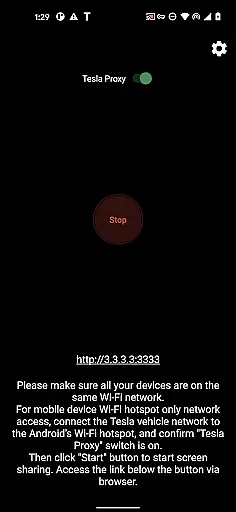
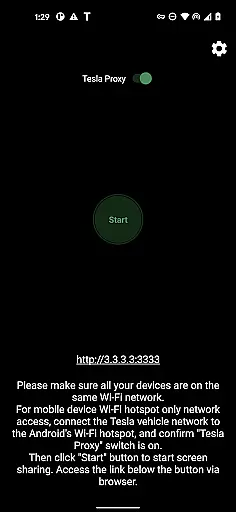
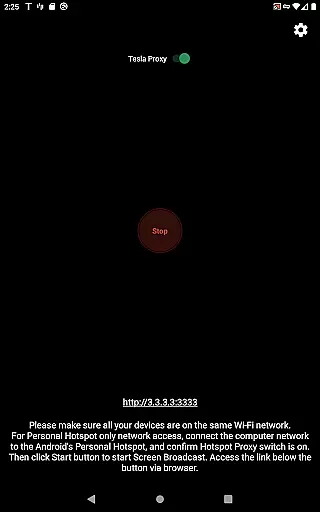
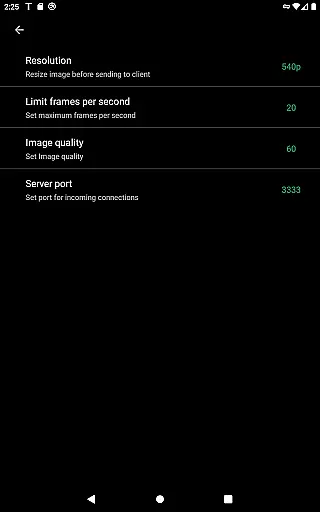
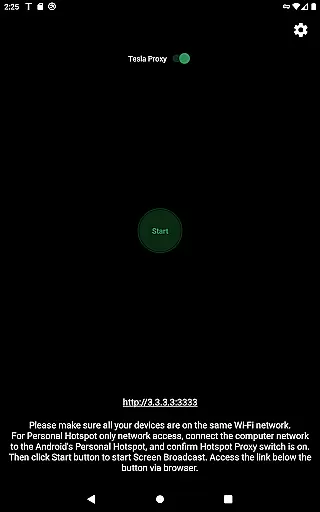
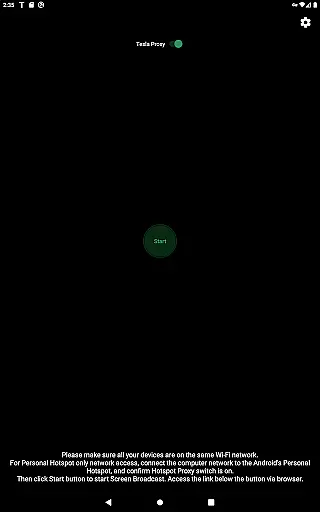
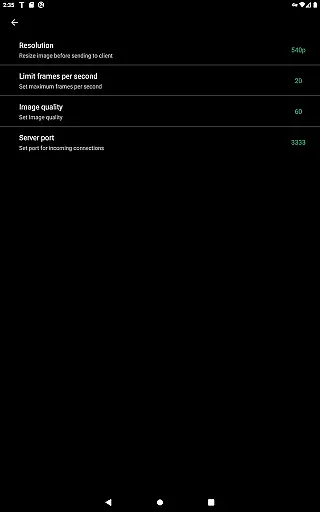
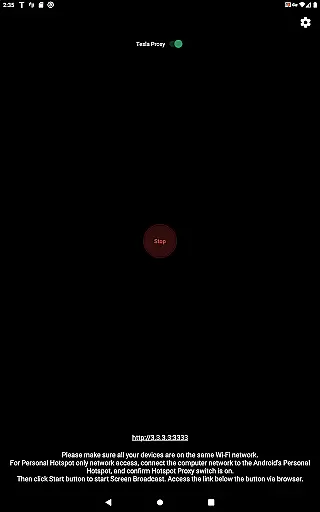
TeslaMirror is an innovative Android application that allows users to mirror their mobile device screens directly to Tesla vehicles' infotainment systems. This app supports Tesla models with MCU2/3 hardware, including Model 3, Model Y, and newer versions of Model S and X. With a 144-hour free trial available upon purchase through Google Play, it offers users the chance to experience seamless integration between their mobile devices and Tesla's sophisticated in-car entertainment system.
One of the standout features of TeslaMirror is its ability to support H.264/H.265 video streaming, which ensures high-quality video playback on the vehicle’s display. Additionally, the app facilitates lossless audio streaming for devices running Android 10 or higher, providing an enhanced auditory experience. The app also includes remote control functionality, allowing users to interact with their phones via the Tesla touchscreen or a connected mouse. These capabilities make TeslaMirror particularly useful for parked scenarios where passengers may wish to enjoy multimedia content or manage their mobile devices conveniently from the comfort of their vehicle.
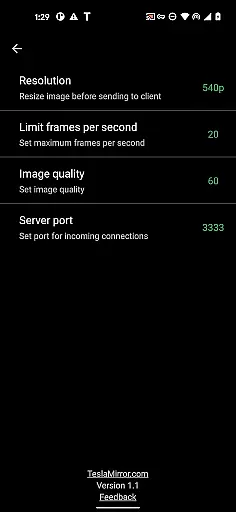
TeslaMirror boasts several key features that set it apart within the Auto & Vehicles category. Firstly, it supports advanced video codecs like H.264 and H.265, catering to different Tesla hardware configurations. For instance, MCU3 systems can leverage H.265 at resolutions up to 1080p@30fps, while MCU2 setups are optimized for H.264 at 540p@30fps. This adaptability ensures optimal performance across various Tesla models.
In addition to superior video handling, TeslaMirror offers lossless audio streaming for compatible Android devices. This feature delivers high-fidelity sound, surpassing typical Bluetooth audio quality. Furthermore, the app incorporates a remote control function, enabling users to operate their smartphones directly from the Tesla interface. This combination of high-definition media streaming and intuitive device control underscores TeslaMirror's commitment to enhancing the in-car digital experience without compromising safety or convenience.
TeslaMirror provides comprehensive integration with Tesla vehicles, ensuring users can access detailed vehicle information seamlessly. The app supports Tesla's MCU2 and MCU3 systems, which are available in Model 3, Model Y, and newer versions of Model S and X. This compatibility ensures that users with different Tesla models can utilize the app effectively.
The app allows users to mirror their Android devices onto the Tesla infotainment system, providing real-time data and control options. By connecting the Tesla to the phoneu2019s mobile hotspot, users can broadcast their phone screen directly to the vehicleu2019s display. This feature is crucial for accessing apps and information on a larger screen while parked, enhancing convenience and accessibility.
Furthermore, TeslaMirror offers specific recommendations based on the vehicle's hardware. For instance, it suggests using H.265 at 720p@60fps for MCU3 systems and H.264 at 540p@30fps for MCU2 systems. These tailored suggestions ensure optimal performance and video quality, making the most out of the vehicle's capabilities.
By leveraging TeslaMirror, users gain insights into their vehicle's system status and can enjoy an enhanced multimedia experience, all while ensuring they are utilizing their car's hardware to its fullest potential.
One of TeslaMirror's standout features is its clear and straightforward pricing model, offering a free 144-hour trial period upon purchase through Google Play. This transparent approach allows users to thoroughly test the app's functionalities without any initial financial commitment. If unsatisfied, users can request a refund by contacting TeslaMirror support with their order details.
This pricing transparency extends beyond just the trial period. The app clearly outlines its capabilities and limitations within the product description, ensuring users understand exactly what they are purchasing. For example, it explicitly states that DRM-protected content like Netflix is not supported, setting clear expectations from the outset.
Additionally, TeslaMirror does not employ any hidden fees or subscription models. Users pay once for the app and receive all current features without additional charges. This approach simplifies budgeting for users and eliminates unexpected costs, fostering trust and satisfaction.
Overall, TeslaMirror's commitment to price transparency ensures that users can make informed decisions, enhancing their purchasing experience and overall satisfaction with the app.
High-quality video streaming
Lossless audio support
Remote control functionality
User-friendly setup process
Free trial period available
Limited to Tesla vehicles
Requires specific hardware
No DRM content support
Parked vehicle usage only
Complex network setup

Ferrari inspired analog & digital watch face with quick access and premium style
 4.3
4.3
The Texaco App allows you to pay for fuel from the comfort of your car!
4.80
Digital Car Key/Launcher, Screen Mirror, Android Dashboard, Remote Wireless Link
4.40
Instant diesel savings. No credit checks or fees. Nationwide growing network.
4.40
Secure mobile payments & fuel savings at Phillips 66®, Conoco® and 76® stations
4.40
Trip computer+car diagnostic tool with widest variety of features and dashboard!
4.70
Quick and easy car diagnostics to get you the right fix.
4.70
Autotrader is your online solution for buying and selling new and used cars.
4.40
Browse millions of cars, track vehicle listings or sell your car today
4.70
Get more out of your AAWireless adapter with this companion app | aawireless.io
4.80
1M+ high-quality auto parts at your fingertips. Fitment guaranteed.
4.70
OBD1 ECMs application. Data log or tune directly from your phone or tablet!
4.60
Launcher for use in the car
4.40
A smarter way to park and reserve your spot ahead of time.
4.40
AI Powered - Automotive Mechanic Assistant
4.30
ODB2 based monitoring application for the Chevy Bolt (2017-2021)
4.00
PayByPhone: A quick and easy way to pay for parking.
3.80
Mobile Phone Parking - So easy to park
3.70
Club Car Wash Mobile App—the fast lane to managing your wash membership.
3.30


User Reviews