
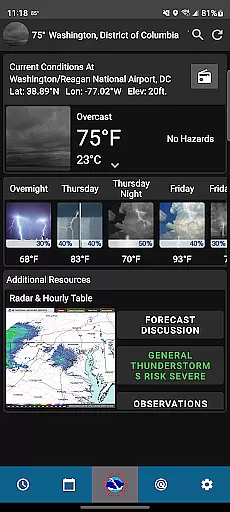
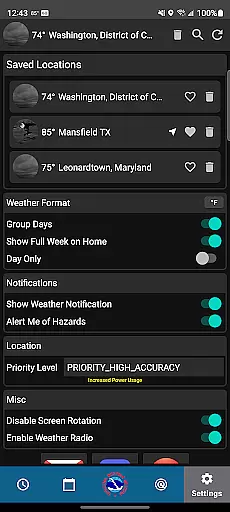
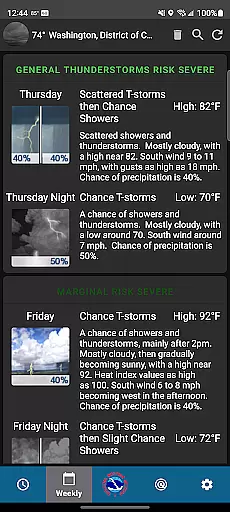
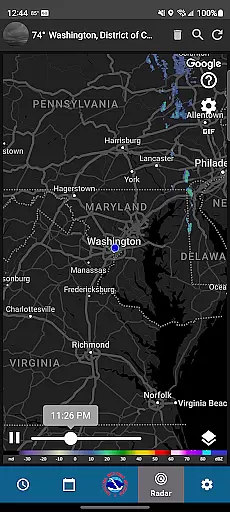
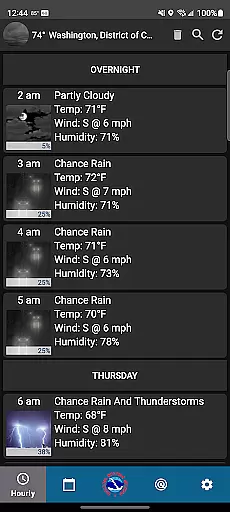
NWS Weather is a comprehensive weather forecasting app developed by the National Weather Service. This application provides users with accurate and detailed weather information, including hourly forecasts, current conditions, and week-long predictions. The app stands out through its scientific approach, offering users not just weather data but also an understanding of the meteorological reasoning behind it.
One of the key strengths of NWS Weather is its advanced radar technology that allows users to track storm systems and precipitation trends in real time. Additionally, the app offers customization options such as location settings and GPS tracking, ensuring users receive localized and relevant weather updates. Whether planning daily activities or preparing for severe weather, this app equips users with reliable information to make informed decisions.
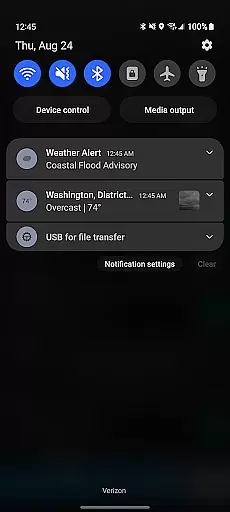
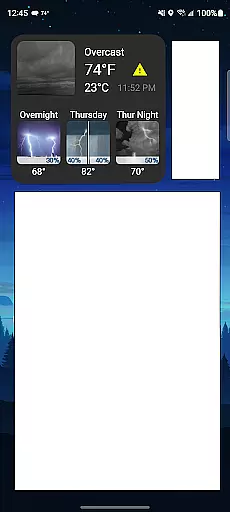
The app's value extends beyond basic weather reporting. With features like forecast discussions and active weather notifications, NWS Weather serves as an educational tool, deepening users' understanding of weather patterns while keeping them prepared for changing conditions. Its widget functionality further enhances accessibility, making critical weather information readily available on users' home screens.
NWS Weather distinguishes itself through a variety of innovative features designed to enhance user experience. One standout feature is the hourly forecast, which provides detailed outlooks for each part of the day, helping users plan their schedules with precision. The app also includes a robust weekly forecast function, allowing users to anticipate weather trends up to seven days in advance.
Another notable aspect is the app's radar technology, which delivers real-time insights into storm systems and precipitation patterns. Users can visualize approaching weather events and prepare accordingly. Furthermore, the app supports customization, enabling users to tailor settings such as location preferences and layout adjustments to suit their individual needs.
Additional features include widgets for quick access to weather data, active weather notifications for instant updates, and forecast discussions that explain the science behind predictions. These elements collectively ensure that NWS Weather is not only informative but also engaging and educational, setting it apart from other weather apps on the market.
When it comes to weather forecasting, accuracy and data credibility are paramount. The NWS Weather app excels in these areas by providing forecasts that are meticulously crafted by the National Weather Service meteorologists. This ensures that users receive not only predictions but scientifically-backed insights.
The app's hourly forecast feature is a testament to its precision, offering detailed outlooks for each part of the day based on comprehensive meteorological data. Similarly, the weekly forecast allows users to plan their activities with confidence, knowing that they are relying on time-tested forecasting models renowned for their reliability.
Real-time weather updates further enhance the app's data credibility. Users can access current weather conditions, including temperature fluctuations and wind patterns, directly sourced from the National Weather Service's trusted network. This level of detail empowers individuals to make informed decisions regarding travel, outdoor events, or daily commutes.
The ability to provide accurate forecasts across both time and space is what sets a superior weather application apart. NWS Weather offers an extensive temporal and spatial forecast range, ensuring users have reliable information at all times. With radar technology integrated into the app, tracking storm systems and precipitation trends becomes seamless.
Users benefit from advanced insights into potential hazards as they unfold over time. Whether itu2019s monitoring an approaching storm or understanding long-term climate patterns, this app equips you with tools needed for preparedness. The spatial aspect covers various locations, allowing customization through GPS tracking so you stay informed no matter where you go.
Moreover, widgets displaying National Weather Service data on your home screen ensure constant access to vital updates without needing to open the app itself. This blend of temporal depth and spatial breadth makes certain that whether planning ahead or responding immediately to changing conditions, NWS Weather stands ready as your ultimate forecasting companion.
Accurate Forecasts
Real-Time Alerts
Customizable Settings
Educational Insights
User-Friendly Widgets
Complex Interface
Limited Social Sharing
Heavy Data Usage
No Offline Mode
Frequent Notifications

The Weather Network TV App - Your weather when it really matters
 2.90
2.90
Ultimate Lunar Calendar for 2021!
4.80
Live weather forecast for your everyday life
4.60
Know the weather earlier.
3.90
Global weather forecast, powered by layered radar & hourly weather updates
4.10
Powerful US and worldwide earthquake feed with earthquake alerts and maps.
4.60
Weather watch face for Wear OS 5
4.40
Weather Forecast, Trending News, Hurricane & Storm Tracker, Alerts & Live Radar.
4.80
Weather radar map, storm tracker, local forecast, live rain alerts & daily news.
4.60
Nuts Weather, your ideal choice for knowing weather forecast & weather radar
4.70
Ultimate weather forecast + moon phase for Wear OS 5+ (Pixel, Galaxy, et al.)
4.70
Road weather, live radar, wind, snow, and conditions along your driving route.
4.70
The weather channel, tiempo weather forecast, weather radar & weather map
4.70
Hyperlocal Forecasts, Live Radar, Severe Weather alerts & Homescreen Widgets
4.30
Weather forecast & live radar map
4.20
Your Reliable Weather Companion
4.10
3D Animation Weather Icon
4.00
Instant weather updates, easy to check anytime on your home screen.
3.50
Detailed weather info and moon phase, subtle animation, customizable
4.3


User Reviews