
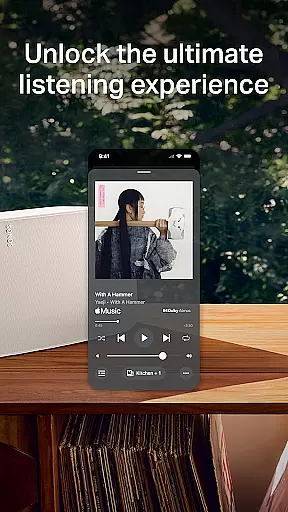
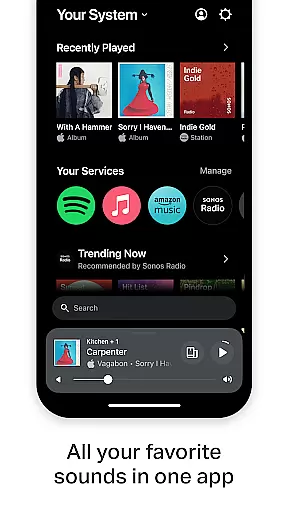
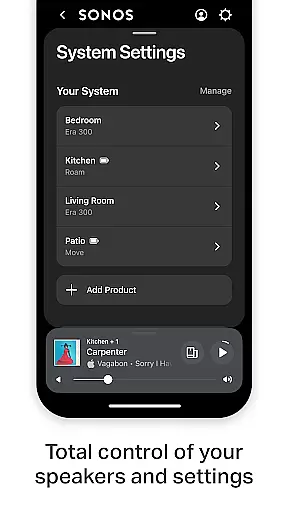
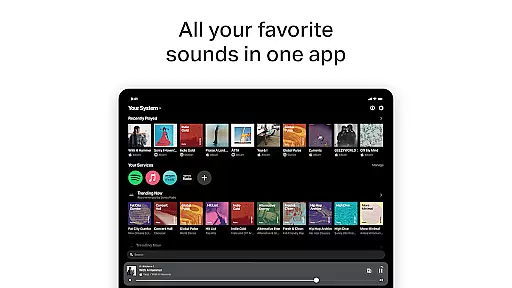
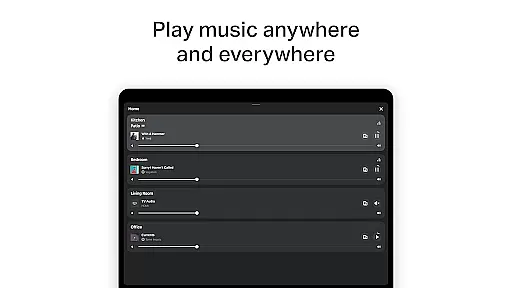
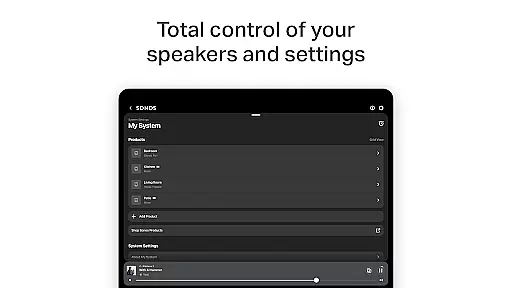
The Sonos app is a comprehensive audio control platform that unifies all your music content and settings in one place. It allows you to effortlessly manage your Sonos products and tailor your listening experience. With the Home screen, users can easily access their favorite sounds with just one tap.
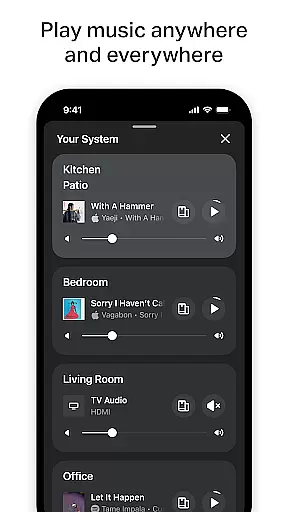
Whether you're rediscovering old favorites or exploring new tracks, the app provides seamless streaming from popular services like Spotify, Apple Music, and Amazon Music. The whole-home control feature lets you play different music in each room or synchronize the same track throughout your home, offering unparalleled flexibility.
Sonos also supports personalized listening by allowing users to save preferred artists, albums, and playlists. The Trueplay™ tuning feature optimizes sound quality for your space, while customizable settings ensure the system fits your preferences. Easy setup and additional features like Sonos Voice Control enhance the overall user experience.
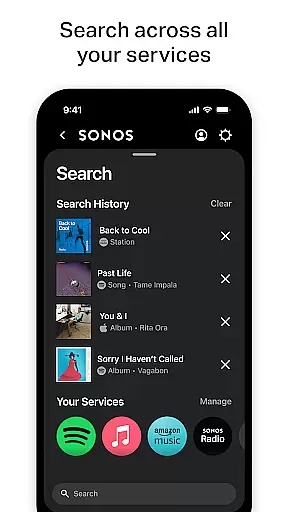
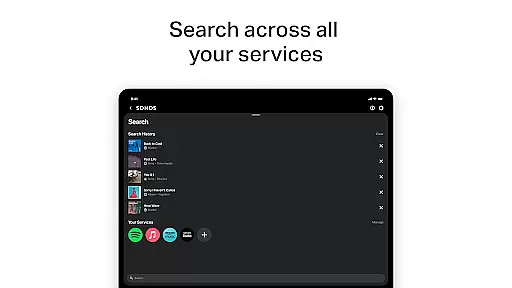
The Sonos app stands out with its streamlined streaming capabilities, integrating multiple music services into a single platform. Users can browse, search, and play content from providers such as Spotify, Apple Music, and Pandora without switching between apps. This consolidation simplifies the listening process and enhances accessibility.
Whole-home audio control is another key feature, enabling users to customize audio output across different rooms. Whether you want synchronized music throughout your home or prefer distinct tracks in each area, the Sonos app delivers complete control via an intuitive interface.
Personalized listening options include saving favorite artists and playlists to Sonos Favorites, while advanced features like Trueplay™ tuning optimize sound based on your room's acoustics. Additionally, easy setup processes and voice control compatibility make the Sonos app both user-friendly and highly functional.
When it comes to digital music platforms, the size and authenticity of the music library are crucial factors for users. The Sonos app excels in this area by offering access to a vast array of music services including Spotify, Apple Music, Amazon Music, and more. This extensive library ensures that users have millions of tracks at their disposal, catering to every musical taste and preference.
The app doesn't just stop at providing quantity; it assures quality through stringent copyright compliance. By partnering with legitimate music streaming services, Sonos guarantees that all the music available through its platform is fully licensed and legal. This gives users peace of mind, knowing they are accessing content that respects artists' rights and intellectual property.
Moreover, the integration of multiple services into one single app simplifies the user experience. There's no need to switch between different apps or platforms to enjoy your favorite tunes. With Sonos, everything is streamlined, allowing you to browse, search, and play content from all your subscribed services seamlessly.
Ultimately, the combination of an expansive music library and robust copyright adherence enriches the listening experience. Users can explore new genres, discover emerging artists, and revisit timeless classics without any legal concerns, making the Sonos app a reliable choice for high-quality audio streaming.
Audio quality is paramount when choosing a music streaming service, and the Sonos app delivers exceptional sound fidelity tailored to audiophiles and casual listeners alike. It supports high-quality audio formats and offers various settings to optimize the listening experience based on individual preferences and network conditions.
One standout feature is Trueplayu2122, which allows users to fine-tune their Sonos products for optimal performance within their specific environment. Whether it's adjusting for room acoustics or speaker placement, Trueplayu2122 ensures that every note sounds as clear and balanced as possible, enhancing the overall enjoyment of music.
In addition to customizable audio settings, the Sonos app also provides options to adjust bitrate depending on your internet connection. This flexibility means you can prioritize either higher audio resolution or smoother playback, depending on what matters most to you at any given moment.
By focusing on delivering pristine audio quality across all devices, the Sonos app not only meets but exceeds expectations for discerning listeners who demand nothing less than the best sound reproduction technology has to offer.
Unified music platform
Multi-room audio control
Seamless streaming service integration
Customizable sound settings
User-friendly interface
Limited voice control availability
Premium subscription required for some features
Higher cost compared to competitors
Occasional connectivity issues
Steep learning curve for beginners

Fun & Easy Voice Changer – Record, Edit & Add Hilarious Effects!
 4.50
4.50
Pay Once, no monthly payment
4.60
Time Trainer: accurate metronome w tools to help you develop your internal time!
4.20
Your song collections with lyrics and chords on Android smartphones and tablets.
4.80
Voice recorder - Audio recorder. Best recorder for recording
4.90
Music, News & Sports Radio Tuner App. Tune in Live FM & AM Radio Stations.
4.80
Simple mp3 and mp4 player with advanced features.
3.40
Listen to offline music and sounds from all categories
4.70
Be a true music maker: create beats, mix and make music like a real DJ!
4.30
Gorgeous UI, Powerful music Search and Equalizer, the great choice for you!
4.70
Walkout Song DJ is the most intuitive app to manage your sports music.
4.70
Over 100 million tracks available for high quality streaming and download
4.60
AI Music Maker: Generate And Compose AI Tunes & AI Songs & AI Music & AI Melody!
4.60
Enhance the sound quality of your devices, listen to what you want
4.50
Guzheng Master supports many playing techniques as an acoustic Guzheng
4.50
Smart piano keyboard, Classical to Pop, Real-time multiplayer connection!
4.20
The original SP-1200 experience on your iPad
4.20
Turn your Android phone into a professional audio analyser with up to 120 bands.
4.00
The Skullcandy App Experience
3.20


User Reviews