
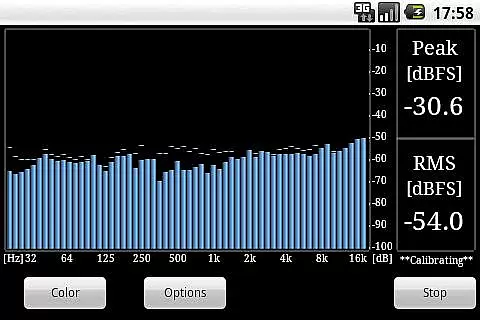
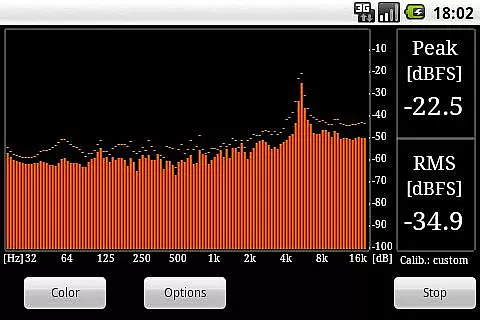
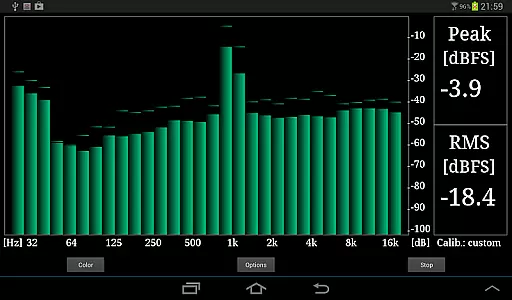
RTA Pro Analyzer is a professional audio analysis tool designed for music producers, sound engineers, and audio enthusiasts. This advanced application offers precise audio spectrum analysis with multiple band spacing options including 1/4, 1/6, and 1/12 octave bands, supporting up to 120 bands for detailed frequency examination.
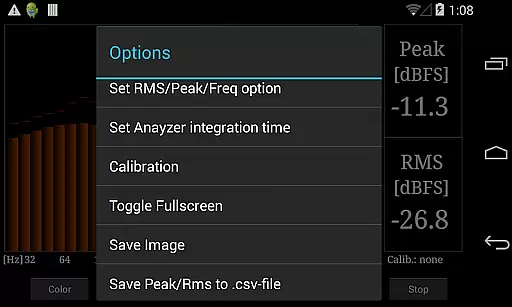
The app features scalable peak holds, various color schemes for customizable visualization, and permanent storage of calibration data ensuring consistent measurement accuracy over time. Additionally, users can save screenshots and export peak/RMS values to CSV files for further analysis or documentation purposes.
Whether you're fine-tuning studio acoustics or conducting live sound checks, RTA Pro Analyzer provides the tools necessary to achieve optimal audio quality. Its comprehensive feature set makes it an indispensable companion for professionals in the music and audio industry.
RTA Pro Analyzer stands out with its robust feature set tailored for professional audio analysis. The app supports multiple band spacing configurations (1/4, 1/6, 1/12 octave) with up to 120 bands, allowing users to perform highly granular frequency spectrum evaluations. This flexibility enables precise identification of problematic frequencies and optimal equalization settings.
Advanced visualization options include scalable peak holds and multiple color schemes, providing clear and customizable graphical representations of audio data. The app also permanently stores calibration data, ensuring reliable and repeatable measurements across sessions. Furthermore, users can save screenshots directly from the app interface and export detailed peak/RMS value reports in CSV format for external processing or record-keeping.
These features collectively enable audio professionals to conduct thorough acoustic analyses, optimize sound system performance, and maintain consistent measurement standards throughout their projects.
When evaluating a music and audio application like RTA Pro Analyzer, the size and authenticity of its music library are crucial factors. This app provides professional-grade features that cater to audiophiles and sound engineers alike.
The application offers advanced analysis capabilities with 1/4, 1/6, and 1/12 band spacing options, supporting up to 120 bands. These features ensure that users have access to an extensive range of audio data points, which is akin to having a vast music library at their disposal.
Moreover, the app permanently stores calibration data, ensuring consistent and reliable performance over time. This reliability underscores the authenticity of the content provided, as users can trust the accuracy of their analyses.
By allowing users to save screenshots and export peak/RMS values to a CSV file, RTA Pro Analyzer not only expands the depth of its music library but also ensures that all data is credible and usable for professional purposes.
RTA Pro Analyzer stands out in the realm of audio applications due to its superior audio quality options. For professionals who require precise sound analysis, this app delivers exceptional clarity and detail.
One of the key features is its scalable peak holds and multiple color schemes, which enhance the user's ability to visualize and interpret audio data accurately. These functionalities contribute significantly to the overall audio quality experienced by the user.
In addition, the app supports various analysis band spacingsu20141/4, 1/6, and 1/12u2014with up to 120 bands. This flexibility allows users to fine-tune their audio analysis to meet specific requirements, thereby improving the quality of the output.
Furthermore, the capability to export peak and RMS values to a CSV file adds another layer of utility, enabling users to scrutinize their audio data further using external tools. This feature reinforces the app's commitment to delivering top-notch audio quality options.
Highly detailed analysis
Multiple band spacing options
Permanent calibration storage
Export functionality to CSV
Customizable visualizations
Paid version only
No real-time collaboration
Complex for beginners
Limited free support
Requires technical knowledge

Make music anywhere. Turn your device into an instrument.
 4.3
4.3
Offline and always ad-free - stream in the highest quality available.
4.10
Performance-Synthesizer & Multi-Track-Sequencer, polyphonic + multi timbral!
4.70
A synth that really lets you shape your sounds!
4.50
Permanently backup Now Playing. Maps, filters & listening stats.
4.00
Brian Eno and Peter Chilvers’ acclaimed music app Bloom, radically reinvented.
4.80
Music, News & Sports Radio Tuner App. Tune in Live FM & AM Radio Stations.
4.80
Play your music offline without limits
4.80
Melody Beat: Great for travel, workouts, offline vibes, play your tunes anytime.
4.10
Full-featured, High-Quality Groovebox Workstation, perfect for Live Performance!
4.80
Make songs with AI! Any genre, custom lyric, song generator for music creation!
4.80
Unleash your creativity! Turn simple prompts into full fledged songs.
4.70
Offline Music Player&MP3 Player with themes, equalizer, lyrics, music play mode
4.60
Formerly known as Spotistats! View your top tracks, artists, albums and more!
4.40
Full featured mp3 and audio player with Chromecast and Android Auto support.
4.40
Enjoy singing any song, no matter how high or low it is
4.30
Learn and play 2M+ music tabs & chords on guitar, ukulele, bass, and more
4.30
Smart piano keyboard, Classical to Pop, Real-time multiplayer connection!
4.20
Slow music down without changing pitch.
3.70


User Reviews