
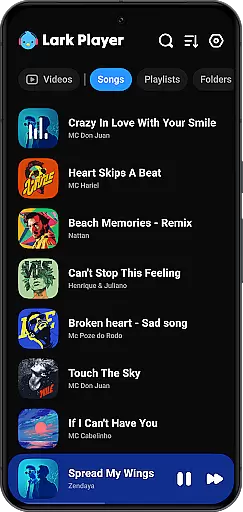
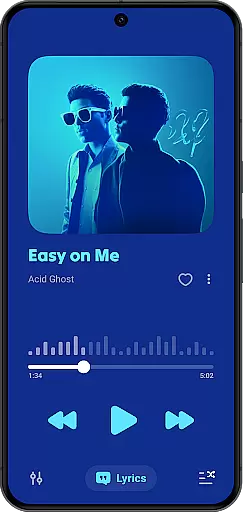
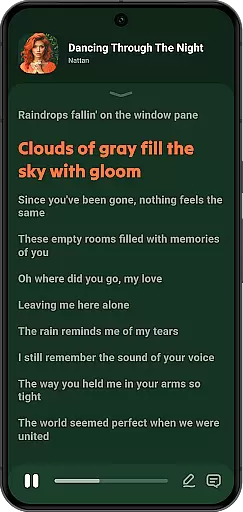
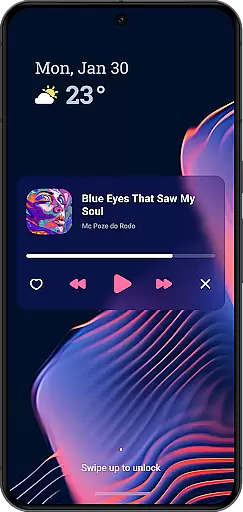
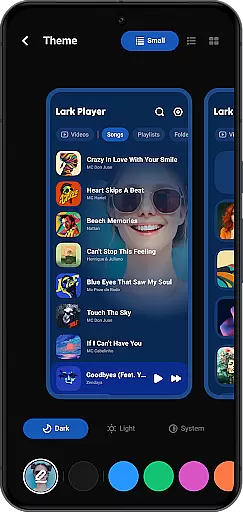
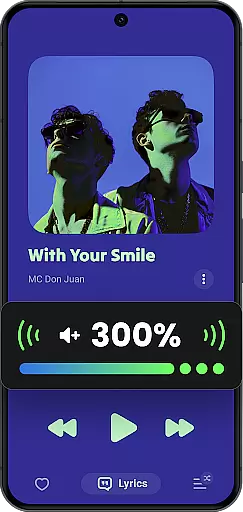
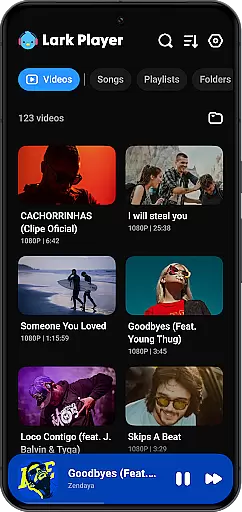
Lark Player is a versatile offline music and video player designed specifically for Android devices. This free application supports all major audio and video formats, making it an essential tool for media enthusiasts. With its powerful equalizer, customizable sound settings, and user-friendly interface, Lark Player delivers an exceptional listening experience.
The app goes beyond basic playback functionality by offering advanced features like floating window support, file management capabilities, and dedicated audio modes. Whether you're organizing playlists, adjusting sound effects, or multitasking with resizable video windows, this player ensures seamless control over your media library. Its intuitive design and feature-rich environment make it a top choice for users seeking both style and functionality in their mobile media player.
Lark Player stands out through its comprehensive feature set tailored to enhance the multimedia experience. The app includes a robust equalizer with bass enhancement, reverb settings, and customizable sound fields, allowing users to fine-tune audio output according to their preferences. Dedicated audio modes such as Classical, Pop, Rock, and Hip-hop provide optimized listening experiences across different genres.
One of the standout features is its ability to handle both audio and video files effortlessly. Supporting formats like MP3, WAV, FLAC, MP4, and MKV, the player ensures compatibility with most media types. Additionally, its floating window functionality enables multitasking, while integrated file management tools allow users to organize music by playlists, albums, or genres. These innovations, combined with lyric synchronization and sleep timer options, create a complete package for modern media consumption.
Lark Player offers an extensive music library that supports all major audio formats including MP3, MIDI, WAV, FLAC, AC3, AAC, M4A, and ACC. This ensures users have the flexibility to play a wide variety of music files without compatibility issues.
While Lark Player is not a music downloader, it provides tools for managing your offline music collection effectively. You can organize tracks by song, artist, album, genre, and more, making it easy to navigate through your personal music library.
The app also allows users to create and manage playlists, enhancing the music listening experience by enabling customized playback sequences tailored to individual preferences.
Regarding copyright authenticity, Lark Player respects user's ownership rights over their offline music files and does not infringe on any digital rights management (DRM) protected content, ensuring a legally compliant music experience.
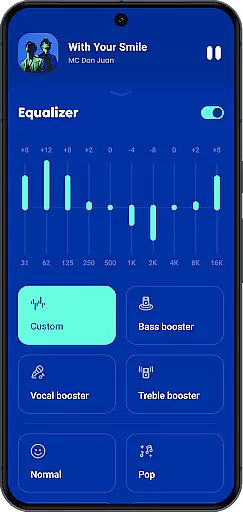
One of the standout features of Lark Player is its powerful equalizer, which comes with preset modes for various music genres such as Classical, Dance, Hip-hop, Jazz, Pop, and Rock. These presets allow users to customize their sound experience according to the type of music they are playing.
In addition to the preset modes, the equalizer offers advanced settings like bass enhancement, reverb adjustment, and sound field customization. These options ensure that listeners can fine-tune audio output to match their personal preferences or optimize it for different types of headphones and speakers.
The player supports high-quality music playback, maintaining the integrity of the original audio files. Whether you're listening to lossless formats like FLAC or compressed formats like MP3, Lark Player delivers a rich and immersive sound experience.
Furthermore, the app includes a feature to set your favorite local music as ringtones directly from the player interface, allowing users to personalize their deviceu2019s audio alerts while preserving the quality of the original track.
User-friendly interface
Powerful equalizer options
Wide format compatibility
Floating window support
Customizable playlists
No built-in music downloader
Limited social sharing
Ads in free version
Occasional bugs
Heavy on storage

Offline and always ad-free - stream in the highest quality available.
 4.10
4.10
Performance-Synthesizer & Multi-Track-Sequencer, polyphonic + multi timbral!
4.70
Walkout Song DJ is the most intuitive app to manage your sports music.
4.70
Ultimate Sonos Controller
4.70
Guzheng Master supports many playing techniques as an acoustic Guzheng
4.50
A sleek, no-frills player designed for true music lovers.
4.20
Let your Android device with the sound effects you want
4.50
MilkDrop for Android TV
3.00
Melody Beat: Great for travel, workouts, offline vibes, play your tunes anytime.
4.10
Responsive piano with great sounds, graphics, and songs
4.80
Full-featured, High-Quality Groovebox Workstation, perfect for Live Performance!
4.80
Reverse your voice & songs instantly! Fun singing challenge with cool effects.
4.60
Fun & Easy Voice Changer – Record, Edit & Add Hilarious Effects!
4.50
Time Guru will strengthen your internal sense of musical time via random muting.
4.30
Enjoy singing any song, no matter how high or low it is
4.30
No wifi music app. Mp3 offline. Tuner radio, young radio music. Music downloader
4.20
The ultimate media player for Android devices
3.90
The iconic iOS metronome app is now on Android.
3.70
Control your MIDI USB or Bluetooth devices in app and avoid some trampling
3.30


User Reviews