
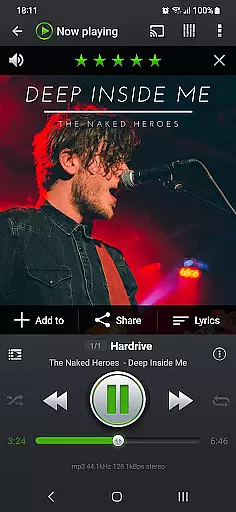
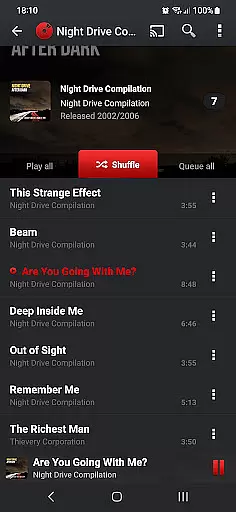
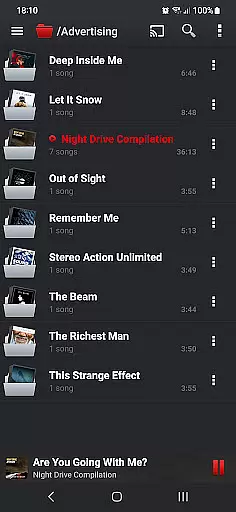
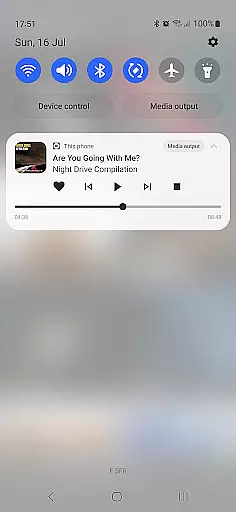
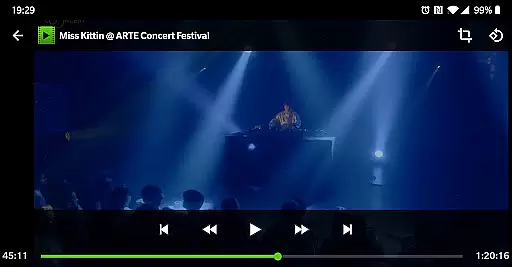
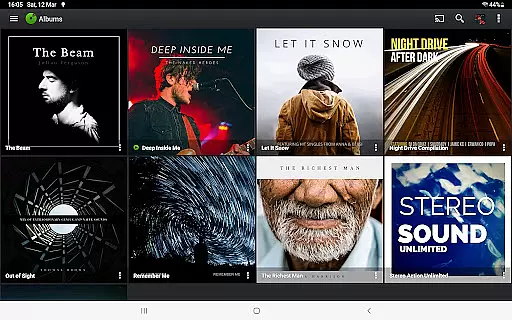
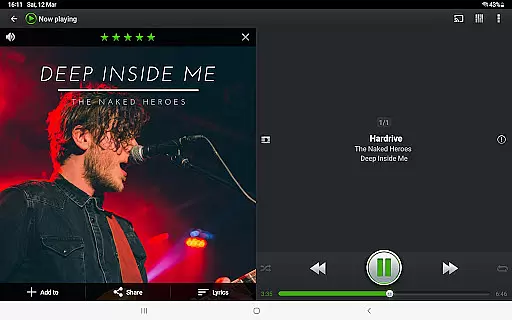
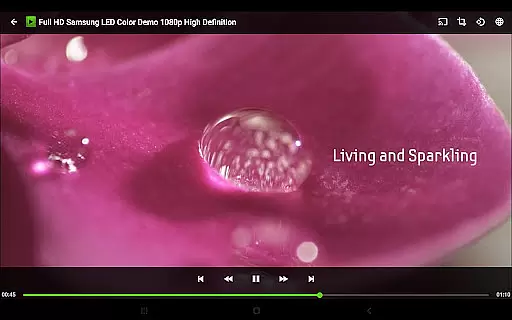

PlayerPro Music Player (Pro) is an advanced music and video player for Android devices, offering a rich set of features beyond basic playback. With its intuitive interface and powerful audio configuration options, the app caters to audiophiles who demand both style and substance in their media players.
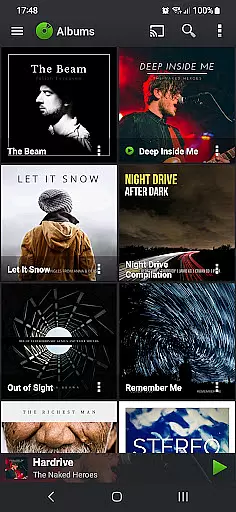
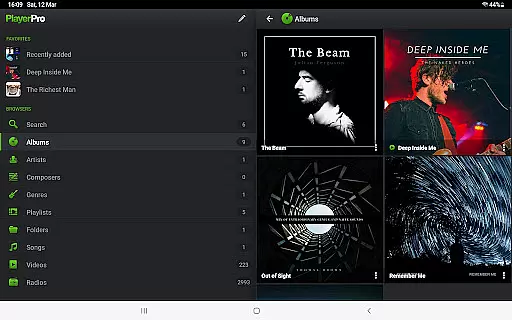
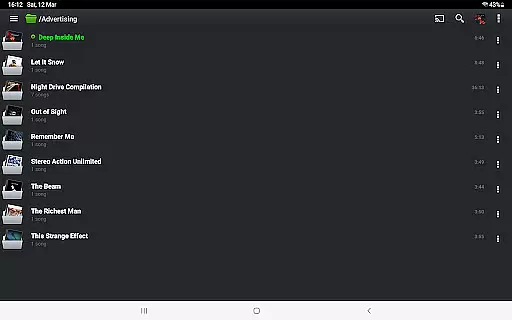
The app supports browsing and playing music in multiple ways including by albums, artists, genres, playlists, and more. It also allows streaming to Chromecast-compatible devices and provides Android Auto support for safe music listening while driving. Additionally, users can customize the interface with skins, grid or list views, and enjoy enhanced audio with the DSP Pack plugin.
For those who value aesthetics, PlayerPro enriches your music library with album artwork and artist pictures. The app's comprehensive ID3 tag editing capabilities and smart playlist features make it a standout choice for organizing and enjoying a personalized music collection.
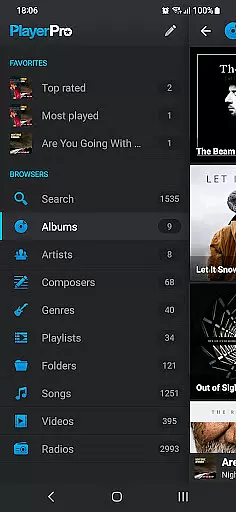
PlayerPro Music Player (Pro) stands out with its extensive customization options and powerful audio controls. Users can choose from several free plugins like Skins and DSP Pack to enhance their experience. The app offers a variety of ways to browse and play music such as by albums, artists, composers, and even folders.
One of the key highlights is the ability to stream music and videos to Chromecast Audio compatible devices, making it versatile for home entertainment systems. The app also supports Android Auto, ensuring that users can safely enjoy their music while driving.
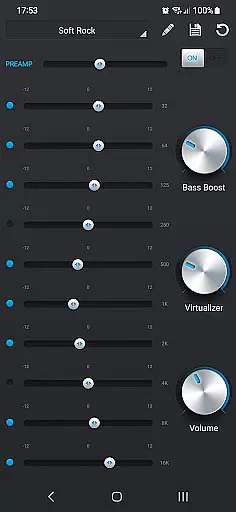
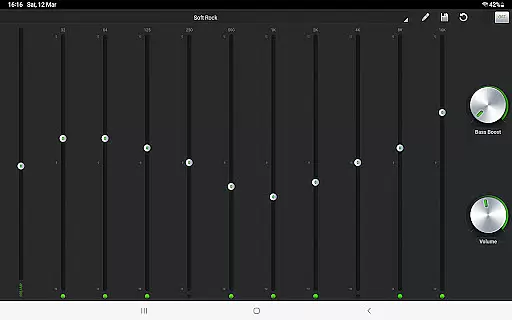
Advanced features include ID3 tag editing in single or batch mode, supporting all known audio formats, and up to 15 different tag fields. The default mixable audio effects include a 5-band graphic equalizer with presets, stereo widening, reverb effects, bass boost, and volume control. Moreover, the app provides lock screen widgets, home screen widgets, Google Drive backup, scrobbling, sleep timer, and social network sharing, among others.
PlayerPro Music Player (Pro) offers an extensive music library that supports all major audio formats including Mp3, Mp4, Ogg Vorbis, Flac, Wav, Aif, Dsf, Wma, Opus, and Speex. This ensures users can access a vast range of music without compatibility concerns.
The app allows browsing and playing music in multiple ways such as by albums, artists, genres, playlists, folders, or songs. This flexibility enhances the user experience by catering to individual preferences for organizing and accessing their music collection.
In addition to its expansive format support, PlayerPro emphasizes copyright authenticity by enabling users to manage music metadata effectively. The ID3 tags editing feature supports up to 15 different tag fields, ensuring accurate and legal music file information.
With options to import and export music history and ratings from desktop music players, users can maintain a consistent and enriched music library across devices, reinforcing the app's commitment to content authenticity and comprehensive music management.
PlayerPro Music Player (Pro) stands out with its robust audio configuration options designed to enhance sound quality. Users can enjoy default mixable audio effects like a 5-band graphic equalizer with 15 presets, stereo widening, reverb effects, bass boost, and volume control.
For audiophiles seeking higher fidelity, the app offers a free DSP plugin that supports High-Res audio up to 32-bit, 384kHz. This plugin includes a 10-band graphic equalizer, Pre-Amp control, bass boost, and stereo widening, providing an unparalleled audio experience.
Advanced features such as gapless playback, auto/manual crossfade, replay gain, and an audio limiter ensure that audio output remains smooth and uninterrupted, preserving the integrity of the original recordings.
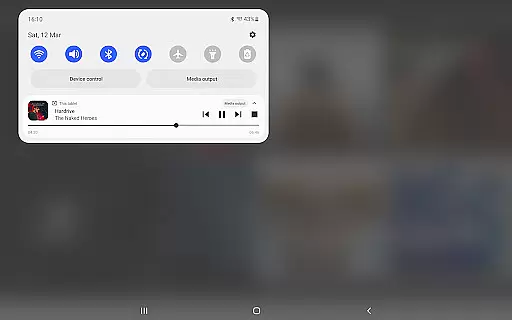
Furthermore, the ability to customize audio settings through various widgets and lock screen controls allows users to tailor their listening experience precisely to their preferences, making PlayerPro a top choice for those prioritizing superior audio quality options.
Highly customizable
Powerful audio controls
Intuitive user interface
Wide range of supported formats
Comprehensive ID3 tag editing
Paid application
No iOS version available
Occasional bugs reported
Complex for beginners
Heavy on system resources

The Skullcandy App Experience
 3.20
3.20
Control your MIDI USB or Bluetooth devices in app and avoid some trampling
3.30
Full-featured, High-Quality Groovebox Workstation, perfect for Live Performance!
4.80
Recording studio w/ 10k beats, pro vocal FX and a network of 20M rappers & fans!
4.60
Play your hearts out on TouchTunes jukeboxes & connect with fellow music lovers.
4.80
Offline Music Player&MP3 Player with themes, equalizer, lyrics, music play mode
4.60
Simple mp3 and mp4 player with advanced features.
3.40
Versatile MP3 recorder with auto-backup to Dropbox and Google Drive
4.10
Uninterrupted Tunes, Unmatched Vibes
3.90
Responsive piano with great sounds, graphics, and songs
4.80
Unleash your creativity! Turn simple prompts into full fledged songs.
4.70 4.70
4.70
Taal player that lets you sing any Indian & Western song with Tabla & Tanpura
4.60
Learn the notes on the guitar fretboard fast with this easy and fun app
4.60
Enhance the sound quality of your devices, listen to what you want
4.50
Visualize the guitar fretboard, master scales & play through changes like a pro!
4.50
DJ Music Mixer Pro is a real DJ controllers and DJ Music Studio to remix DJ.
4.40
DJ Music Mixer - DJ Remix: remix songs, make beat music & record mix of DJ.
4.40
Play KORG’s revolutionary touch-based instrument on a variety of devices.
4.40


User Reviews