
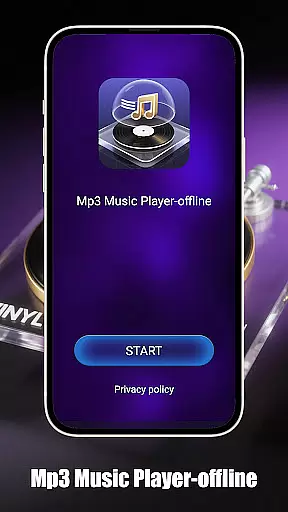
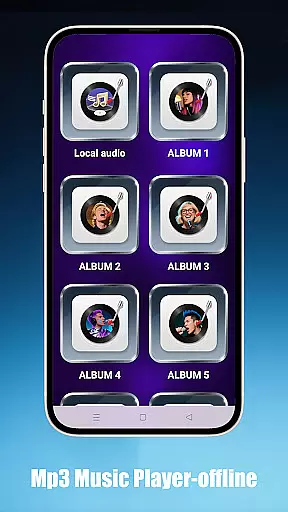
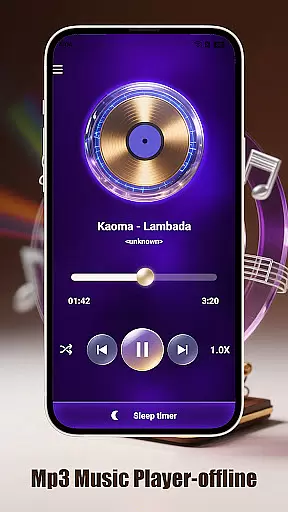
Mp3 Music Player - Offline is a dedicated music player for audiophiles who prefer local MP3 playback. With no internet connection required, it offers powerful playback controls and an ad-free experience.
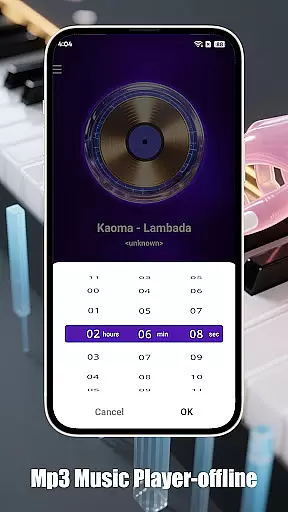
Key features include adjustable playback speed (0.5x-2.0x), multiple playback modes like loop and shuffle, and a sleep timer to conserve battery. The app also supports easy navigation by folder, artist, or album, making it simple to access your entire music library.
Designed with a minimalist interface, this app provides an immersive full-screen landscape mode, ensuring an uninterrupted music experience on any Android device.
This music player stands out with its advanced playback options. Users can adjust the playback speed from 0.5x to 2.0x, perfect for various listening needs such as podcasts or language learning.
The app's smart organization tools allow seamless browsing by folder, artist, or album. Its ultra-fast search ensures you can find and play any track instantly. Additionally, the sleep timer feature automatically stops playback after a set time, helping preserve device battery life.
With its clean, ad-free design and lightweight architecture, Mp3 Music Player - Offline delivers a smooth, distraction-free experience that focuses purely on music enjoyment.
When it comes to music players, the size and authenticity of the music library are crucial factors. Mp3 Music Player - Offline focuses on allowing users to play their local MP3 files without the need for an internet connection. This ensures that users have complete control over their music collection while maintaining copyright compliance.
The app supports a wide range of local music files, enabling users to organize and access their entire music library effortlessly. By playing files directly from the user's device, it guarantees that all music is legally owned and managed by the user, thus upholding copyright integrity.
With features like folder, artist, and album browsing, users can easily navigate through vast collections of tracks. The ultra-fast search functionality adds another layer of convenience, ensuring that users can find and play their favorite songs instantly.
Audio quality is paramount for any music enthusiast, and Mp3 Music Player - Offline delivers a robust set of options to enhance the listening experience. The player offers adjustable playback speeds ranging from 0.5x to 2.0x, catering to different preferences such as podcast listening or language learning.
In addition to speed adjustments, the app provides smart playback modes including loop, shuffle, and single-track playback. These options give users the flexibility to customize how they enjoy their music, whether it's creating the perfect playlist or focusing on a single song.
The minimalist interface ensures that nothing comes between the listener and the music, offering a distraction-free environment. Furthermore, the landscape-optimized UI enhances the full-screen experience, making it ideal for immersive listening sessions. With these features, Mp3 Music Player - Offline combines high-quality audio with user-friendly controls.
User-friendly interface
Advanced playback options
Offline functionality
Efficient battery usage
Quick music search
Limited to MP3 format
No cloud integration
Basic equalizer settings
No social sharing
Android only

 4.70
4.70
Pay Once, no monthly payment
4.60
VB-AUDIO Software / VBAN-Receptor allows listening to any VBAN Streams
4.10
Recording studio w/ 10k beats, pro vocal FX and a network of 20M rappers & fans!
4.60
The original SP-1200 experience on your iPad
4.20
Let your Android device with the sound effects you want
4.50
Turn your Android phone into a professional audio analyser with up to 120 bands.
4.00
Versatile MP3 recorder with auto-backup to Dropbox and Google Drive
4.10
Sing, record, and create music together — enhanced by smart voice tools.
4.00
Voice recorder - Audio recorder. Best recorder for recording
4.90
Music, News & Sports Radio Tuner App. Tune in Live FM & AM Radio Stations.
4.80
Simple & Intuitive Metronome
4.70
Over 100 million tracks available for high quality streaming and download
4.60
DJ Music Mixer - DJ Remix: remix songs, make beat music & record mix of DJ.
4.40
The Music Journey in Your Hands
4.30
Bass Booster Pro takes auto-equalizing to the next level!
4.30
Enjoy singing any song, no matter how high or low it is
4.30
The Minimalistic Premium Music Player. Handmade with passion for music
2.20
Music Streaming suite for Ampache, Nextcloud Music and compatible backends.
4.0


User Reviews