
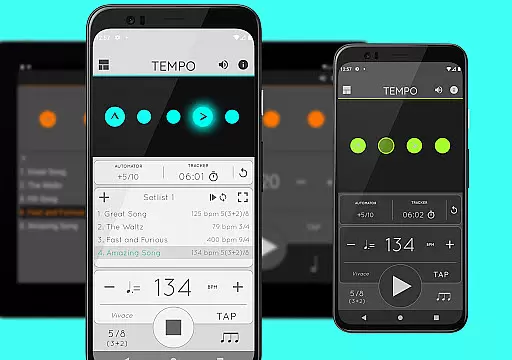
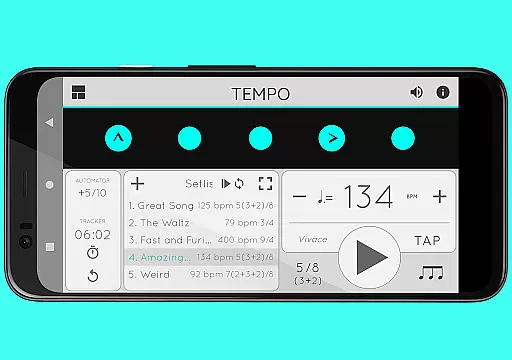
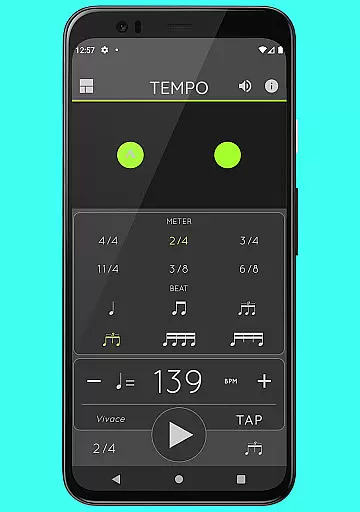
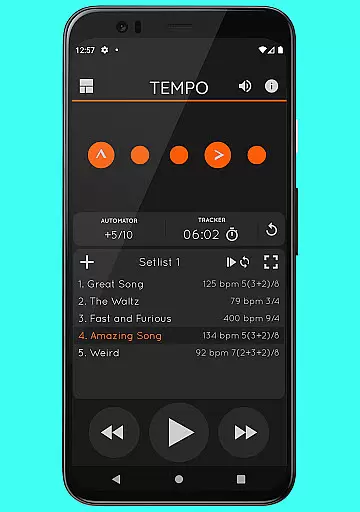
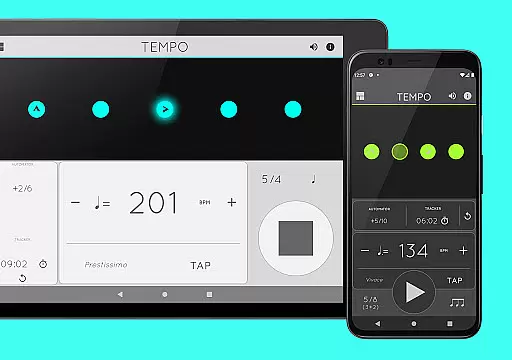
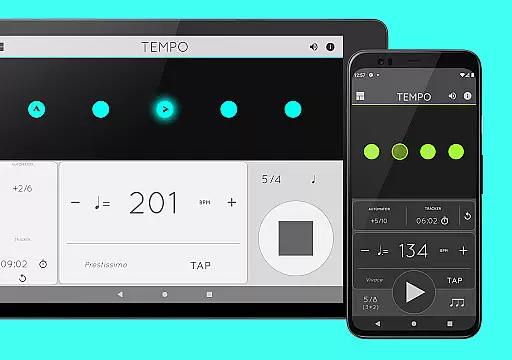
Tempo is a premier mobile metronome app designed for musicians, teachers, and students alike. It offers high accuracy and stability with an attractive single-screen interface. The app allows users to customize beats through intuitive LED buttons, creating complex rhythms effortlessly. Tempo's innovative design morphs between five modes, each optimized for specific tasks such as practice or performance.
This app is not only limited to musicians; it's also used by golfers and bodybuilders for their training routines. With features like tap tempo, visual feedback through pulsating LEDs, and compatibility with iOS devices, Tempo provides a comprehensive toolset for rhythm management. Its usability extends beyond just setting the pace, offering setlist storage, sharing capabilities, and advanced playback options.
Tempo boasts an array of features that cater to both amateur and professional musicians. With 30 different time signatures and multiple rhythm patterns, users can create intricate musical compositions. The tap tempo function and tempo range from 10 to 400 beats per minute ensure precision in rhythm setting. Visual feedback is provided through pulsating LEDs, enhancing the user experience during live performances or practice sessions.
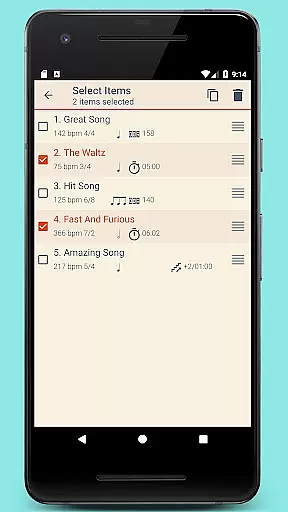
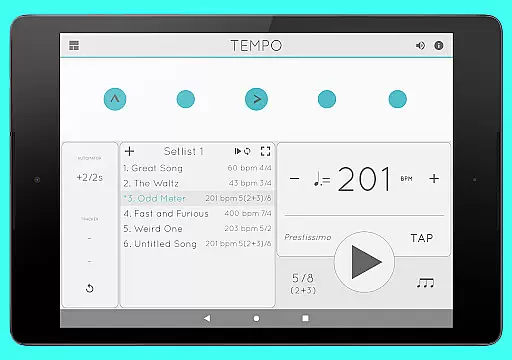
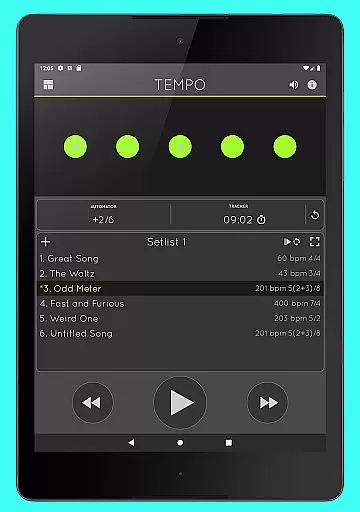
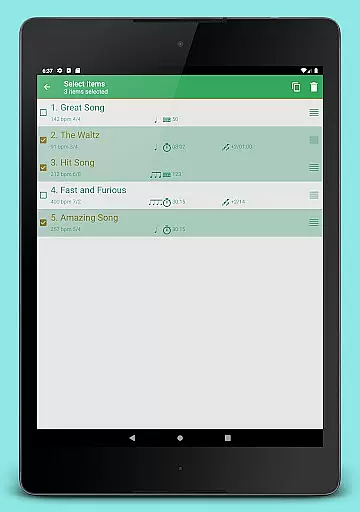
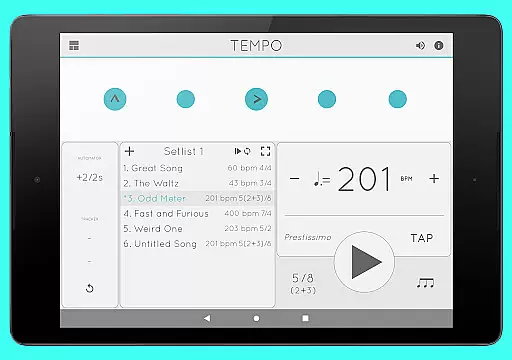
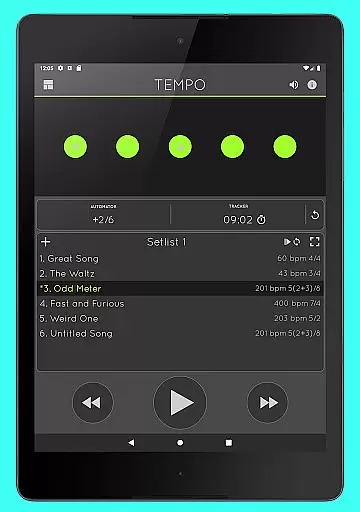
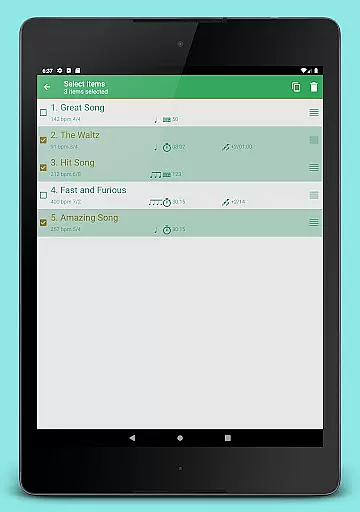
Advanced setlist management allows users to store presets efficiently, with options for quick editing, searching, and multi-deletion. Sharing and backing up setlists via email ensures data safety and collaboration. Additionally, Tempo supports AirTurn Bluetooth controllers, enabling hands-free operation. Twelve sound sets, volume control, and multitasking support further enrich the auditory experience, making it versatile for various musical genres.
When it comes to music applications, the size and authenticity of the music library are crucial factors. Tempo offers an impressive collection of 30 different time signatures and various rhythm patterns for both simple and compound meters. This extensive range allows musicians to explore diverse musical styles while ensuring that all content is properly licensed and authenticated.
The app's comprehensive library not only caters to traditional metronome needs but also provides specialized sound sets optimized for live drumming click tracks. With 12 distinct sound sets available, users can choose the perfect accompaniment for their practice or performance sessions. The inclusion of these high-quality audio resources ensures that every beat is accurate and reliable.
Moreover, Tempo guarantees peace of mind regarding copyright issues. All sounds within the application have been carefully curated to avoid any legal complications. This commitment to copyright compliance means artists can focus on honing their craft without worrying about potential infringements.
Audio quality is paramount in music applications, and Tempo excels in this area by providing multiple options for customization. Users can select from 12 different sound sets, each designed to cater to specific musical contexts. Whether you're practicing classical pieces or preparing for a rock concert, there's a sound set tailored to your needs.
In addition to sound variety, Tempo offers precise volume control, allowing users to adjust levels according to their environment. Whether you need a soft background click during a quiet rehearsal or a loud, clear beat for an energetic performance, Tempo has you covered. This flexibility ensures optimal audio feedback regardless of the setting.
Furthermore, the app supports multitasking, meaning playback continues seamlessly even when switching between apps. This feature enhances user experience by maintaining uninterrupted rhythm tracking throughout practice sessions or performances. Combined with its visually engaging pulsating LEDs, Tempo delivers a holistic auditory and visual experience that elevates musical practice and performance.
User-friendly interface
Highly customizable
Accurate tempo settings
Versatile rhythm patterns
Multi-platform compatibility
Limited free features
Occasional bugs
No MIDI support
Premium sound packs
Complex for beginners

Pay Once, no monthly payment
 4.60
4.60
Time Trainer: accurate metronome w tools to help you develop your internal time!
4.20
Brian Eno and Peter Chilvers’ acclaimed music app Bloom, radically reinvented.
4.80
USB audio recording and playback finally possible on Android 3.1 or higher!
3.90
Make songs with AI! Any genre, custom lyric, song generator for music creation!
4.80
Offline Music Player & MP3 Player.Powerful equalizer, Lyrics, Themes, Tag Editor
4.80
Powerful 10-Band equalizer pro with sound booster improves Android audio quality
4.30
Offline Tunes, Unlimited Vibes
3.90
One-tap booster for max volume - enjoy powerful sound with this audio booster
4.50
Tune in to the greatest hits on UK Radio | The home of Capital, Smooth & Heart.
4.90
24,000 free audio books and no ads!
4.90
Voice recorder - Audio recorder. Best recorder for recording
4.90
Full-featured, High-Quality Groovebox Workstation, perfect for Live Performance!
4.80
Recording studio w/ 10k beats, pro vocal FX and a network of 20M rappers & fans!
4.60
Enhance the sound quality of your devices, listen to what you want
4.50
DJ Music Mixer - DJ Remix: remix songs, make beat music & record mix of DJ.
4.40
Advanced 10-Band Audio Graphic Equalizer Sound Booster Pro
4.30
Next generation modular control surface
4.10
Simply convert wav to mp3. Clear. Reliable. Safe.
4.1


User Reviews