
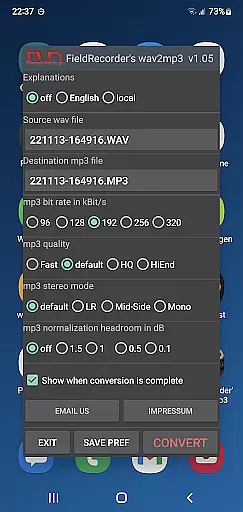
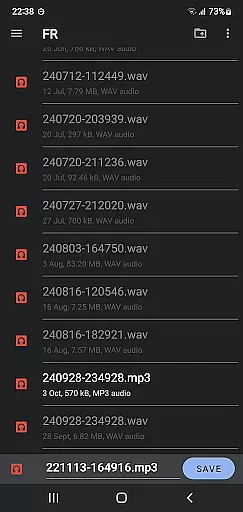
FieldRecorder's wav2mp3 is a streamlined audio conversion tool designed specifically for users who need to convert WAV files to MP3 format without any hassle. The app eliminates common frustrations such as intrusive ads, unnecessary rating prompts, and confusing options that often clutter similar applications. With its minimalist one-screen interface, users can effortlessly select source and destination files, then initiate the conversion process with a single tap.
What sets this app apart is its commitment to user privacy and efficiency. It operates without collecting user data and maintains an incredibly small download size of under 1.3MB due to optimized native code. Additionally, it provides clear error messages when issues arise and even offers a full refund policy for unsatisfied users. Its seamless integration with the professional audio recorder app 'Field Recorder' makes it ideal for advanced workflows where remote control functionality is required.
This app is perfect for musicians, podcasters, or anyone working with audio files who values simplicity, speed, and reliability in their tools. By focusing on essential features like customizable bit rates, stereo modes, and volume normalization, FieldRecorder's wav2mp3 ensures high-quality output tailored to individual preferences.
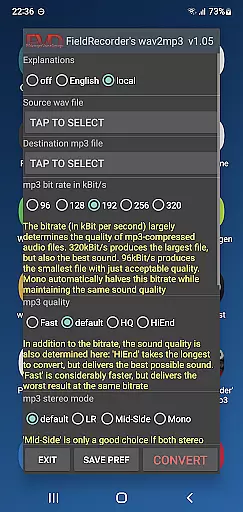
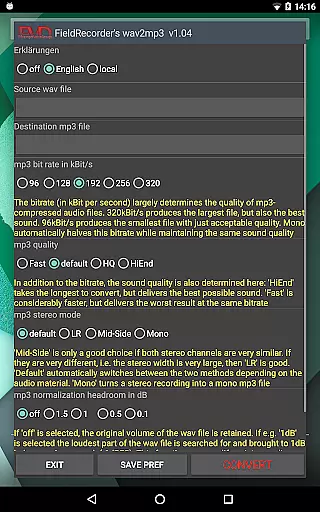
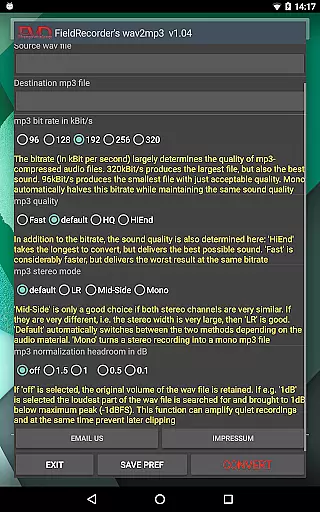
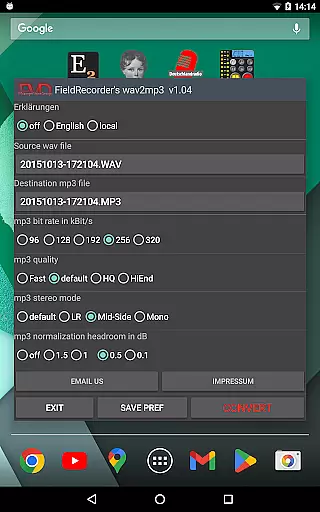
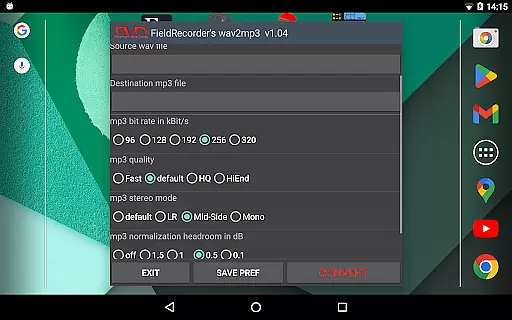
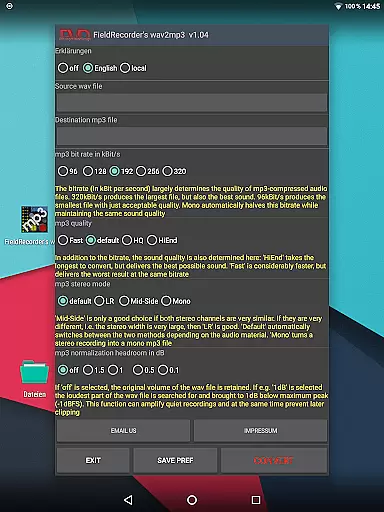
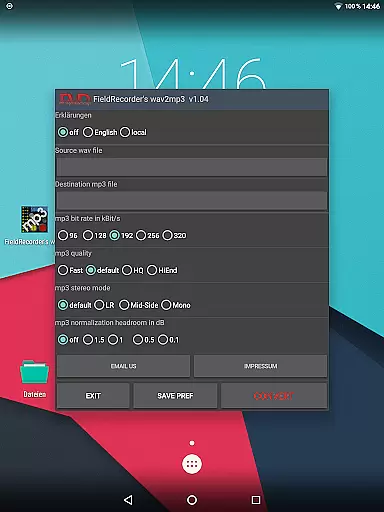
FieldRecorder's wav2mp3 stands out with its array of practical features designed to simplify the conversion process while offering customization options for advanced users. One key feature is its pre-configured settings, which include five commonly used bit rates that can be quickly selected. These presets ensure fast setup times but also allow users to save personalized configurations for future use, enhancing workflow efficiency.
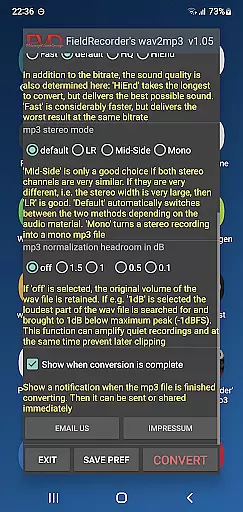
The app supports multiple encoding complexities, giving users control over the balance between processing time and audio quality. It also offers three stereo mode options—LR (separate channel encoding), Mid-Side (joint channel encoding), and Default (automatic selection)—to accommodate different types of audio material. Furthermore, users can choose whether to preserve the original file’s volume or maximize it, with adjustable decibel levels to prevent clipping during playback.
Additional conveniences include multilingual support for explanatory texts, optional notifications upon completion of conversions, and direct sharing capabilities for processed MP3 files. The developers are open to feedback and continuously seek ways to improve both performance and functionality, ensuring the app remains relevant and valuable to its users.
FieldRecorder's wav2mp3 may not boast an extensive music library, but it excels in providing a streamlined and efficient conversion process from WAV to MP3 formats. This app focuses on quality over quantity, ensuring that each file conversion maintains the audio's integrity and authenticity.
The application respects copyright by not collecting or misusing user data, which is crucial when handling audio files that might be subject to copyright laws. Users can convert their audio files with peace of mind, knowing their content is not being improperly shared or stored.
With its minimalist approach, the app ensures that users can quickly and easily convert files without unnecessary distractions or risks associated with unverified third-party content. This makes it ideal for professionals and hobbyists who need reliable, high-quality conversions without the concern of infringing on copyrights.
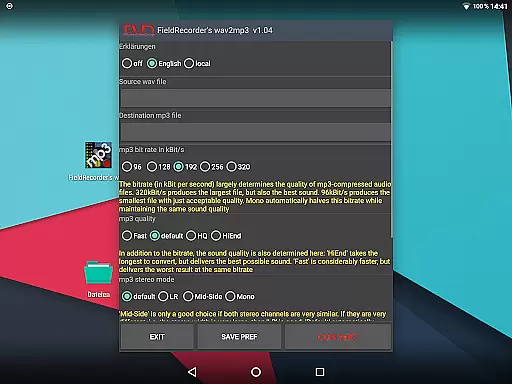
FieldRecorder's wav2mp3 offers several customizable options to enhance audio quality during the conversion process. Users can select from five common bit rates, choose stereo modes, and decide on the complexity of the MP3 encoding, allowing for tailored audio outputs that suit individual preferences and requirements.
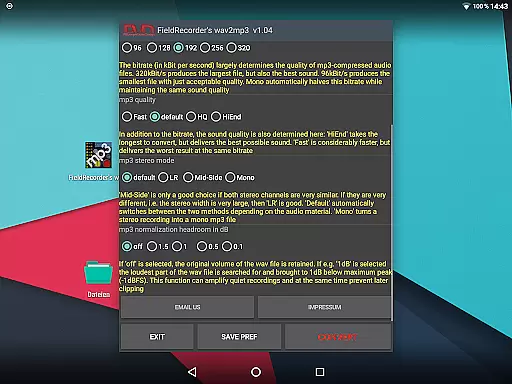
The app provides flexibility in adjusting volume levels and maximizing sound output while preventing clipping, ensuring that the final MP3 retains the clarity and richness of the original WAV file. These features are crucial for maintaining professional-grade audio quality across different playback systems and devices.
Additionally, FieldRecorder's wav2mp3 supports mono and stereo encoding options, giving users further control over the balance between file size and sound fidelity. Such versatility ensures that whether you're producing music, podcasts, or any other audio content, this app delivers consistent and superior audio quality tailored to your specific needs.
User-friendly interface
No ads or data collection
Small download size
Customizable settings
Seamless integration with Field Recorder
Limited to WAV-to-MP3 conversion
No batch processing option
Basic UI design
Fewer features than competitors
Paid app with no free trial

JBL PartyBox APP works with 110/310/710/120/320/520/Encore/Encore 2/Encore Ess 2
 4.80
4.80
Brian Eno and Peter Chilvers’ acclaimed music app Bloom, radically reinvented.
4.80
Learn to play the piano using falling notes!
3.80
Help you quickly get started with Shokz headphones
4.40
Slow music down without changing pitch.
3.70
PowerAudio is a powerful offline music player.
4.20
Sheet music reader, piano & music note player. Play music score & learn to read.
3.90
MilkDrop for Android TV
3.00
Full featured mp3 and audio player with Chromecast and Android Auto support.
4.40
Full-featured, High-Quality Groovebox Workstation, perfect for Live Performance!
4.80
Play your hearts out on TouchTunes jukeboxes & connect with fellow music lovers.
4.80
Make songs with AI! Any genre, custom lyric, song generator for music creation!
4.80 4.70
4.70
Super Sound Editor, Song Maker & Mixer, Vocal Remover, Voice Recorder & Changer!
4.60
AI Music Maker: Generate And Compose AI Tunes & AI Songs & AI Music & AI Melody!
4.60
Reverse your voice & songs instantly! Fun singing challenge with cool effects.
4.60
DJ Music Mixer Pro is a real DJ controllers and DJ Music Studio to remix DJ.
4.40
DJ Music Mixer - DJ Remix: remix songs, make beat music & record mix of DJ.
4.40
VB-AUDIO Software / VBAN-Receptor allows listening to any VBAN Streams
4.10


User Reviews