
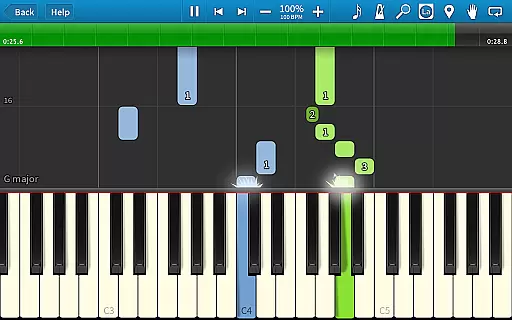
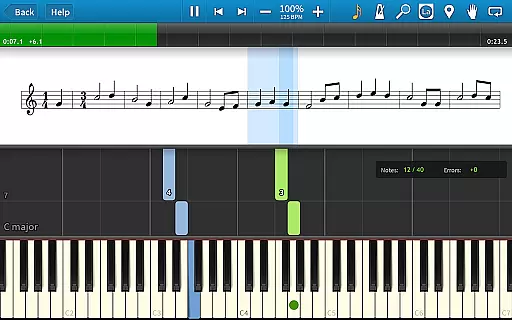
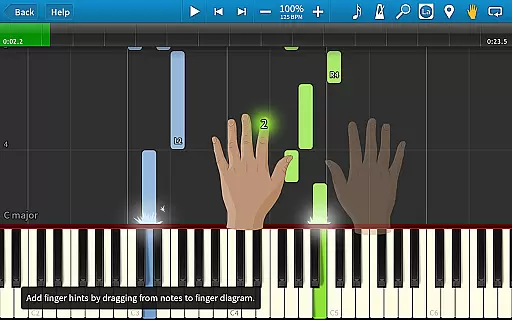
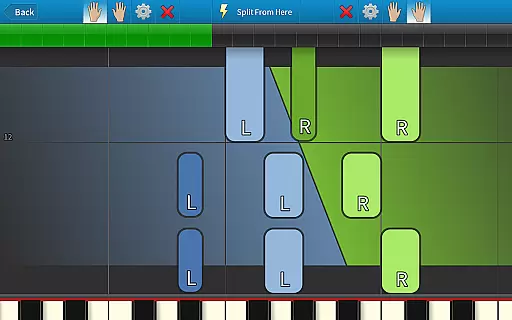
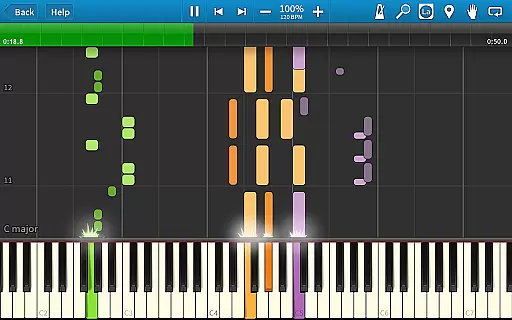
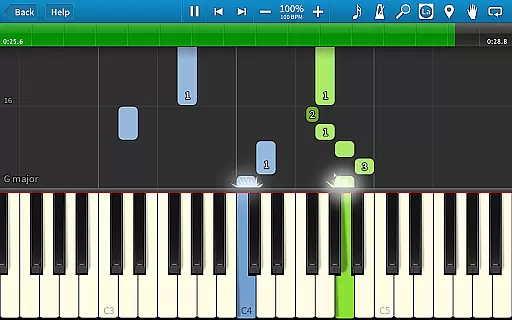
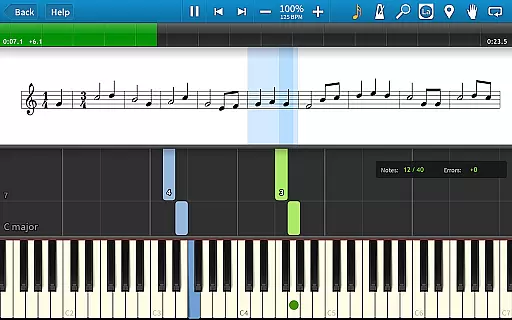
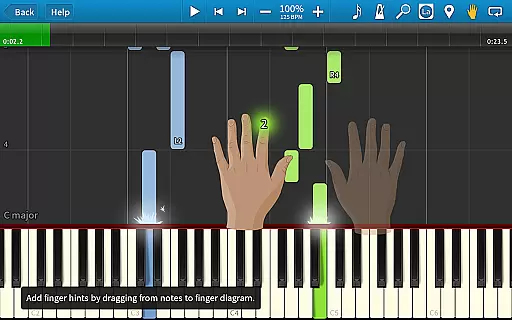
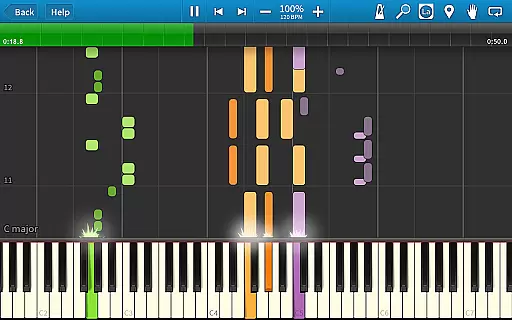
Synthesia is an innovative music learning application that allows users to start playing piano immediately, even without the ability to read sheet music. The app supports both touchscreen interaction and connection with a digital keyboard, providing an authentic piano-playing experience. Users can practice melodies with helpful guidance, as Synthesia waits for the correct note input in Melody Practice mode. It also integrates seamlessly with lighted keyboards, enhancing the learning process through visual cues.
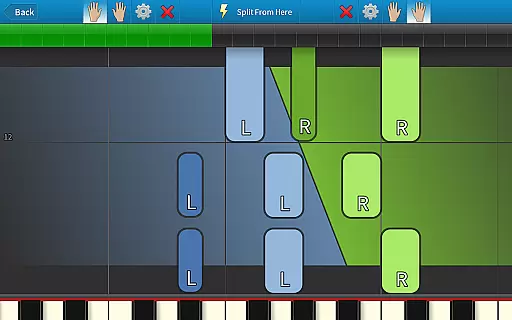
With features like traditional sheet music display, falling note blocks, and finger-position hints, Synthesia caters to learners of all levels. Whether you're practicing with separate hands or mastering both simultaneously, this app offers a comprehensive learning tool. Its compatibility with MIDI files and built-in recording capabilities make it a versatile choice for both beginners and advanced musicians. Available on Android, Synthesia provides an accessible and enjoyable way to learn and play music.
Synthesia stands out with its diverse feature set tailored for music learners. One of its key features is the support for multiple input methods, including touchscreen controls and external MIDI keyboard connectivity. This flexibility ensures users can practice in the way that suits them best. Additionally, the app's Melody Practice mode provides real-time feedback by waiting for the correct note, helping users learn at their own pace.
The app also includes a rich library of over 150 songs, with the option to unlock all content through a one-time purchase. This unlocks advanced features such as multi-track recording, loops, bookmarks, and a built-in metronome. Synthesia further enhances the learning experience by offering visual aids like falling notes and lighted keys, making it ideal for visual learners. These features collectively create an engaging and effective platform for anyone looking to master the piano.
Synthesia offers an extensive music library that caters to users of all levels, from beginners to advanced musicians. The app includes over 150 songs, ensuring a wide variety of musical pieces to choose from.
Each song in Synthesia is carefully curated and created with proper copyright authorization, providing users with the confidence that they are engaging with legitimate content. This attention to copyright details ensures a seamless learning experience without legal concerns.
The app also supports MIDI files, allowing users to import virtually any song ever created. This feature significantly expands the available music library beyond the included tracks, offering limitless possibilities for practice and enjoyment.
Synthesia delivers exceptional audio quality through its integration with digital pianos and keyboards. By connecting your own instrument, you can experience authentic sound reproduction that matches the quality of your equipment.
The app provides various audio settings to customize your playing experience. Users can adjust parameters such as tempo, volume, and instrument voices to suit their preferences and create a personalized practice environment.
Additionally, Synthesia's built-in metronome and recording features maintain high audio fidelity throughout all operations. Whether you're practicing with the falling note blocks or recording multi-track compositions, the app consistently delivers clear and precise sound output.
User-friendly interface
Real-time feedback
Wide song selection
One-time purchase model
Supports MIDI integration
Limited free version
Requires hardware for full experience
No advanced music theory
Occasional bugs reported
Premium unlock cost

Make music anywhere. Turn your device into an instrument.
 4.0
4.0
Over 100 million tracks available for high quality streaming and download
4.60
VB-AUDIO Software / VBAN-Receptor allows listening to any VBAN Streams
4.10
JBL PartyBox APP works with 110/310/710/120/320/520/Encore/Encore 2/Encore Ess 2
4.80
Music Streaming suite for Ampache, Nextcloud Music and compatible backends.
4.3
Enjoy singing any song, no matter how high or low it is
4.30
PowerAudio is a powerful offline music player.
4.20
Offline Tunes, Unlimited Vibes
3.90
Be a true music maker: create beats, mix and make music like a real DJ!
4.30
Music, News & Sports Radio Tuner App. Tune in Live FM & AM Radio Stations.
4.80
Performance-Synthesizer & Multi-Track-Sequencer, polyphonic + multi timbral!
4.70
Most Advanced AI Song Generator and Music Creator. Rap, Pop, Rock, Gospel & more
4.70
Unleash your creativity! Turn simple prompts into full fledged songs.
4.70
Bass Booster & Volume Equalizer Pro improves your music and video sound quality
4.60
Reverse your voice & songs instantly! Fun singing challenge with cool effects.
4.60
Network/Cloud Streaming, Visualization, Graphic Equalizer and Sound Effects.
4.20
The alternative folder based music player.
4.20
Smart piano keyboard, Classical to Pop, Real-time multiplayer connection!
4.20
The ultimate media player for Android devices
3.90


User Reviews