
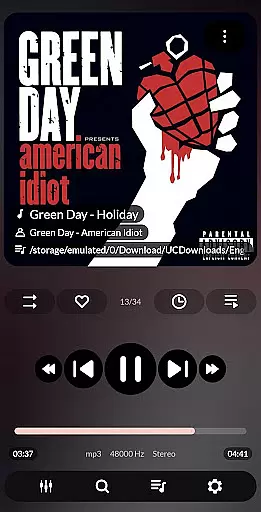
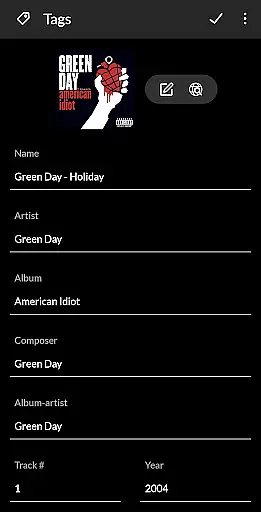


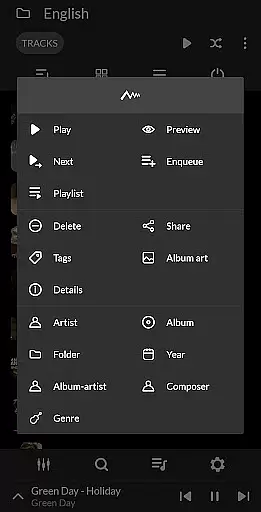
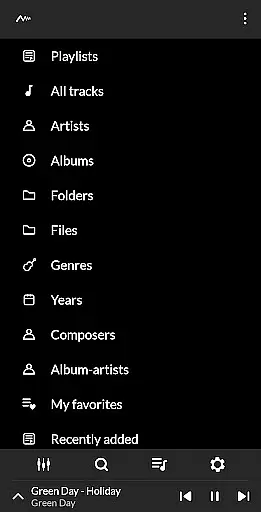
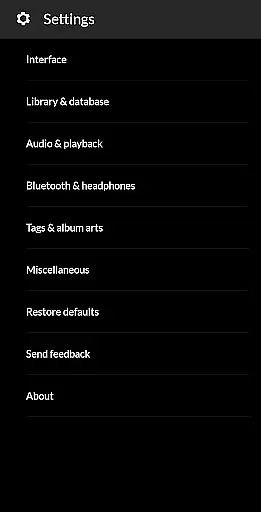
PowerAudio Plus Music Player is a feature-rich audio player designed to elevate your music listening experience. With its intuitive interface and support for all major audio formats, the app makes it easy to manage and enjoy your music library. You can browse songs by albums, artists, playlists, or favorites, while advanced playback options like equalizer presets, BassBoost, and Virtualizer ensure superior sound quality tailored to your preferences.
The app also includes practical features such as customizable playlists, a sleep timer, and the ability to set phone ringtones. Whether you're organizing your music collection or fine-tuning audio settings, PowerAudio Plus provides tools that cater to both casual listeners and audiophiles alike. Its seamless integration with headphone detection and background play ensures uninterrupted enjoyment on any Android device.
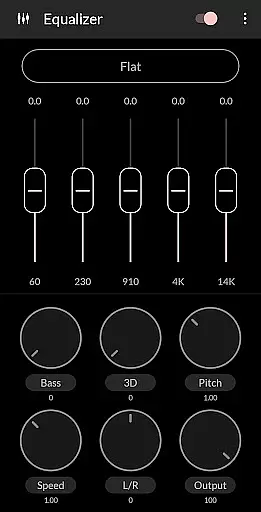
PowerAudio Plus Music Player stands out with its comprehensive suite of features designed for music enthusiasts. The app supports an extensive range of audio formats including MP3, WAV, AAC, and OGG, ensuring compatibility with virtually any music file. Its powerful equalizer comes equipped with BassBoost and Virtualizer, offering users multiple presets and the option to create custom audio profiles.
Organization is made simple with tabs for albums, artists, playlists, and favorite tracks. Users can take advantage of multi-select options, sorting capabilities, and the ability to delete unwanted songs or playlists. Additional highlights include automatic headphone detection, repeat/shuffle modes, and a sleep timer. These thoughtful features combine to deliver a personalized and hassle-free music experience.
PowerAudio Plus Music Player offers an extensive music library that supports all major audio formats such as mp3, m4a, wav, aac, amr, and ogg. This ensures that users can enjoy a wide variety of music without worrying about compatibility issues.
The application scans the user's device to find songs stored in these formats, making it easy for users to access their entire music collection in one place. With features like browsing songs by albums, artists, or playlists, users can easily organize and navigate through their music library.
While PowerAudio provides robust tools for managing music files, it is important to note that the app itself does not verify the copyright status of each track. Users are encouraged to ensure that they have the right to play and manage the music files on their device.
One of the standout features of PowerAudio Plus Music Player is its superior audio quality, which is achieved through a powerful equalizer with BassBoost and Virtualizer. These tools allow users to customize their listening experience according to their preferences.
Users can choose from a variety of preset options or create their own custom presets to fine-tune the sound output. This flexibility ensures that whether you're using high-end headphones or standard speakers, you can optimize the audio settings for the best possible sound quality.
In addition to the equalizer, PowerAudio also provides codec details such as bitrate, sample frequency, and channels. This information helps audiophiles understand the technical aspects of their music files, further enhancing the overall listening experience.
User-friendly interface
High-quality audio playback
Customizable equalizer settings
Comprehensive format support
Intuitive music management tools
No built-in lyrics display
Limited visual themes
Occasional performance lags
Ads in free version
Complex for beginners

The Music Journey in Your Hands
 4.30
4.30
Enhance the sound quality of your devices, listen to what you want
4.50
Simple & Intuitive Metronome
4.70
Network/Cloud Streaming, Visualization, Graphic Equalizer and Sound Effects.
4.20
A sleek, no-frills player designed for true music lovers.
4.20
Music, News & Sports Radio Tuner App. Tune in Live FM & AM Radio Stations.
4.80
A complete sound package for the sound engineer or enthusiast
4.60
Full featured mp3 and audio player with Chromecast and Android Auto support.
4.40
One-tap booster for max volume - enjoy powerful sound with this audio booster
4.50
Record, Mix & Master with all n-Track effects, 64-bit audio and Stem Separation.
4.70
Play KORG’s revolutionary touch-based instrument on a variety of devices.
4.40
Equalizer, Bass Booster and Volume Booster (Eq & Bass) improve sound quality
4.30
A High-Precision Audio Spectrum Analysis App
4.20
No wifi music app. Mp3 offline. Tuner radio, young radio music. Music downloader
4.20
The official Sonos app
4.10
Turn your Android phone into a professional audio analyser with up to 120 bands.
4.00
Turn your phone into a musical instrument from the future!
3.90
The Cubase remote control app
3.60
Control your MIDI USB or Bluetooth devices in app and avoid some trampling
3.30


User Reviews