
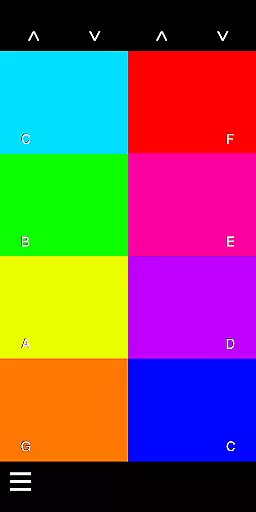
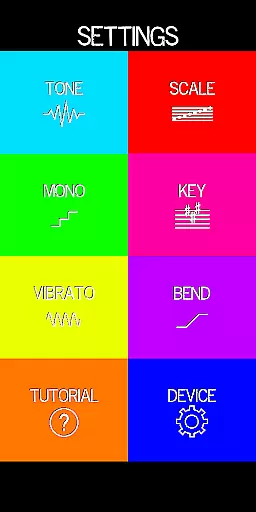
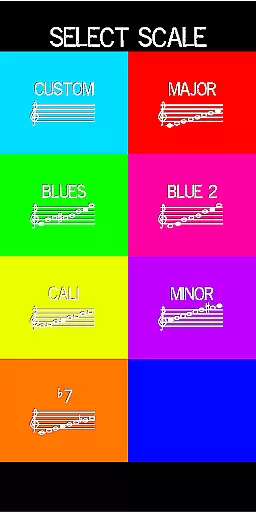
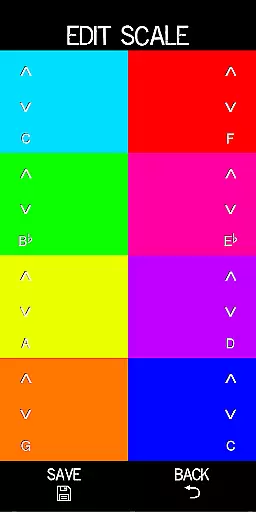
Pocket Talkbox is a professional-grade music application that allows users to emulate iconic vocal effects reminiscent of artists like Daft Punk and Stevie Wonder. With six distinct tones, customizable scale presets, pitch bend, and vibrato, this app offers an extensive toolkit for musicians and audio enthusiasts alike.
One standout feature is the ability to modify keys up to two octaves higher or lower, providing unparalleled flexibility in sound design. Whether you're performing live or experimenting with new sounds in the studio, Pocket Talkbox delivers a unique and versatile experience that can elevate your music production.
The app works by playing a tune or tone directly into the user's mouth, where the shape of the mouth creates the desired effect. This innovative approach requires practice but offers a rewarding way to explore new musical dimensions. Suitable for both beginners and seasoned professionals, Pocket Talkbox is an essential tool for anyone interested in advanced audio manipulation.
Pocket Talkbox stands out with its rich array of features designed to enhance musical creativity. The app includes six unique tones and customizable scale presets, allowing users to tailor their sound precisely to their needs. Additionally, functionalities such as pitch bend and vibrato provide dynamic control over the audio output, making it possible to create complex and nuanced musical pieces.
Another remarkable aspect is the ability to change keys up to two octaves higher or lower. This feature enables musicians to experiment with different pitches and harmonies effortlessly. By pointing the speaker directly into the mouth, users can manipulate sound using the shape of their mouth rather than their voice, creating authentic talkbox effects.
While mastering these techniques may require some practice, the app provides comprehensive tutorials and resources at vbiliti.com to help users get started. Overall, Pocket Talkbox offers a sophisticated set of tools that cater to both amateur hobbyists and professional musicians looking to expand their sonic palette.
Pocket Talkbox offers a unique musical experience by providing six distinct tones that users can experiment with. These tones form the core of its music library, allowing musicians to explore different sounds and styles.
The app ensures copyright authenticity by offering original sound presets that are completely customizable. Users can create and save their own scale presets, making sure that every musical creation remains unique and free from copyright issues.
With the ability to change keys up to two octaves higher or lower, the app provides flexibility in music creation. This feature is crucial for musicians who want to explore different musical scales while maintaining creative control over their work.
The audio quality of Pocket Talkbox is designed to mimic iconic sounds from famous artists like Daft Punk and Stevie Wonder. This high-quality audio output is achieved through advanced sound processing techniques.
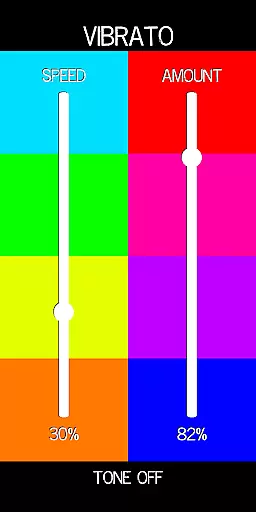
Users can further enhance audio quality with features such as pitch bend and vibrato. These effects add depth and texture to the sound, allowing for more expressive performances.
For those looking to master the talkbox technique, the app provides detailed tutorials at vbiliti.com. These resources ensure users understand how to achieve the best possible audio quality using correct mouth positioning and sound shaping methods.
User-friendly interface
Highly customizable settings
Wide range of tones
Excellent pitch control
Comprehensive tutorial support
Requires practice to master
Limited free version availability
May not suit all music styles
Occasional latency issues
Advanced features need learning

Over 100 million tracks available for high quality streaming and download
 4.60
4.60
Full-featured, High-Quality Groovebox Workstation, perfect for Live Performance!
4.80
Most Advanced AI Song Generator and Music Creator. Rap, Pop, Rock, Gospel & more
4.70
A sleek, no-frills player designed for true music lovers.
4.20
No wifi music app. Mp3 offline. Tuner radio, young radio music. Music downloader
4.20
Smart piano keyboard, Classical to Pop, Real-time multiplayer connection!
4.20
Master Salsa Rhythm quickly and with a lot of fun!
4.30
Sing, record, and create music together — enhanced by smart voice tools.
4.00
Melody Beat: Great for travel, workouts, offline vibes, play your tunes anytime.
4.10
Gorgeous UI, Powerful music Search and Equalizer, the great choice for you!
4.70
Record, Mix & Master with all n-Track effects, 64-bit audio and Stem Separation.
4.70
Bass Booster & Volume Equalizer Pro improves your music and video sound quality
4.60
Offline Music Player&MP3 Player with themes, equalizer, lyrics, music play mode
4.60
Learn the notes on the guitar fretboard fast with this easy and fun app
4.60
Visualize the guitar fretboard, master scales & play through changes like a pro!
4.50
DJ Music Mixer Pro is a real DJ controllers and DJ Music Studio to remix DJ.
4.40
Help you quickly get started with Shokz headphones
4.40
Time Guru will strengthen your internal sense of musical time via random muting.
4.30
MilkDrop for Android TV
3.00


User Reviews