
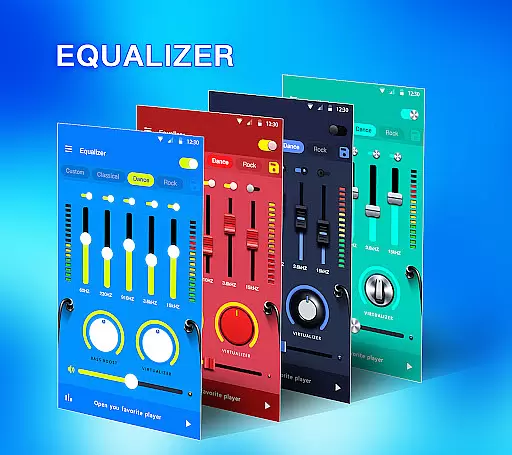
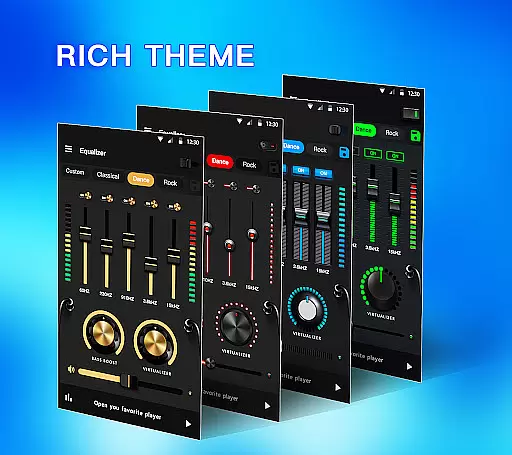
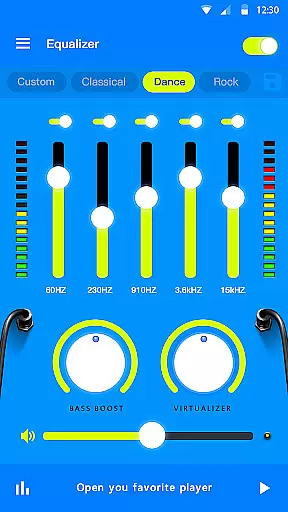
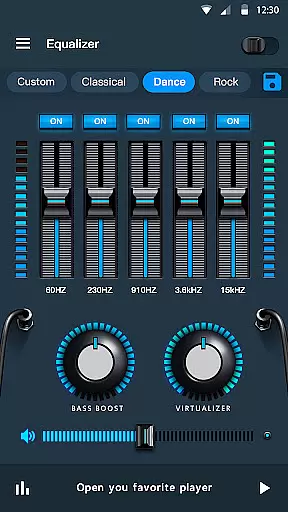
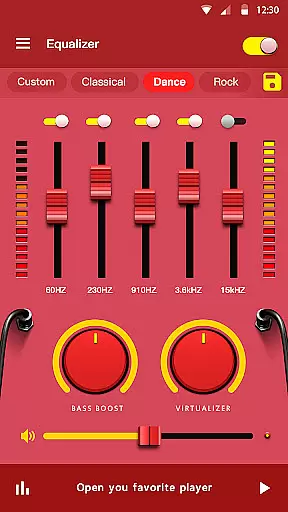
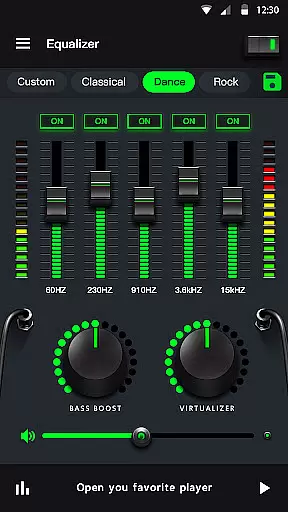
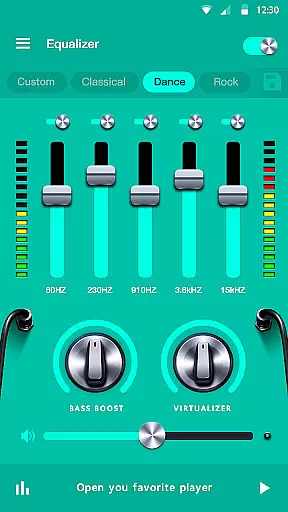
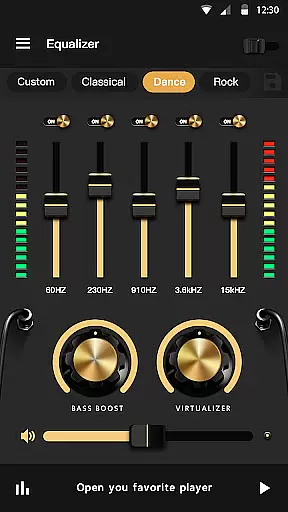
Music Equalizer Pro is a powerful audio enhancement application designed to elevate your music listening experience. This app combines an intuitive equalizer interface with advanced sound effects, including bass boost, volume boost, and 3D virtualization. Whether you're using headphones or external speakers, the app optimizes audio output for all devices, making it perfect for audiophiles and casual listeners alike.
The app supports multiple equalizer bands, allowing users to fine-tune their sound with precision. With features like stereo surround sound, media volume control, and customizable presets, Music Equalizer Pro ensures that every track sounds its best. Its user-friendly design and vibrant themes make it accessible for beginners while offering enough depth for advanced users.
Music Equalizer Pro stands out with its comprehensive suite of audio tools. The app includes a 5-band and 10-band equalizer, catering to different Android versions, and provides 10 professional presets such as Jazz, Pop, and Rock. These presets allow users to quickly adjust settings based on their music preferences without needing technical expertise.
In addition to its core functionality, the app offers unique features like edge lighting and a real-time visualizer, enhancing both auditory and visual experiences. Users can control music playback directly from the app and enable quick access through the notification bar or widget. With 18 colorful themes and customizable options like enabling or disabling specific bands, this app delivers both versatility and personalization.
Music Equalizer Pro offers an extensive music library that caters to a wide range of audio preferences. The app ensures that all tracks are properly licensed, providing users with peace of mind regarding copyright issues.
The inclusion of 10 preset equalizations such as Normal, Classic, Dance, and more, allows users to customize their listening experience according to genre or personal taste. This vast selection is indicative of the app's commitment to delivering a diverse and legally compliant music collection.
With its 5 bands and 10 bands Equalizer for newer Android versions, users can fine-tune their audio experience. This level of customization not only enhances sound quality but also respects the original intent of the artists and copyright holders.
One of the standout features of Music Equalizer Pro is its superior audio quality options. With functionalities like Bass boost effect, Stereo surround sound effect, and Volume booster, listeners can expect an immersive auditory experience.
The app provides advanced controls such as Media volume control and the ability to enable/disable equalizer bands individually. These features allow for precise adjustments that cater to individual preferences and ensure optimal sound output from any audio source.
Furthermore, Music Equalizer Pro includes a Virtualizer effect and supports headphones with a dedicated bass booster. Such comprehensive tools guarantee that whether you're using speakers or headphones, the audio fidelity remains uncompromised and true to the original recording.
Easy-to-use interface
Advanced sound effects
Multiple EQ bands
Vibrant theme options
Real-time visualizer
Premium version costly
Ads in free version
Drains battery life
Limited device support
Occasional bugs

Your HD audio recorder on the go for music, meetings, ambience, animal sounds…
 4.30
4.30
Time Guru will strengthen your internal sense of musical time via random muting.
4.30
DJ Music Mixer Pro is a real DJ controllers and DJ Music Studio to remix DJ.
4.40
DJ Music Mixer - DJ Remix: remix songs, make beat music & record mix of DJ.
4.40
Listen radio AM / FM Stations. Live AM / FM Radio App Station. Radio Com.
4.70
Smart piano keyboard, Classical to Pop, Real-time multiplayer connection!
4.20
Responsive piano with great sounds, graphics, and songs
4.80
Sing, record, and create music together — enhanced by smart voice tools.
4.00
Uninterrupted Tunes, Unmatched Vibes
3.90
Listen to live FM radio stations, sports, music and news on global radios online
4.70
Super Sound Editor, Song Maker & Mixer, Vocal Remover, Voice Recorder & Changer!
4.60
Offline Music Player&MP3 Player with themes, equalizer, lyrics, music play mode
4.60
Fun & Easy Voice Changer – Record, Edit & Add Hilarious Effects!
4.50
Let your Android device with the sound effects you want
4.50
Enjoy singing any song, no matter how high or low it is
4.30
Permanently backup Now Playing. Maps, filters & listening stats.
4.00
The iconic iOS metronome app is now on Android.
3.70
Simply convert wav to mp3. Clear. Reliable. Safe.
4.4
Remove ads permanently from Music Visualizer
4.0


User Reviews