
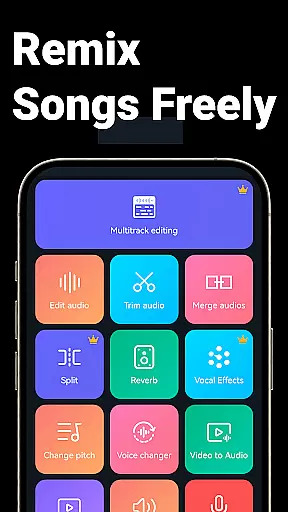
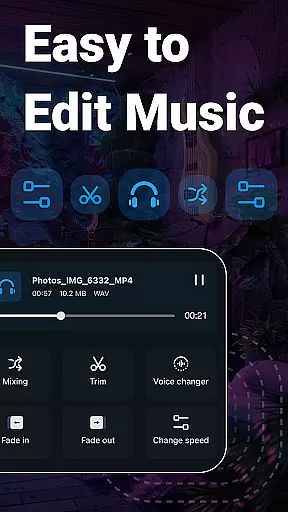
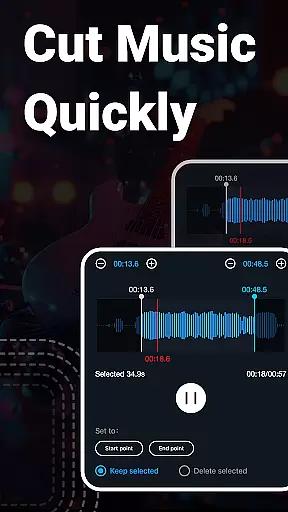
Music Audio Editor, MP3 Cutter is a comprehensive audio editing tool designed for both casual users and professionals. This app allows you to cut, splice, mix, and convert audio files with precision and ease. With functionalities ranging from changing pitch and tempo to converting video to audio, it covers a wide array of needs.
The app stands out with its multitrack editing capabilities, vocal removal feature, and an array of effects such as fade in/out. Whether you're looking to create ringtones, adjust music tracks, or experiment with sound effects, this app provides the tools necessary to unleash your creativity.
Ideal for musicians, podcasters, and content creators, Music Audio Editor, MP3 Cutter turns your Android device into a portable studio. Its intuitive interface ensures that even beginners can achieve professional results, making it a must-have for anyone interested in audio production.
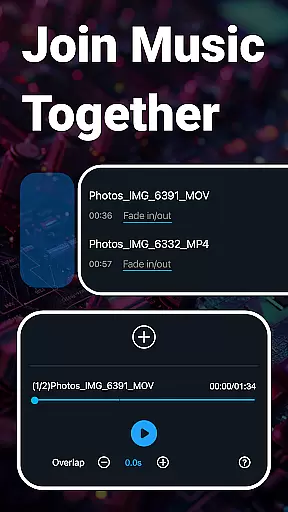
One of the core strengths of Music Audio Editor, MP3 Cutter is its extensive feature set tailored for detailed audio manipulation. The app offers precise cutting in milliseconds, seamless splicing of multiple tracks, and mixing capabilities that allow for complex compositions.
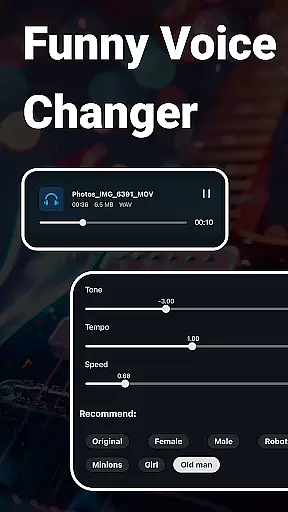
Beyond basic editing, the app includes creative features like voice changers, pitch adjustments, and equalizer settings. Users can also remove vocals from songs, compress audio files for sharing, and convert between various formats including MP3, WAV, and FLAC. These functions ensure that your audio projects maintain high quality across different platforms.
Additionally, the app supports batch processing, royalty-free music downloads, and even video-to-audio conversion. Such features not only save time but also expand the possibilities for content creation, making it an indispensable tool for modern audio editors.
When it comes to music editing applications, the size and authenticity of the music library are crucial factors. Super Sound offers an extensive collection of over 2000 royalty-free tracks that users can download and incorporate into their projects without worrying about copyright infringement. This vast library ensures that creators have a wide variety of music genres and styles at their disposal.
The app's dedication to providing legally safe content means that all included tracks have been vetted for proper licensing. Users can confidently use these audio files in their creations, whether for personal enjoyment or commercial purposes. The peace of mind that comes with knowing your materials are copyright-compliant is invaluable for any content creator.
Moreover, Super Sound doesn't just stop at offering a large music library; it also supports multiple audio formats such as MP3, AAC, WAV, FLAC, M4A, and AMR. This versatility allows users to work with their preferred file types and ensures compatibility across different devices and platforms. Such comprehensive format support enhances the overall user experience by providing flexibility and convenience.
Audio quality is paramount when editing music, and Super Sound excels in offering various options to ensure top-notch sound output. The application allows users to adjust critical parameters like sound channels, sample rates, and bit rates during the editing process. These features give users precise control over the final audio quality, enabling them to produce professional-grade results.
In addition to basic editing functions, Super Sound provides advanced tools such as a music equalizer with numerous preset options. Users can fine-tune their audio tracks with specific equalization settings, enhancing particular frequencies to achieve the desired auditory effect. This level of customization empowers creators to craft unique soundscapes tailored to their artistic vision.
Furthermore, the app includes features like volume adjustment, pitch shifting, and tempo changes, which contribute to overall audio refinement. Whether you're looking to make subtle enhancements or dramatic transformations, Super Sound equips you with the necessary tools to elevate your audio projects. With these robust audio quality options, users can consistently deliver high-fidelity sound experiences across all their productions.
User-friendly interface
Extensive format support
Batch processing available
Vocal removal feature
Multitrack editing
Occasional bugs reported
Advertisements present
Premium features locked
Complex for beginners
Resource-intensive

Equalizer, Bass Booster and Volume Booster (Eq & Bass) improve sound quality
 4.30
4.30
Formerly known as Spotistats! View your top tracks, artists, albums and more!
4.40
Taal player that lets you sing any Indian & Western song with Tabla & Tanpura
4.60
Network/Cloud Streaming, Visualization, Graphic Equalizer and Sound Effects.
4.20
Recording studio w/ 10k beats, pro vocal FX and a network of 20M rappers & fans!
4.60
Unleash your creativity! Turn simple prompts into full fledged songs.
4.70
Learn and play 2M+ music tabs & chords on guitar, ukulele, bass, and more
4.30
Offline Music Player & MP3 Player.Powerful equalizer, Lyrics, Themes, Tag Editor
4.80
MilkDrop for Android TV
3.00
Your song collections with lyrics and chords on Android smartphones and tablets.
4.80
Gorgeous UI, Powerful music Search and Equalizer, the great choice for you!
4.70
Ultimate Sonos Controller
4.70
Bass Booster & Volume Equalizer Pro improves your music and video sound quality
4.60
Visualize the guitar fretboard, master scales & play through changes like a pro!
4.50
Let your Android device with the sound effects you want
4.50
Play KORG’s revolutionary touch-based instrument on a variety of devices.
4.40
Learn to play the piano using falling notes!
3.80
The iconic iOS metronome app is now on Android.
3.70
Control your MIDI USB or Bluetooth devices in app and avoid some trampling
3.30


User Reviews