
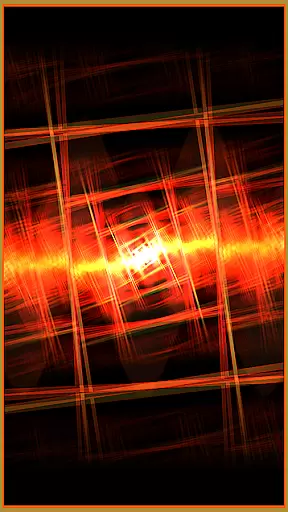


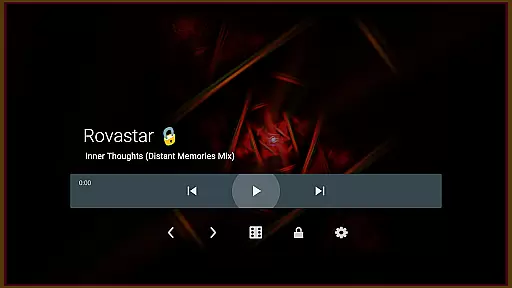

projectM Music Visualizer TV is a cutting-edge music visualization application designed specifically for Android TV. It offers the smoothest graphics and the most extensive collection of presets, making it highly responsive to various audio sources. Whether you're streaming music through Pandora, Spotify, or any other player, projectM transforms your audio experience into stunning visual displays. The app allows users to control playback directly, eliminating the need to switch between apps.
This modern take on MilkDrop utilizes advanced technologies to deliver 60 FPS Pixel Shaded Rendering with over 200 visual effects. Users can customize their experience by adjusting settings like texture size and mesh size to optimize performance and quality. Compatible with MilkDrop (.milk) presets, projectM ensures both nostalgia and innovation in its presentation.
projectM stands out with its impressive array of features tailored for an immersive audio-visual journey. With over 200 built-in visual effects, users can enjoy a diverse range of artistic expressions that dynamically respond to music. The application supports high-performance rendering at 60 FPS using pixel shading techniques, ensuring fluid animations even during complex transitions.
One notable feature is its ability to integrate seamlessly with multiple music players such as Stock Player, Google Music, Spotify, Pandora, and PowerAMP. This compatibility enables users to manage their playlists without leaving the app. Additionally, configurable graphics settings allow for personalized optimization based on individual preferences and hardware capabilities, enhancing both visual fidelity and system responsiveness.
projectM Music Visualizer TV offers an extensive library of over 200 visual effects, ensuring a rich and diverse audio-visual experience. This vast collection provides users with a wide array of stunning visuals that cater to every musical genre and personal preference.
The application is not just about quantity but also quality. Each preset is crafted with precision, utilizing modern technologies to deliver 60 FPS Pixel Shaded Rendering. This high frame rate guarantees buttery-smooth animations that are visually striking and technically impressive.
Compatibility with MilkDrop (.milk) presets further enhances its appeal by allowing users to import their favorite visualizations. This feature ensures that projectM remains at the forefront of music visualization technology while respecting established standards in the field.
All content within projectM is developed in-house by the original projectM team, guaranteeing both authenticity and respect for copyright laws. Users can enjoy these visuals knowing they are experiencing legitimate, high-quality artistry designed specifically for this platform.
One of projectM's standout features is its ability to deliver exceptional audio quality through configurable graphics settings. Users have the flexibility to adjust texture size under settings, which directly impacts the clarity and detail of visual effects rendered on screen.
In addition to texture size adjustments, mesh size configurations provide further control over graphical fidelity. These advanced options allow users to fine-tune their experience based on device capabilities or personal preferences, ensuring optimal performance without sacrificing visual excellence.
The application supports seamless integration with various music players such as Stock Player, Google Music, Spotify, Pandora, and PowerAMP. This compatibility ensures that regardless of your preferred streaming service or local player, projectM will synchronize perfectly with your audio source.
By offering these comprehensive audio quality options, projectM empowers users to create a customized listening environment where both sound and visuals harmonize beautifully. Whether you're using an Android TV for casual enjoyment or professional demonstrations, projectM stands ready to elevate your multimedia experience.
Smoothest graphics
Extensive preset library
Responsive to music
Playback controls integrated
High-quality rendering
Requires compatible device
May consume significant resources
Limited mobile functionality
Preset customization complex
Advanced settings needed for optimization

A synth that really lets you shape your sounds!
 4.50
4.50
Full-featured, High-Quality Groovebox Workstation, perfect for Live Performance!
4.80
DJ Music Mixer Pro is a real DJ controllers and DJ Music Studio to remix DJ.
4.40
Bass Booster Pro takes auto-equalizing to the next level!
4.30
Listen radio AM / FM Stations. Live AM / FM Radio App Station. Radio Com.
4.70
Let your Android device with the sound effects you want
4.50
Learn the notes on the guitar fretboard fast with this easy and fun app
4.60
Reverse your voice & songs instantly! Fun singing challenge with cool effects.
4.60
Uninterrupted Tunes, Unmatched Vibes
3.90
Voice recorder - Audio recorder. Best recorder for recording
4.90
Music, News & Sports Radio Tuner App. Tune in Live FM & AM Radio Stations.
4.80
Enhance the sound quality of your devices, listen to what you want
4.50
10-Band Audio Equalizer, Sound / Bass Booster for Spotify Users & Music Players
4.40
DJ Music Mixer - DJ Remix: remix songs, make beat music & record mix of DJ.
4.40
Help you quickly get started with Shokz headphones
4.40
No wifi music app. Mp3 offline. Tuner radio, young radio music. Music downloader
4.20
The original SP-1200 experience on your iPad
4.20
The ultimate media player for Android devices
3.90
The Minimalistic Premium Music Player. Handmade with passion for music
2.20


User Reviews